Inputronic Keyboard - Live typing to OLED
Overview
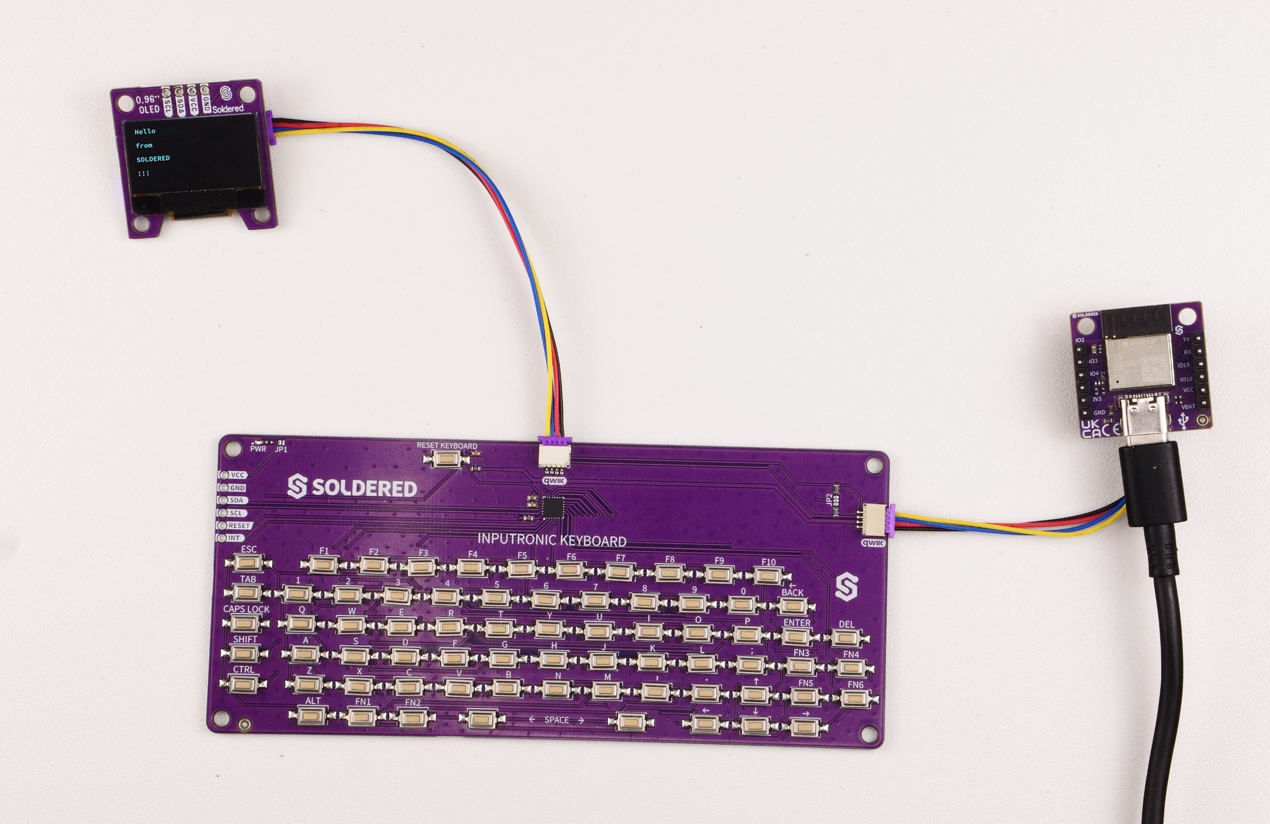
This example demonstrates live typing using the Inputronic Keyboard with output to an OLED display (SSD1306-compatible). Text is rendered in real-time on the screen as you type.
Hardware Requirements
- Inputronic Keyboard (I²C address: 0x34)
- SSD1306 OLED Display (I²C address: 0x3C)
- Both devices connected via Qwiic/easyC or I²C
Initialization
Both the OLED display and the keyboard are initialized over I²C. A String buffer is reserved to hold the typed text.
#include <Arduino.h>
#include <Wire.h>
#include <OLED-Display-SOLDERED.h>
#include "SOLDERED-Inputronic-Keyboard.h"

#define SCREEN_WIDTH   128
#define SCREEN_HEIGHT   64
#define SCREEN_ADDRESS  0x3C

OLED_Display display;
InputronicKeyboard kbd;

String typedText;

void setup(){
    Serial.begin(115200);

    if(!display.begin()){
        Serial.println("OLED not found!");
        while(1);
    }

    display.clearDisplay();
    display.setTextSize(1);
    display.setTextColor(SSD1306_WHITE);
    display.display();

    typedText.reserve(256);

    if(!kbd.begin()){
        Serial.println("Keyboard not found!");
        while(1);
    }

    redrawOled();
}
Redrawing the Display
A helper function clears the OLED and reprints the entire text buffer. This is called whenever the buffer changes.
void redrawOled(){
    display.clearDisplay();
    display.setCursor(0, 0);
    display.print(typedText);
    display.display();
}
Handling Key Events
The main loop reads key events and appends characters to the typedText buffer. Special keys (SPACE, BACK, ENTER) are handled individually, and the display is only redrawn when the buffer actually changes.
void loop(){
    bool changed = false;

    while(kbd.eventsAvailable() > 0){
        bool isRelease = false;
        uint8_t row = 0, col = 0;
        const char *label = nullptr;

        if(!kbd.readMappedEvent(isRelease, row, col, label))
            break;

        if(!label || isRelease)
            continue;

        if(!strcmp(label, "SPACE")){
            typedText += ' ';
            changed = true;
            continue;
        }

        if(!strcmp(label, "BACK")){
            if(typedText.length() > 0){
                typedText.remove(typedText.length() - 1);
                changed = true;
            }
            continue;
        }

        if(!strcmp(label, "ENTER")){
            typedText += '\n';
            changed = true;
            continue;
        }

        if(!strcmp(label, "CAPS") || !strcmp(label, "SHIFT"))
            continue;

        char ch;
        if(kbd.labelToChar(label, ch, true)){
            typedText += ch;
            changed = true;
        }
    }

    if(changed){
        redrawOled();
    }

    delay(1);
}
The display is only redrawn when changed is true. This avoids unnecessary I²C traffic and display flicker.
Full Example
OledType
Demonstrates live typing on an SSD1306 OLED display using the Inputronic Keyboard, with real-time rendering, backspace, and newline support.
Additional Example
For e-paper displays like Inkplate, see the InkplateType example in the library. It follows the same approach but minimizes refresh cycles for e-paper longevity.
InkplateType
Live typing example adapted for Inkplate e-paper displays with optimized partial refresh.