Inputronic Keyboard - Live typing to Serial
Overview
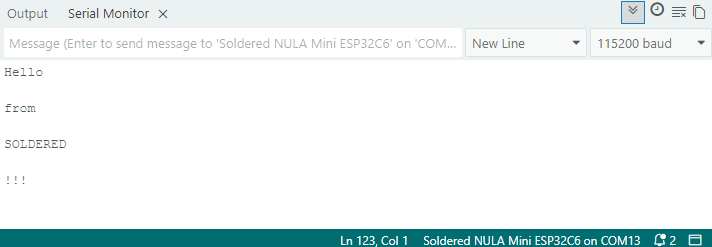
This example demonstrates live typing using the Inputronic Keyboard with output to the Serial Monitor. Characters are printed in real-time as you type, making this ideal for terminal-style input and debugging.
Initialization
Include the library, create the keyboard object, and initialize it. If the keyboard isn't found, the program halts.
#include <Arduino.h>
#include "SOLDERED-Inputronic-Keyboard.h"

InputronicKeyboard kbd;

void setup(){
    Serial.begin(115200);

    if(!kbd.begin()){
        Serial.println("Keyboard not found!");
        while(1);
    }

    Serial.println("Start typing:");
}
Handling Special Keys
Inside the main loop, after reading each key event with readMappedEvent(), special keys are handled by comparing the label string. Release events and modifier-only keys (CAPS, SHIFT) are skipped.
if(!strcmp(label, "SPACE")){
    Serial.print(' ');
    continue;
}

if(!strcmp(label, "BACK")){
    Serial.print("\b \b");
    continue;
}

if(!strcmp(label, "ENTER")){
    Serial.println();
    continue;
}

// CAPS and SHIFT are modifiers only
if(!strcmp(label, "CAPS") || !strcmp(label, "SHIFT"))
    continue;
Key Behavior
| Key | Action |
|---|---|
| Printable keys | Printed to Serial |
| SPACE | Prints space character |
| BACK | Terminal-style backspace (\b \b) |
| ENTER | Prints newline |
| CAPS | Toggles upper/lower keymap (internal) |
| SHIFT | Modifier (handled automatically) |
Printing Characters
For all remaining keys, labelToChar() converts the label to a printable character with SHIFT applied automatically, and prints it to the Serial Monitor.
char ch;
if(kbd.labelToChar(label, ch, true)){
    Serial.print(ch);
}
kbd.labelToChar(label, ch, applyShift)
Converts a single-character label to a printable character. Automatically applies SHIFT and CAPS logic.
Returns value: Boolean value. True if the label is a printable character.
Function parameters:
| Type | Name | Description |
|---|---|---|
const char* | label | Input: key label from keymap |
char& | ch | Output: resulting character |
bool | applyShift | Whether to apply SHIFT transformations (default: true) |
SHIFT and CAPS logic is handled internally by the library. When SHIFT is held:
- Letters have their case inverted (CAPS XOR SHIFT)
- Numbers and symbols use the shift map (e.g., '1' becomes '!')
Full Example
SerialType
Demonstrates live typing with the Inputronic Keyboard, printing characters to the Serial Monitor in real-time with support for SPACE, BACK, ENTER, SHIFT, and CAPS keys.