Pomodoro Solder Kit - Assembly Guide





On this page, we'll guide you step-by-step on how to assemble your Pomodoro Solder Kit. Let's go!

⚠️
Please read the instructions carefully and take all the usual safety precautions when soldering. If you're a beginner, be cautious! You’re holding a 300 °C tool after all — but we know you can do it. 🙂
ℹ️
Before starting, make sure you have all the components at hand. You can find the complete components list in the Contents section on the Overview page.

10k Ohm Resistors

Let's start by soldering the 4 10k ohm resistors which are used as pull-ups for the user buttons. They are easy to spot in your package because they will come in a pack of 4, this is the color code of a 10k ohm resistor:

10k Ohm Resistor
10k Ohm Resistor

Here's where they need to be Soldered, R1, R2, R3 and R4:
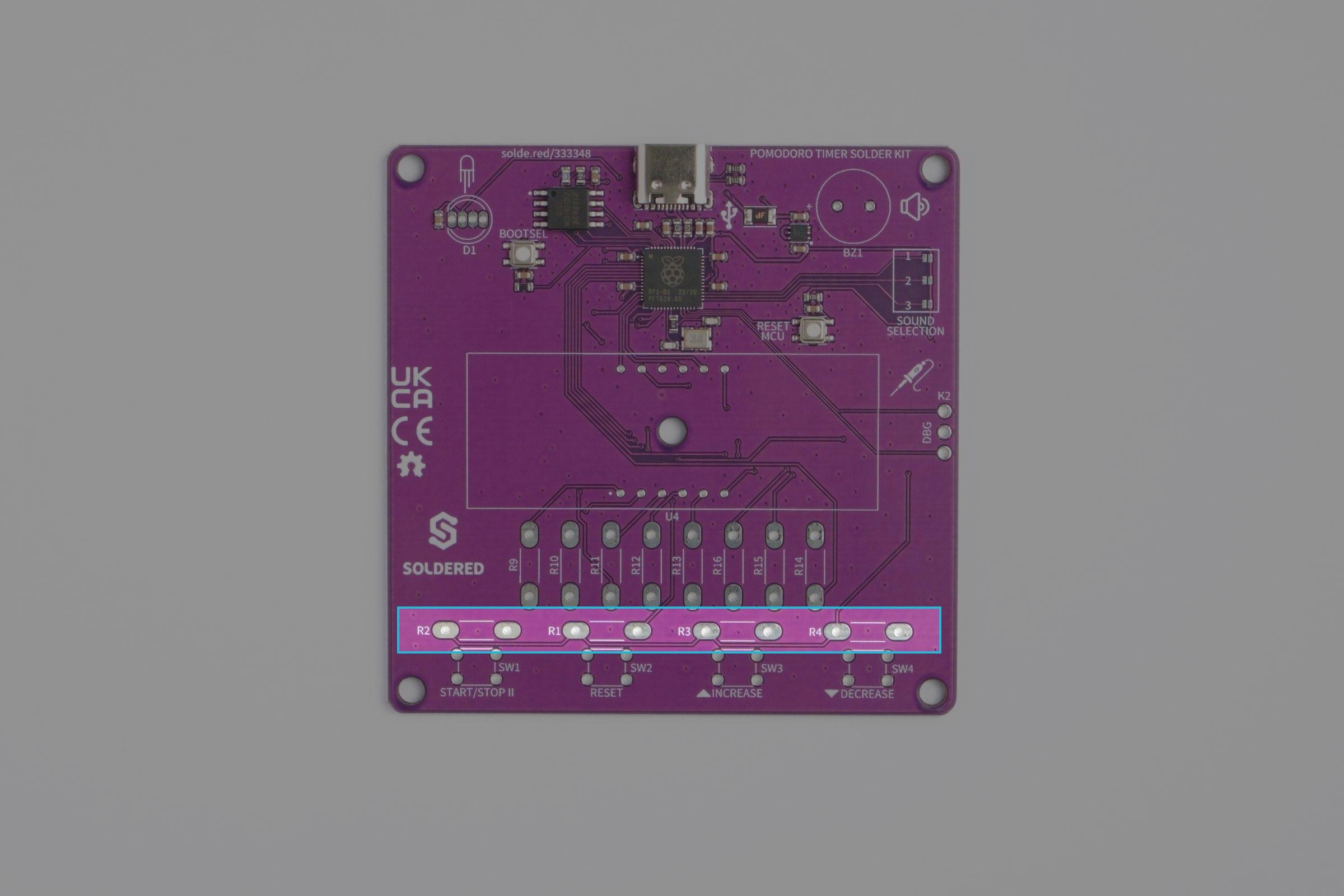
Pomodoro Solder Kit Tutorial Components
10k Ohm resistor soldering locations



First, bend the resistor leads in a 'U' shape so that it fits into the through-holes and place it in one of the four resistor locations.
ℹ️
Resistors aren't polarized so their orientation doesn't matter!
Bending the resistor leads in an 'U' shape
Placing a resistor
Placing the resistor in the through-hole to be soldered

Now, bend the leads on the other side so that the component stays in place!

Pomodoro Solder Kit Tutorial Components
Bending the leads of the resistor on the other side of the PCB


Now, solder away!

Pomodoro Solder Kit Tutorial Components
Soldering the 10k ohm resistors



Now, we can remove the extra lead on the other side with some wire cutters, ensuring a clean finish.
Pomodoro Solder Kit Tutorial Components
Cutting the extra leads

220 Ohm Resistors

The 220 ohm resistors are connected in series to anodes on the 7 segment display, as a resistor always needs to be connected to a diode in series to limit current.

8 of these resistors are included in the kit:

Pomodoro Solder Kit Tutorial Components
220 ohm resistor color code

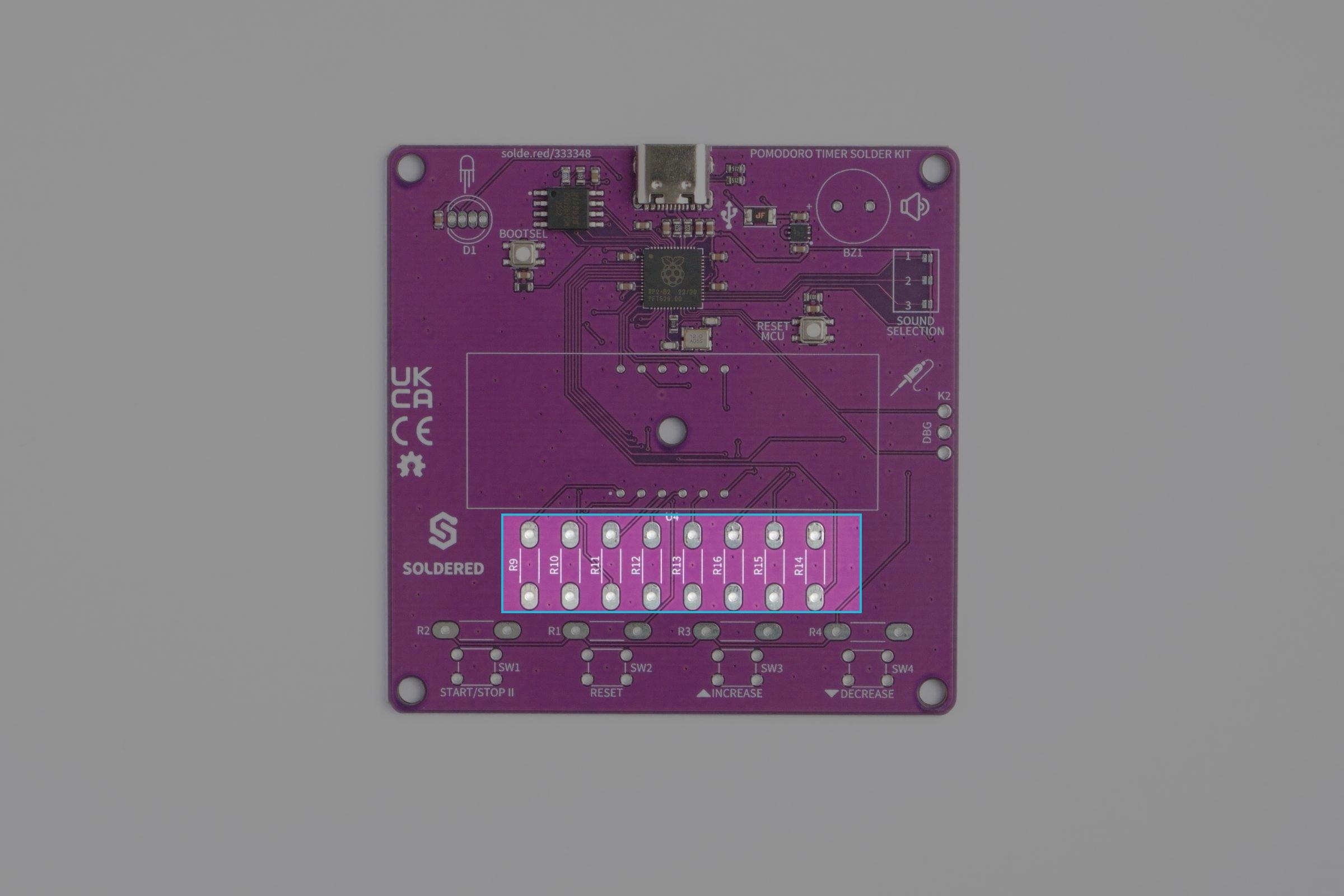
Here's where they need to go: R9, R10, R11, R12, R13, R14, R15, R16:
Pomodoro Solder Kit Tutorial Components
220 ohm resistor locations


We will use the same soldering technique as with the 10k ohm resistors: bend, insert, bend, solder, cut:
Pomodoro Solder Kit Tutorial Components
Soldering the 220 ohm resistors

Pushbuttons

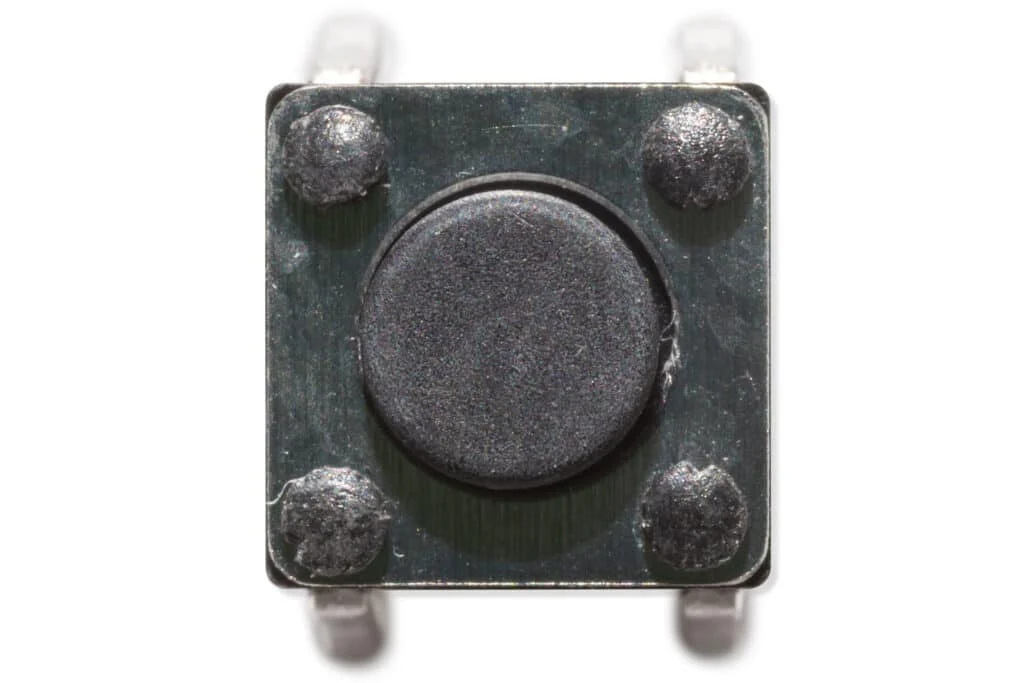
Pushbutton
Pushbutton

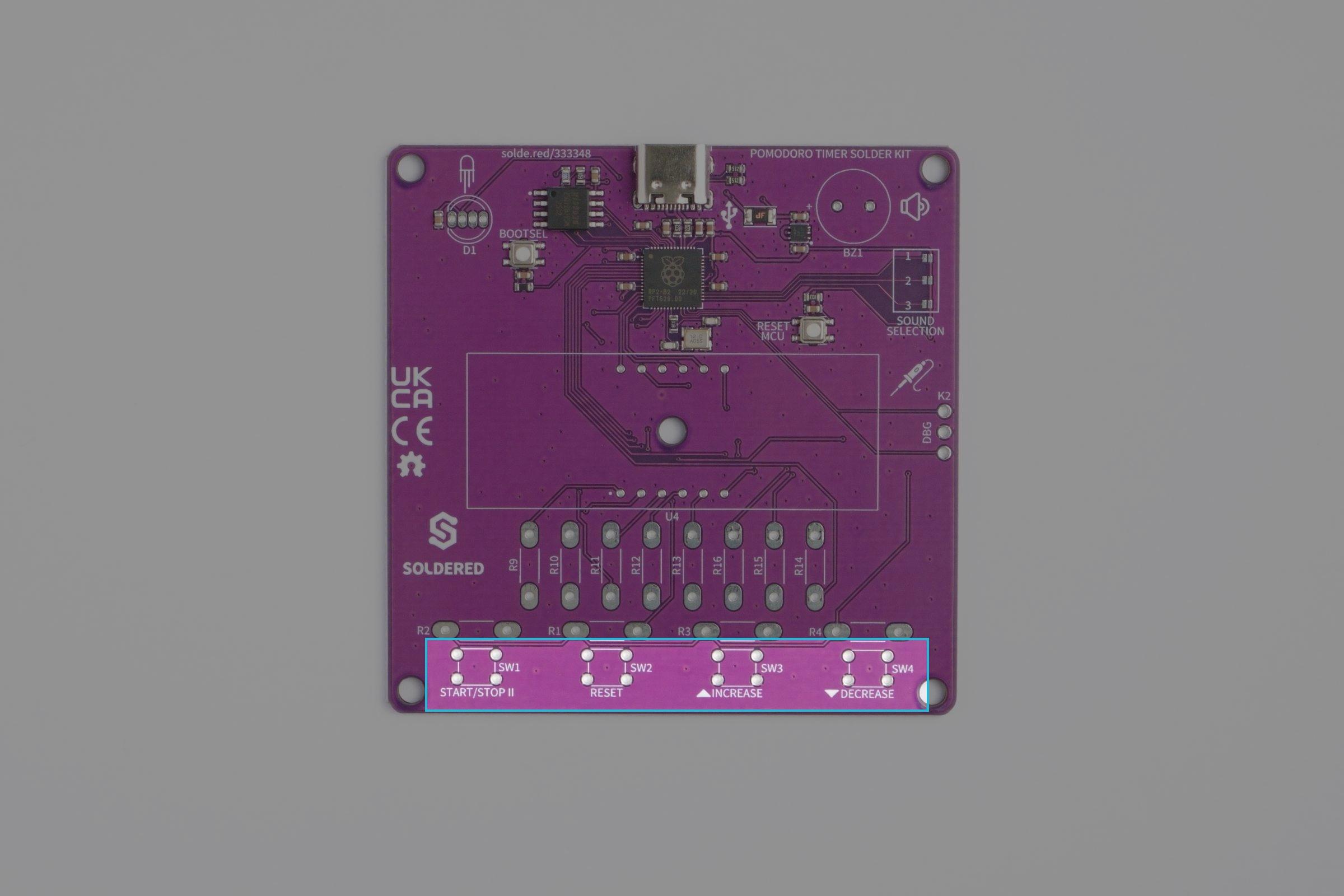
The buttons are here to provide user interaction, here's where they are located on the PCB:
Pomodoro Solder Kit Tutorial Components
Buttons location on the PCB


Insert the buttons in the through-holes, making sure the button pins don't bend:
Pomodoro Solder Kit Tutorial Components
Inserting the buttons


Now you can solder them:

Pomodoro Solder Kit Tutorial Components
Soldering the buttons

Buzzer

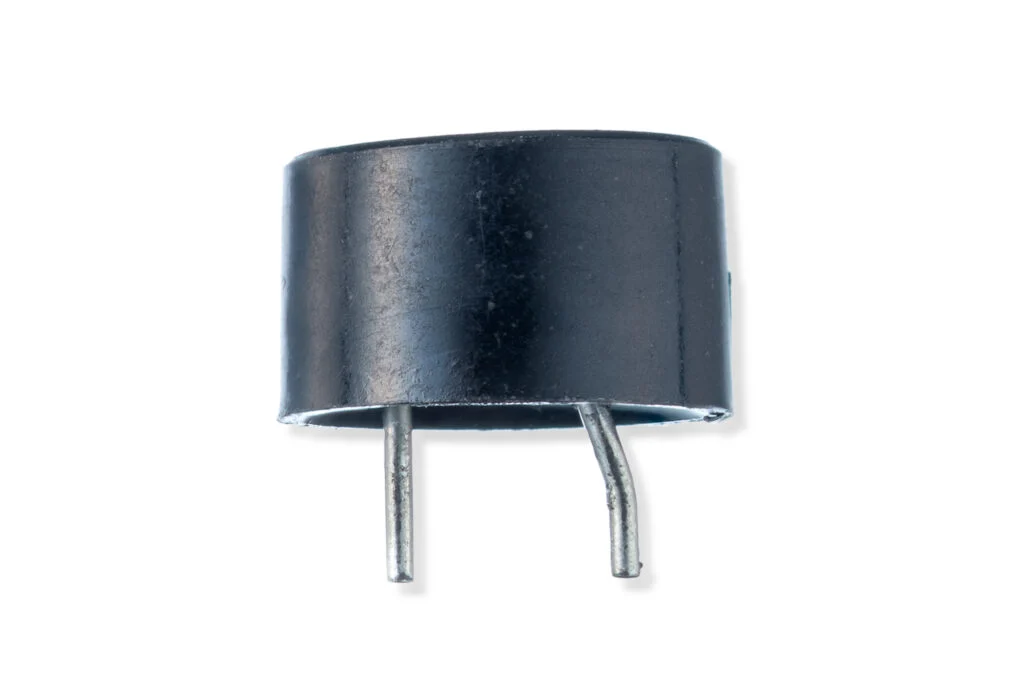
The buzzer is here to beep when it's time to rest or work! You'll easily spot it in the kit:
Buzzer
Buzzer

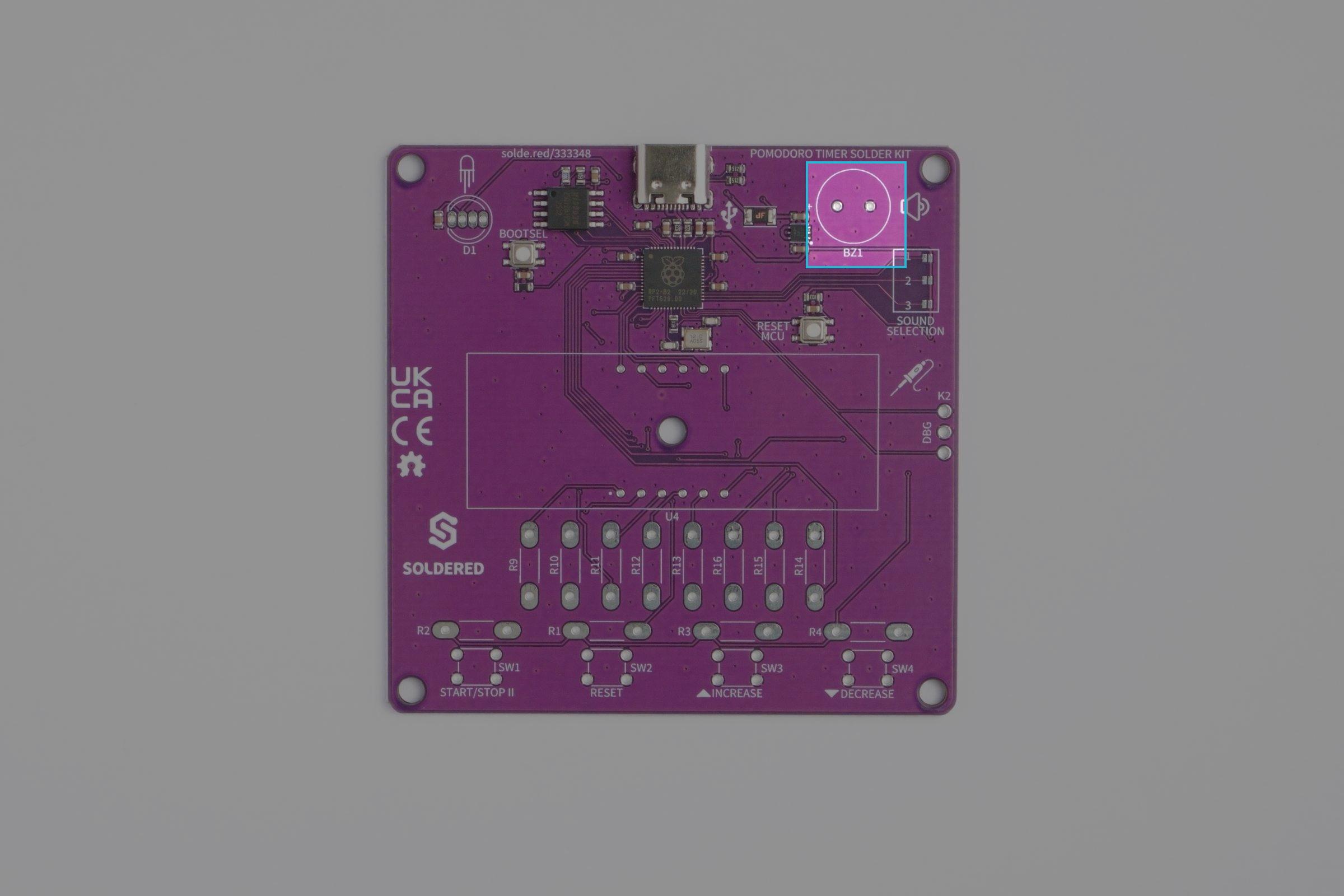
Insert the buzzer here, making sure to match the + sign with the + side marked on the PCB:
Pomodoro Solder Kit Tutorial Components
Buzzer location
Pomodoro Solder Kit Tutorial Components
Inserting the buzzer
Pomodoro Solder Kit Tutorial Components
Soldering the buzzer

WS2812B RGB LED

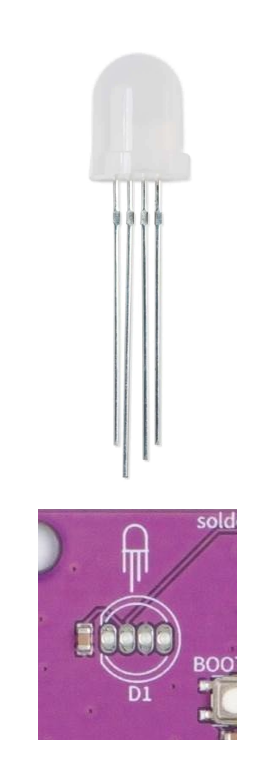
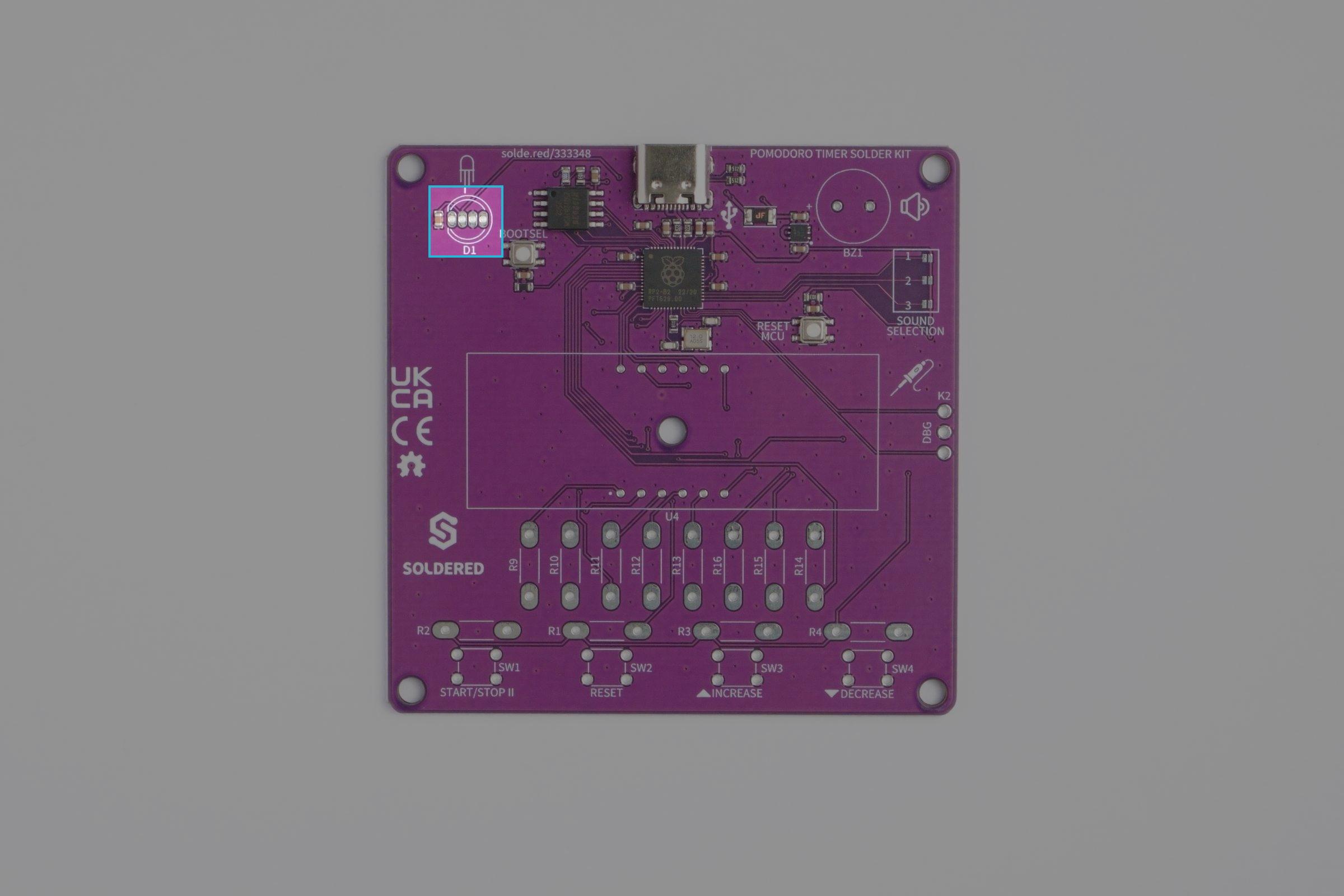
To insert the RGB LED correctly, pay attention to the symbol on the front and the lenghts of the leads of the LED, they should match up like this:
Pomodoro Solder Kit Tutorial Components
WS2812B LED Orientation
⚠️
This component is a bit more difficult to solder due to the smaller size pads. Use very little solder and make sure there's no short between the LED leads.
Pomodoro Solder Kit Tutorial Components
WS2812B RGB LED location
Pomodoro Solder Kit Tutorial Components
Inserting the LED

7 Segment Display

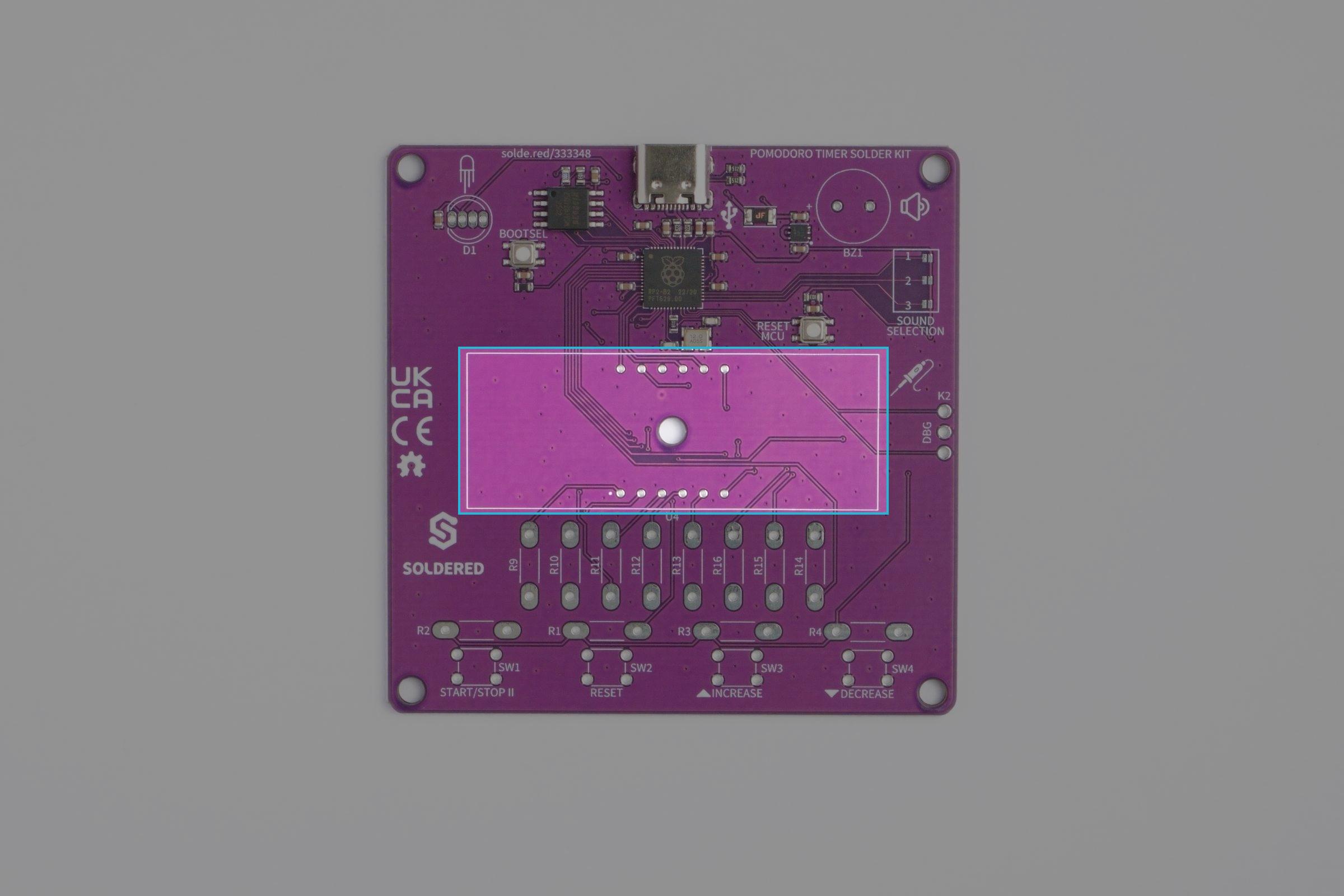
Finally, the star of the show, the red 4 digit 7 segment display. Take off the protective cover and insert the 7 segment display, for orientation, pay attention the the decimal dots on the display, they should face down.
Pomodoro Solder Kit Tutorial Components
7 segment display location
Pomodoro Solder Kit Tutorial Components

Removing the protective cover from the 7 segment display
Pomodoro Solder Kit Tutorial Components
Inserting the 7 segment display

Now solder away!

Pomodoro Solder Kit Tutorial Components
Soldering the 7 segment display
ℹ️
You can also trim the ends like the resistor leads

All done!


Now, simply plug in via USB-C and give your new Pomodoro Timer a try! It should welcome you with a

  • Purple LED
  • A Beep
  • Settings menu where you can set the time interval
Pomodoro Solder Kit Tutorial Components
The build is done!

Check out the next page for details on how to use the pomodoro timer!