0.1 Breadboard Fundementals
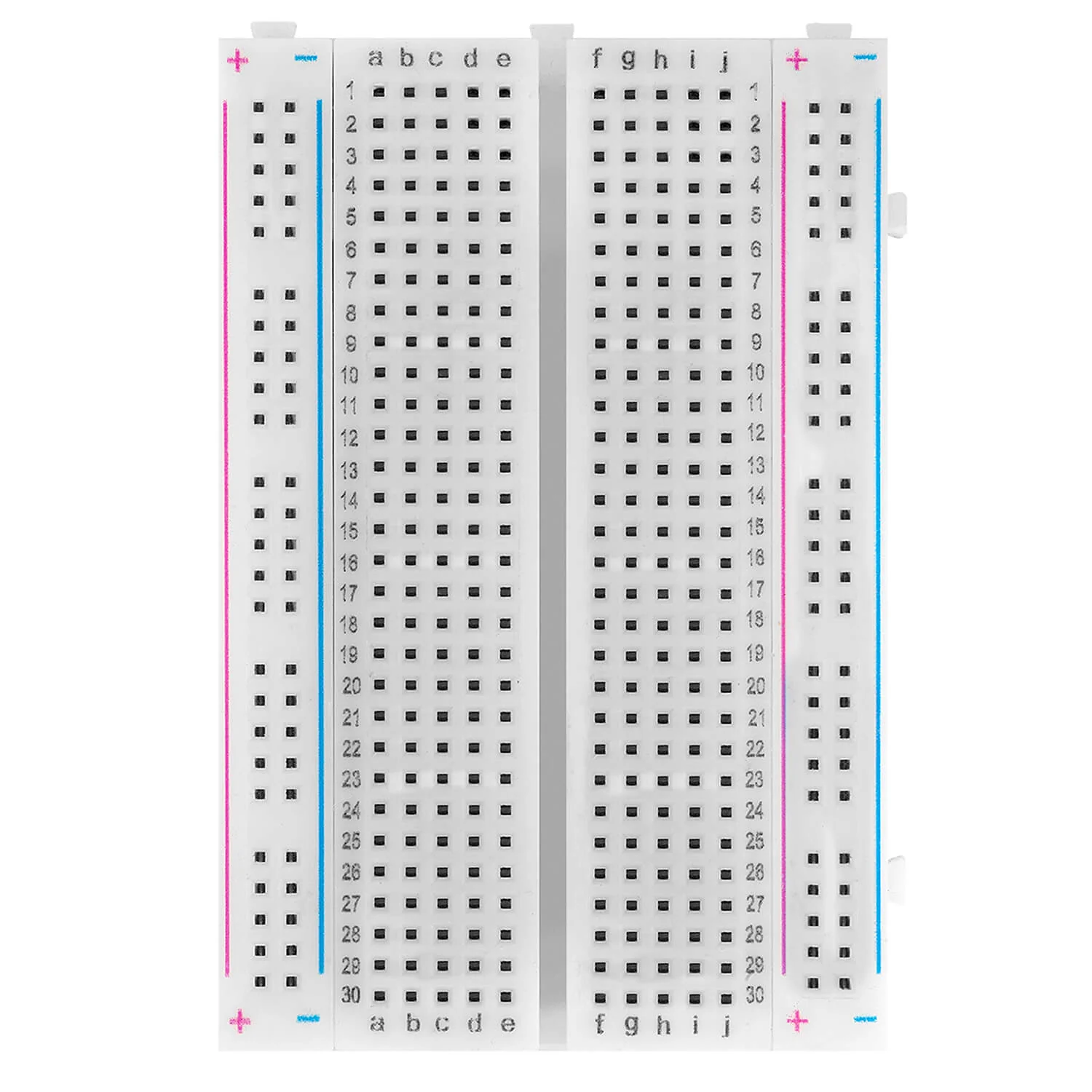
The goal of this page is to introduce you to the breadboard, one of the most important tools you will use when working with electronic components. A breadboard allows you to build and test circuits without soldering, making it perfect for fast prototyping, learning and experimenting.
In this documentation you will learn:
- What a bread is and why it is used
- How rows and columns inside a breadboard are connected
- How to place components and wires correctly
What is a breadboard?
A breadboard is a reusable platform for building electronic circuits. Instead od soldering components together permanently, you simply plug wires, resistors, sensors and microcontroller pins into the breadboard holes. Inside the breadboard are metal clips that electrically connect certain holes together.
This allows you to:
- Quickly change connections
- Fix mistakes easily
- Reuse components many times
Breadboard layout
Although a breadboard may look confusing at first, its structure is actaully very logical. It is divided into two main areas:
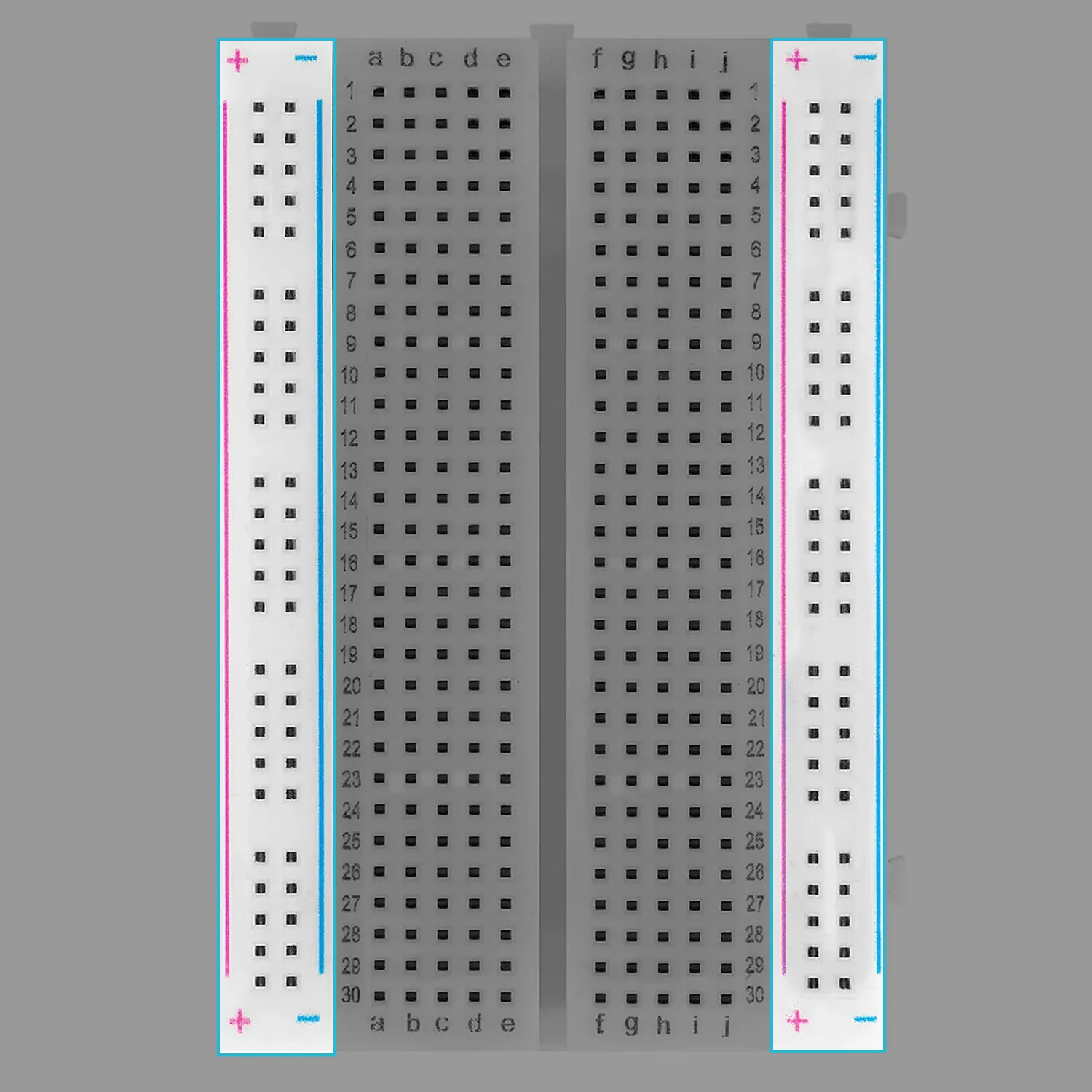
1. Power rails
The long rows on the left and right sides of the breadboard are called power rails. These rows are usually marked with + (red) and -(blue) lines.
- All holes in a single power rail column are electrically connected
- They are typically used for VCC (3.3V or 5V) and GND
2. Terminal strips
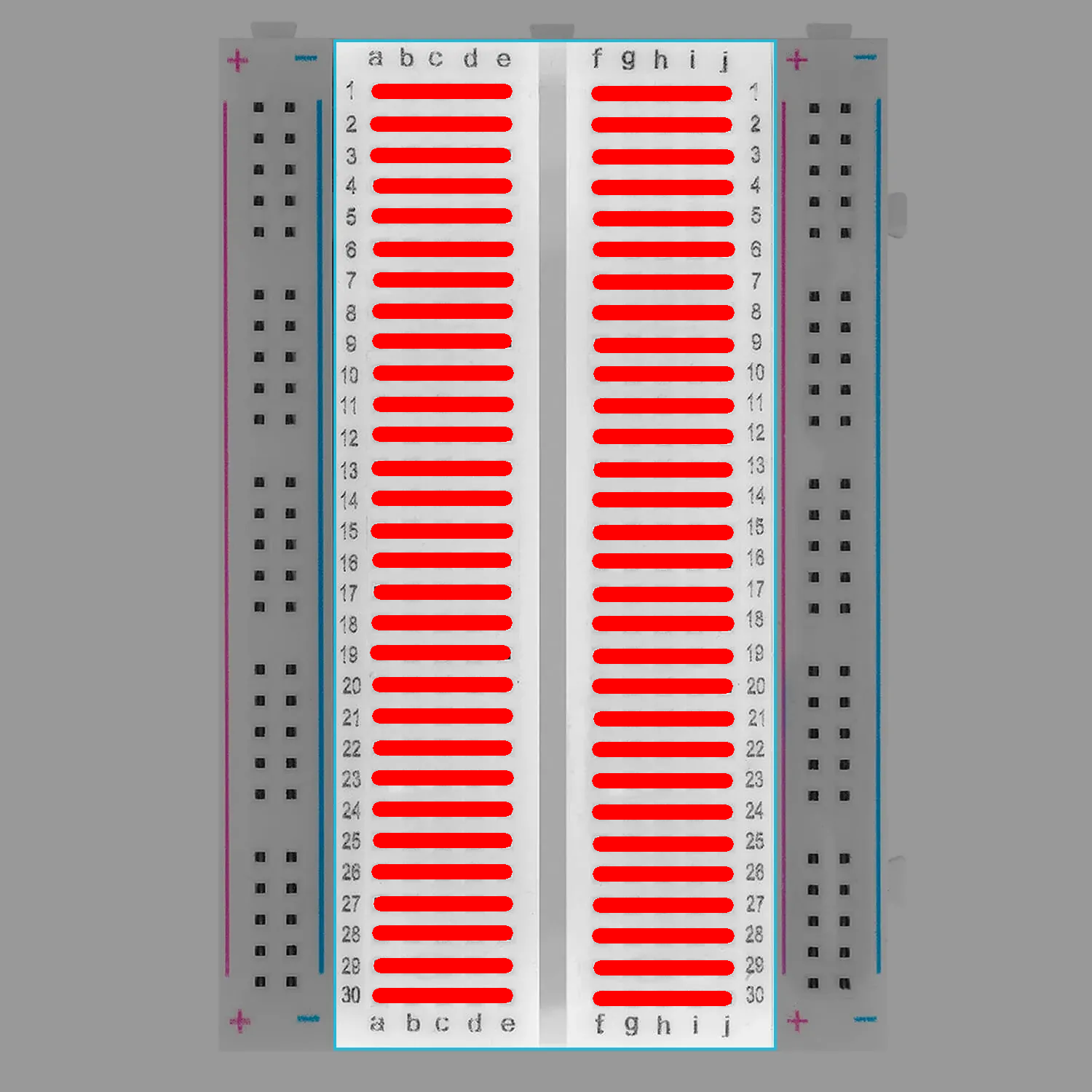
The center area of the breadboard is where most components are placed, This area is divided by the middle gap, which is very important.
- Each row of 5 holes is electricall connected
- Rows on the left side of the gap are not connected to the rows on the right side
How connections work
Before you start using the breadboard you need to remember a few things:
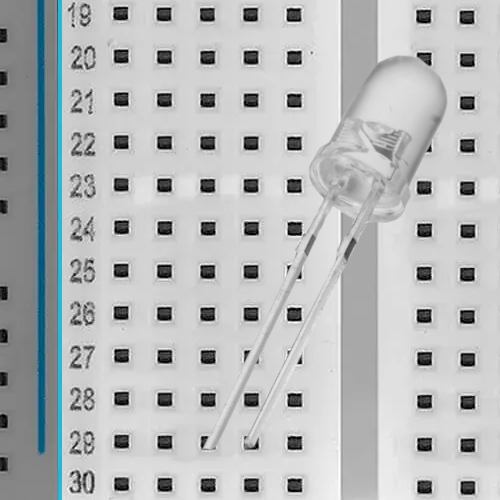
Example of a correct connection
To correctly use a breadboard, each pin of a component must be placed in a different row so that there are no electrical shorts.
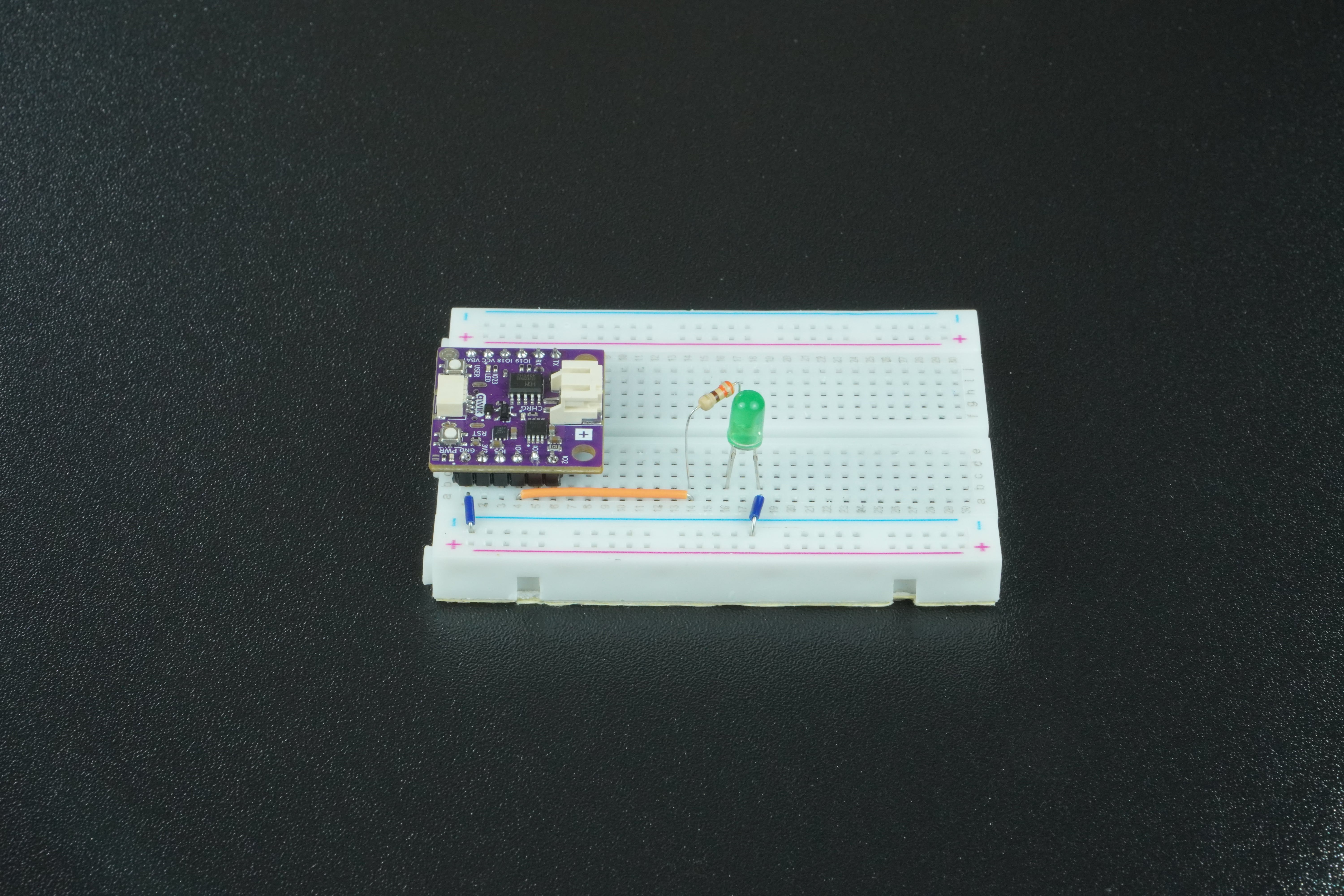
In this example, the LED is placed so that its two legs are on different rows of the breadboard. One row can be connected to power (GPIO pin from NULA MINI in this example) (trough a resistor) and the other to ground. This forces current to pass through the LED, allowing it to light up safely and correctly.