6.3 Sending Data

The goal of this example is to show you how to send data from your NULA MINI board to a web server over Wi-Fi using the HTTP POST method.
You will use a free service called webhook.site, which allows you to instantly see the data sent by your device.
In this documentation you will learn:
- How to connect the NULA MINI to your Wi-Fi network.
- How to send a POST request to a web server using the HTTPClient library.
- How to format and send data from your board.
- How to monitor incoming data using webhook.site.
Hardware required
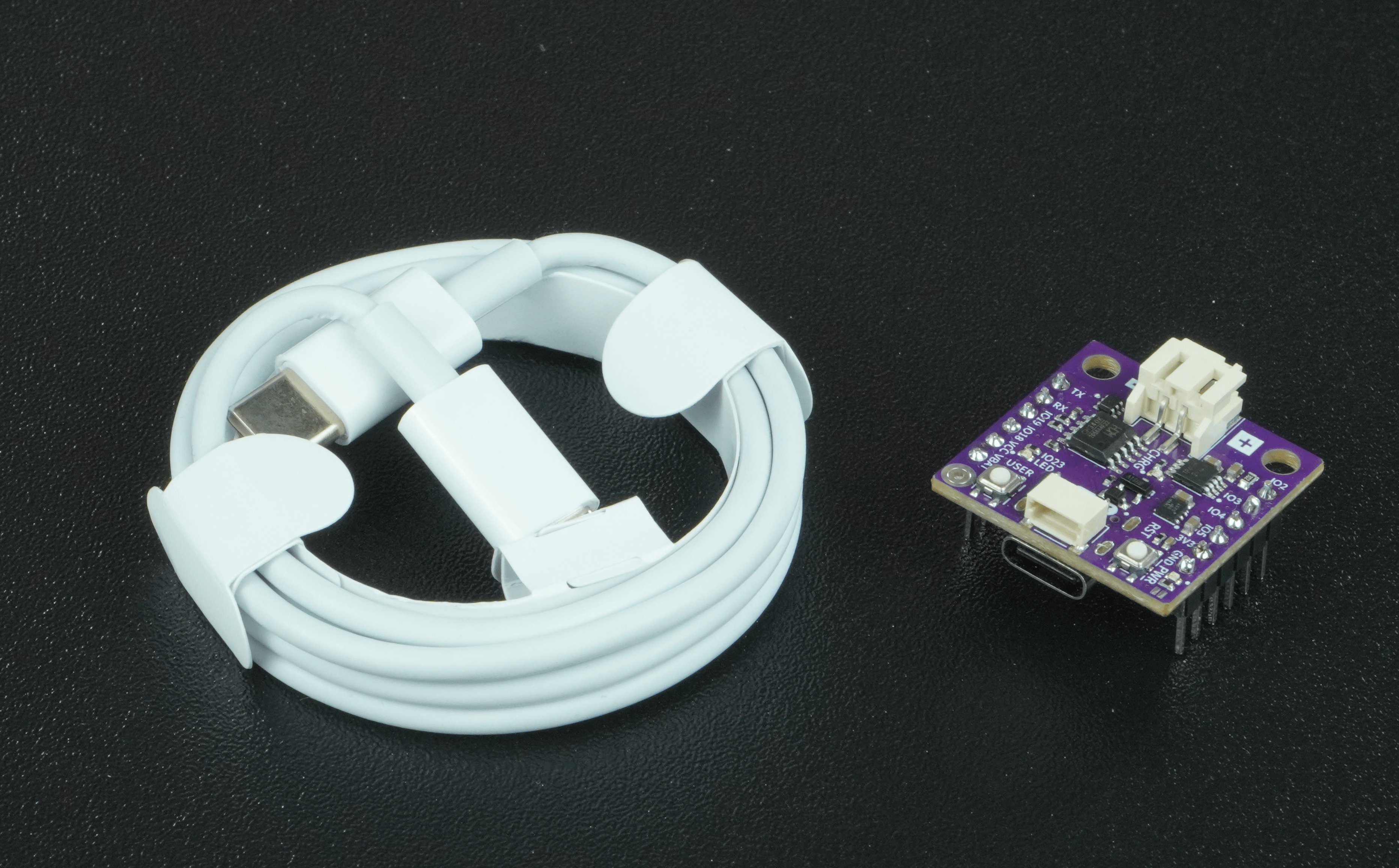
- 1× Soldered NULA MINI board
- 1× USB-C cable
- Wi-Fi network with internet access
How it works
This example connects the NULA MINI to your Wi-Fi network and sends a random number to a remote server every 5 seconds using the HTTP POST method.
Each POST request includes a field called number, containing a value between 0 and 100.
On webhook.site, you’ll see these requests appear in real-time along with all the data sent.
Setting up webhook.site
- Go to webhook.site.
- Copy the unique URL shown at the top of the page, it is in the following format:
https://webhook.site/your-unique-id - Replace the value of the
webhookURLvariable in your code:
const *char webhookURL = "https://webhook.site/your-unique-id";
POST request
While a GET request is used to retrieve information from a server, a POST request is used to send data (sensor readings, form inputs, device statuses...).
Code
Below is the complete code for this example:
#include <WiFi.h>
#include <HTTPClient.h>

const char* ssid = "Your_SSID";
const char* password = "Your_PASSWORD";

// Replace with your unique webhook.site URL
const char* webhookURL = "https://webhook.site/your-unique-id";

const unsigned long POST_INTERVAL = 5000; // 5 seconds
unsigned long lastPost = 0;

void setup() {
  Serial.begin(115200);
  Serial.println("Wi-Fi POST Request Example");

  WiFi.begin(ssid, password);
  Serial.print("Connecting to Wi-Fi");

  while (WiFi.status() != WL_CONNECTED) {
    delay(500);
    Serial.print(".");
  }

  Serial.println();
  Serial.println("Connected to Wi-Fi!");
  Serial.print("IP Address: ");
  Serial.println(WiFi.localIP());
}

void loop() {
  unsigned long now = millis();

  if (now - lastPost >= POST_INTERVAL) {
    lastPost = now;

    if (WiFi.status() == WL_CONNECTED) {
      HTTPClient http;

      // Generate random number (0–100)
      int randomNumber = random(0, 101);
      String postData = "number=" + String(randomNumber);

      Serial.println("----------------------------------");
      Serial.println("Sending POST request to webhook.site...");
      Serial.print("Data: ");
      Serial.println(postData);

      http.begin(webhookURL);
      http.addHeader("Content-Type", "application/x-www-form-urlencoded");
      int httpResponseCode = http.POST(postData);

      if (httpResponseCode > 0) {
        Serial.print("Server response code: ");
        Serial.println(httpResponseCode);
        String response = http.getString();
        Serial.println("Response body:");
        Serial.println(response);
      } else {
        Serial.print("POST failed. Error: ");
        Serial.println(http.errorToString(httpResponseCode));
      }

      http.end();
    } else {
      Serial.println("Wi-Fi not connected. Reconnecting...");
      WiFi.begin(ssid, password);
    }
  }
}
Full example
Check out the full example code on the link below:
6.3_Sending_Data.ino
Example that shows how to send data from the NULA MINI to webhook.site using an HTTP POST request.