3.1. Measuring distance

Short example demonstration video
This example covers how to use an HC-SR04 Ultrasonic sensor to measure distance from an object. This sensor works by emitting high-frequency sound waves through the TRIG pin which then bounce off objects and return to the sensor where ECHO pin listens for their return. Distance is then calcuated based on the measured time it took to bounce back.
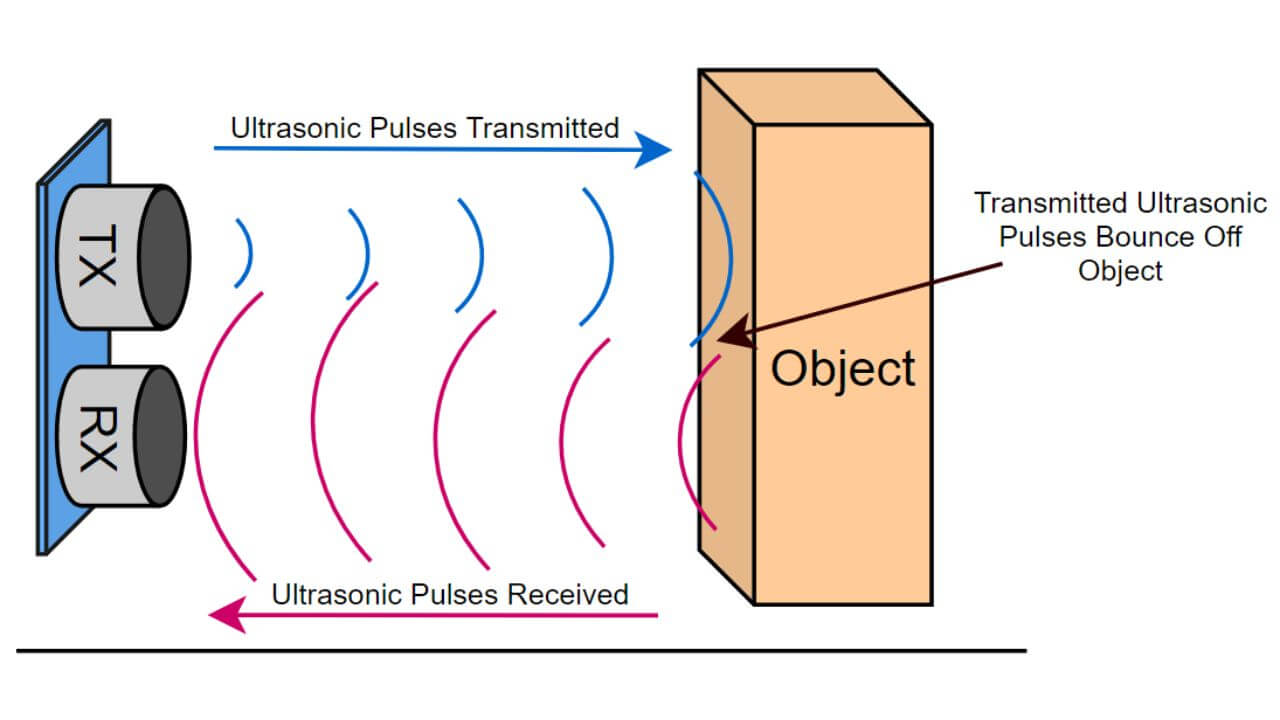
Ultrasonic sensor working principle
✅
At the end of this example you will learn:
- How the ultrasonic sensor works
- How to get distance reading from the sensor
ℹ️
Parts required:
- Soldered NULA Mini Board
- Breadboard
- 1 x Ultrasonic sensor
- Some jumper wires
Required components
Putting the components together
- Connecting the Ultrasonic sensor is pretty simple and straightforward, just plug in one end of Qwiic cable in the NULA Mini board, and the other end in the sensor itself.
- If you are not using the Qwiic connector, follow the table below for connections:
| NULA Mini | HC-SR04 |
|---|---|
| VCC | 5V |
| TRIG | IO4 |
| ECHO | IO3 |
| GND | GND |
Components connected together
Code Example
To get distance readings we import the UltrasonicSensor module which supports both native (GPIO) and Qwiic (I2C) mode.
from UltrasonicSensor import UltrasonicSensor
from machine import Pin, I2C
import time
Next, create an UltrasonicSensor object and initialize it by setting the pins to which it is connected.
# Create I2C an 'UltrasonicSensor' object which initializes the sensor in Qwiic mode with default I2C pins
#i2c = I2C(0, scl=Pin(7), sda=Pin(6))
#sensor = UltrasonicSensor(i2c)

# Native
sensor = UltrasonicSensor(trig_pin=4, echo_pin=3)
Infinite loop to constantly get distance and duration measurement
# Infinite loop to continuously read sensor values
while True:
    # Uncomment line below if you are using Qwiic connection
    # sensor.takeMeasure()
    # Add small delay for measurement
    time.sleep(0.1)

    # Sensor sends out a pulse and waits for the echo to return, we then use the time
    # it took for the echo to return to calculate the distance in centimeters to the object
    distance = sensor.getDistance()

    # Small delay for measurement
    time.sleep(0.1)

    # Store sensor reading in duration variable (value in microseconds)
    duration = sensor.getDuration()

    print(f"Distance: {distance} cm")  # Print the distance value to the console
    print(f"Duration: {duration} us")  # Print the duration value to the console

    # Pause the program so the echoes from last ping 'die out'
    time.sleep(0.25)