5.1. Temperature and Humidity

Short example demonstration video
Using the SHTC3 Temperature and Humidity sensor we can accurately measure temperature and humidity values. This example uses SHTC3 sensor with its MicroPython module to measure data and print it out.
✅
At the end of this example you will learn:
- How to connect SHTC3 sensor to NULA Mini board using Qwiic cable
- How to connect SHTC3 sensor to NULA Mini board using native version
- How to read sensor values and display them
ℹ️
Parts required:
- Soldered NULA Mini Board
- SHTC3 Temperature and Humidity sensor
- 1 x Qwiic cable
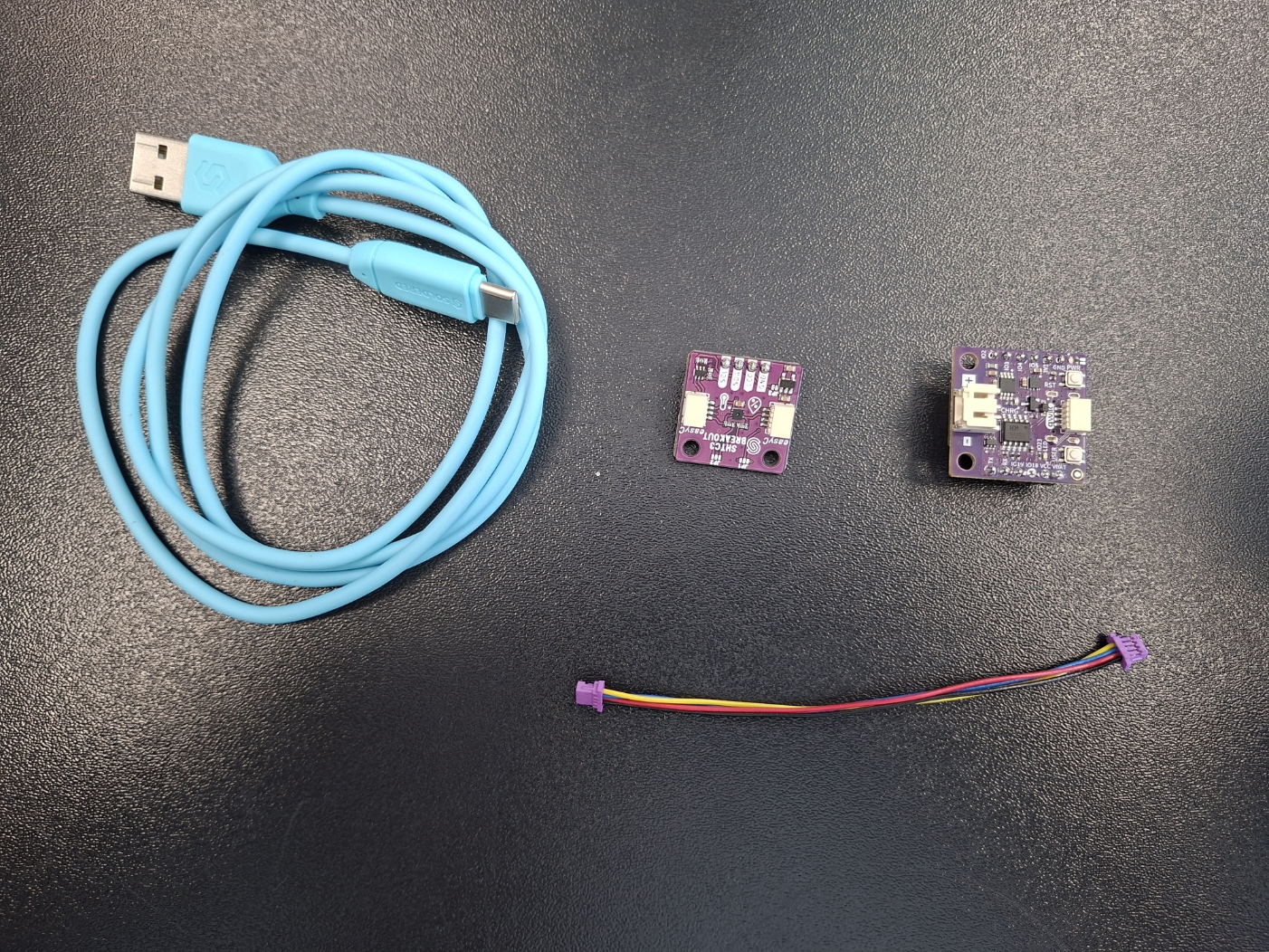
Required components
Putting the components together
- If you are using the Qwiic just plug one end in the NULA Mini board and one in the SHTC3
- If you are not using the Qwiic connector, manually connect your board using the table below:
| NULA Mini | SHTC3 |
|---|---|
| VCC | VCC |
| GND | GND |
| SDA | IO3 |
| SCL | IO4 |
Code Example
Import necessary machine modules and SHTC3 module for sensor setup and initialization.
from machine import Pin, I2C
from SHTC3 import SHTC3
import time
Setup I2C connection with the sensor using custom I2C pins and initialize the SHTC3 object.
i2c = I2C(0, scl=Pin(4), sda=Pin(3))
shtc3 = SHTC3(i2c)
If you are using Qwiic connector initialize object in this way.
# Initialize sensor over Qwiic
# shtc3 = SHTC3()
Main loop that samples values before reading them and printing them out to console. The code samples values every 5 seconds.
# Infinite loop
while True:
    # Sample the values before reading them
    shtc3.sample()
    # Read the temperature and humidity values that were just sampled
    temperature = shtc3.readTemperature()
    humidity = shtc3.readHumidity()
    # Print the values to the console
    print(f"Temperature: {temperature:.1f}, Humidity: {humidity:.2f}%")

    # Pause the program for five seconds
    time.sleep(5.0)