Template Parts - Template parts
Hi! You've found the secret template parts page! This page contains code snippets of React elements specifically made for this documentation! Let's get started:
Code block
// include the library code:
#include <LiquidCrystal.h>

// initialize the library by associating any needed LCD interface pin
// with the arduino pin number it is connected to
const int rs = 12, en = 11, d4 = 5, d5 = 4, d6 = 3, d7 = 2;
LiquidCrystal lcd(rs, en, d4, d5, d6, d7);

void setup() {
  // set up the LCD's number of columns and rows:
  lcd.begin(16, 2);
  // Print a message to the LCD.
  lcd.print("hello, world!");
}

void loop() {
  // set the cursor to column 0, line 1
  // (note: line 1 is the second row, since counting begins with 0):
  lcd.setCursor(0, 1);
  // print the number of seconds since reset:
  lcd.print(millis() / 1000);
}
Error box
❌
This is some sort of error message to inform the user they are doing something wrong if xyz
Info box
ℹ️
This is some general information for the user
Warning box
⚠️
A note to the user to be careful about something
Success box
✅
Used to highlight if some step was successful
Product Table
| SKU | Product Name | Store Link | Solde.red Page |
|---|---|---|---|
| 333134 | Basic stepper driver | View on Soldered.com | View on solde.red |
| 333250 | Stepper motor with driver | View on Soldered.com | View on solde.red |
Expandable Section
Centered Image

This is an example caption.
Centered Image with Set Width
This is an example caption.
Centered Image with attribution
QuickLink
Soldered Electronics GitHub
Find libraries, hardware files and more
QuickLink with image
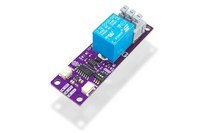
1-channel relay board with easyC
Soldered webstore page for 1-channel relay board with easyC
Youtube Embed
Section title
Troubleshooting
Function documentation
inkplate.connectWiFi()
This function attempts to connect to WiFi.
Returns type: int
Returns value: Number
Function parameters:
| Type | Name | Description |
|---|---|---|
Number | a | The first number to add. |
Number | b | The second number to add. |
My Page with a WebM Video
Here's a cool WebM video:
Another video, full width: