EEA Airplane Lights - Assembly guide

On this page, we will guide you step-by-step on how to assemble this kit.

Step 1: Solder the resistors to the PCB.

Use a multimeter to differentiate resistors based on their resistance values. Start by setting the multimeter to resistance mode and connecting its probes to the ends of the resistor to determine its resistance value.

Solder the 330 Ohm resistors

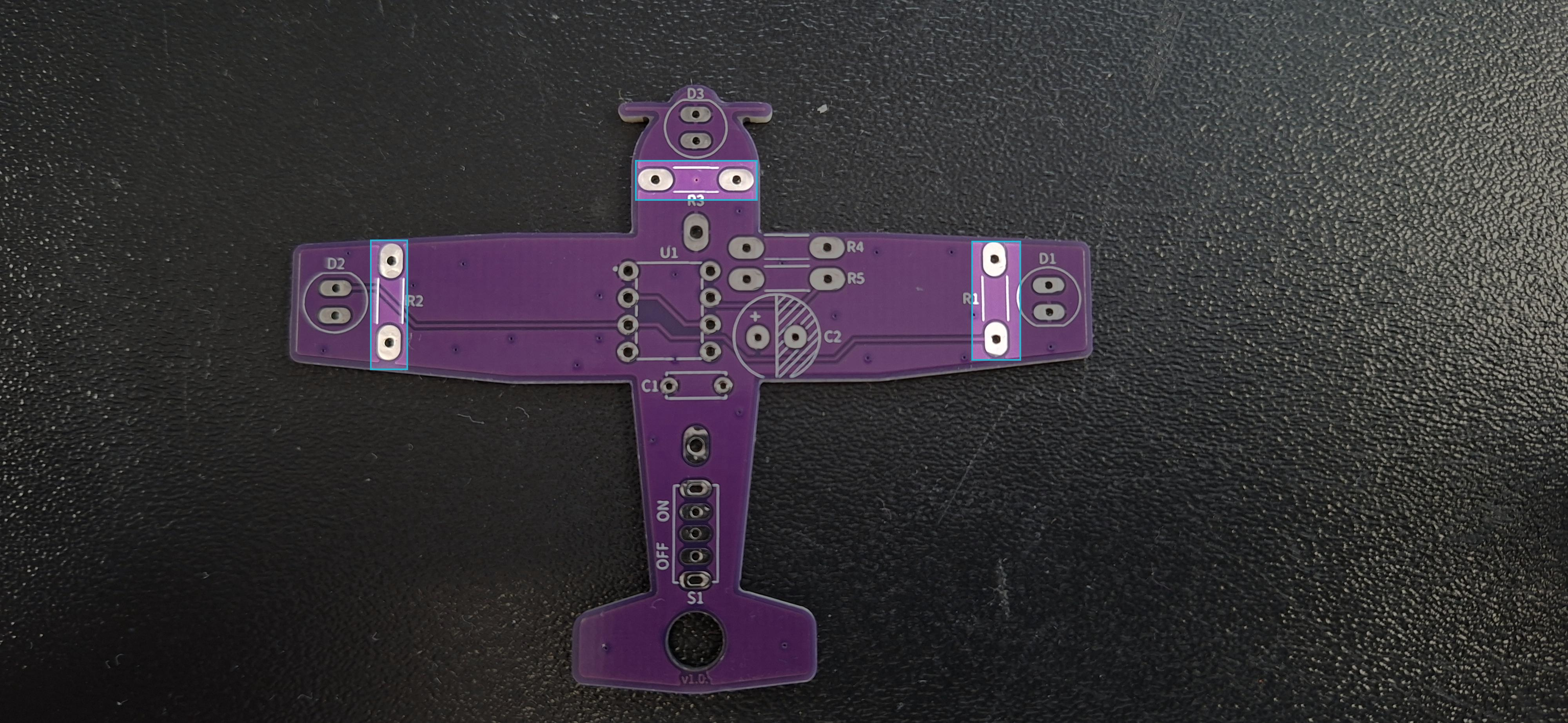
Solder the 330 Ohm resistors to the PCB on the pins marked R1, R2, R3. Their orientation doesn't matter.

Find the resistors with markings as shown below:
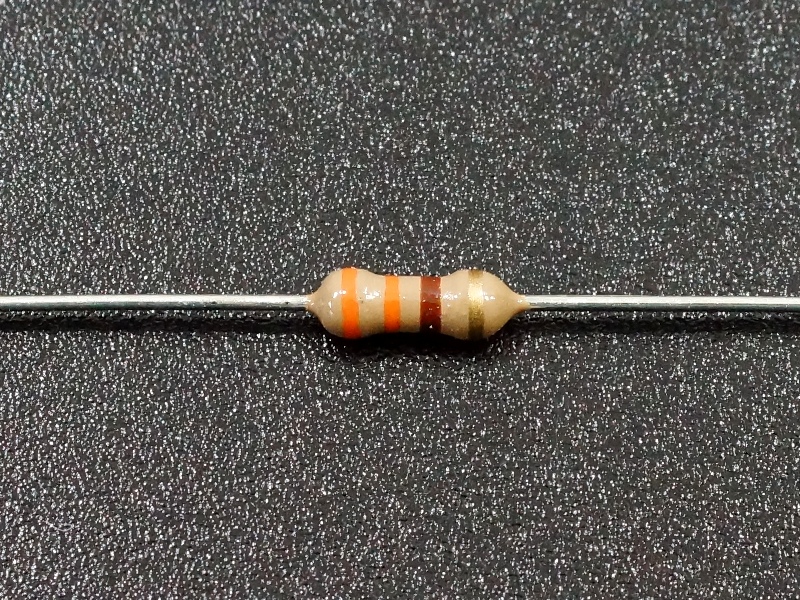
Markings for the 330 Ohm resistor
Highlighted pins for 330 Ohm resistors
ℹ️
We will place the components as shown in the picture above. However, for convenience, we will rotate the PCBs and solder the components from the bottom side.

Solder the 10k Ohm resistor

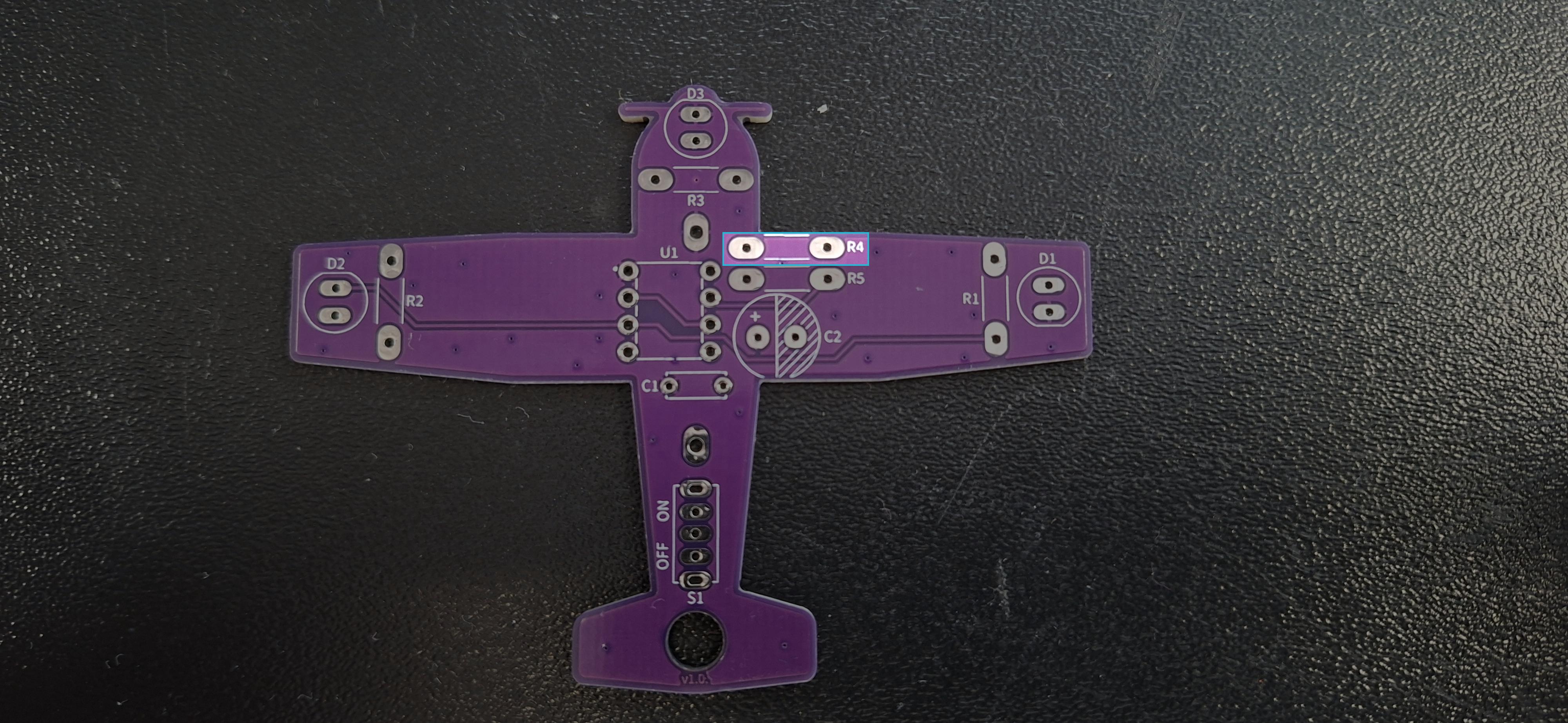
Solder the 10k Ohm resistor to the PCB on the pin marked R4. Its orientation doesn't matter.

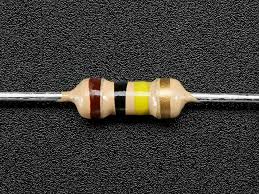
Find the resistors with markings as shown below:
Markings for the 10k Ohm resistor
Highlighted pins for 10k Ohm resistor
ℹ️
We will place the components as shown in the picture above. However, for convenience, we will rotate the PCBs and solder the components from the bottom side.

Solder the 100k Ohm resistor

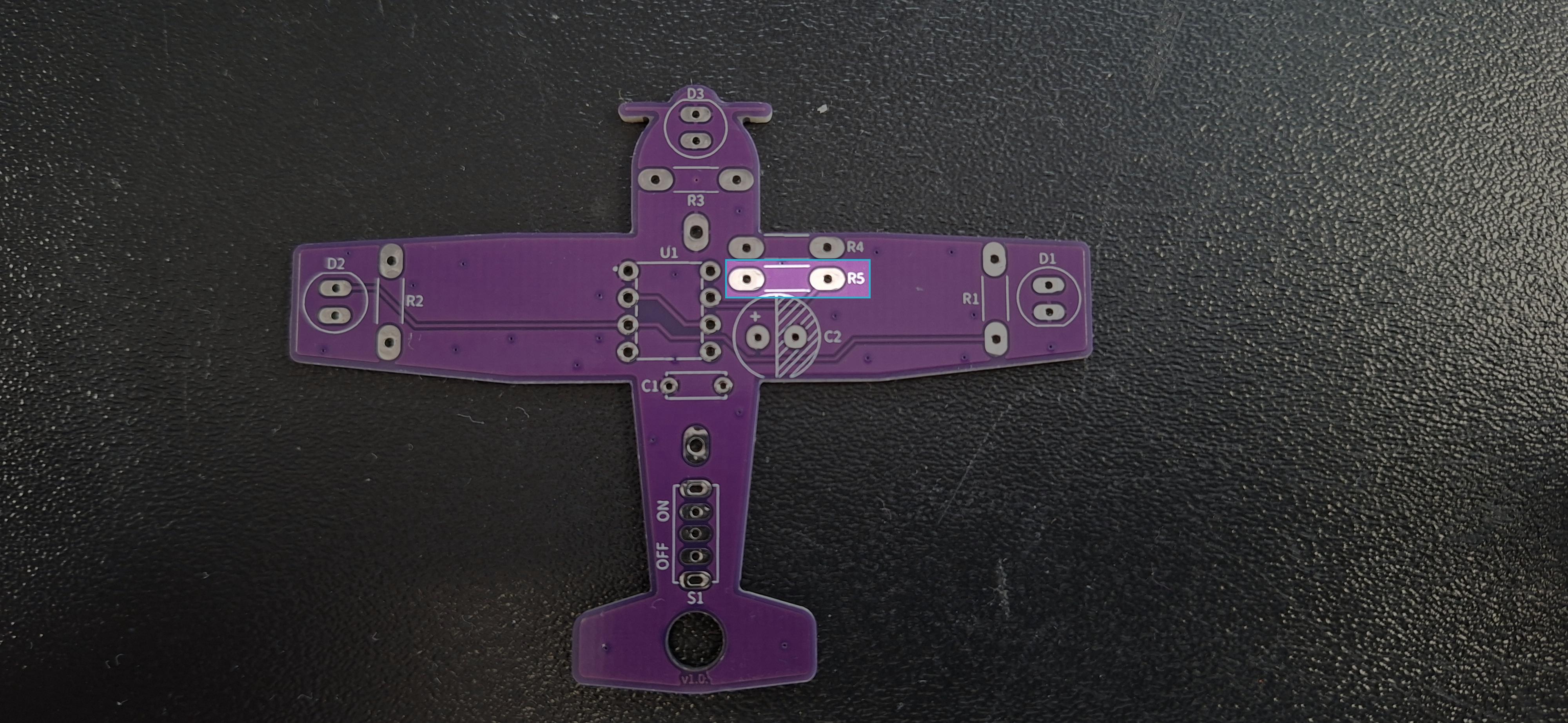
Solder the 100k Ohm resistor to the pin marked R5.

Find the resistors with markings as shown below:
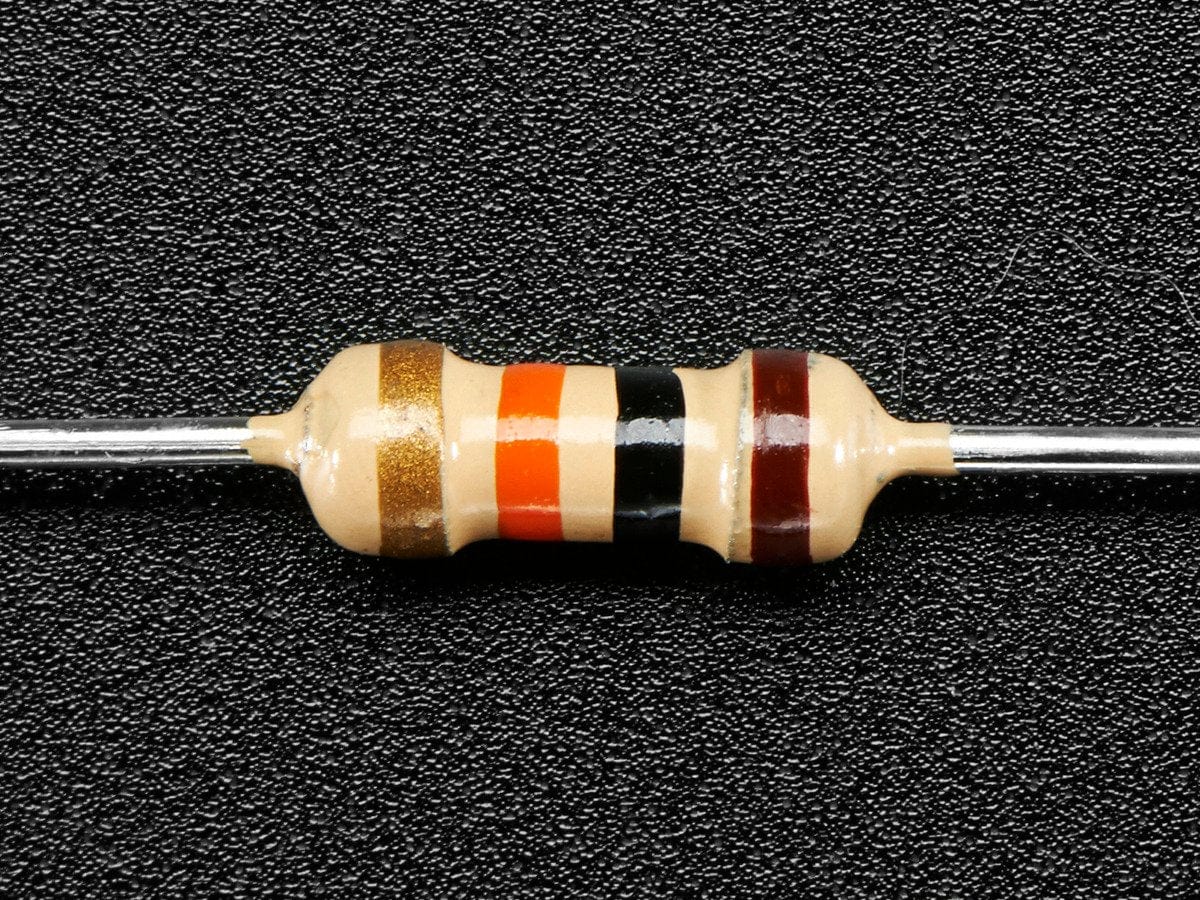
Markings for the 100k Ohm resistor
Highlighted pins for 100k Ohm resistor
ℹ️
We will place the components as shown in the picture above. However, for convenience, we will rotate the PCBs and solder the components from the bottom side.

Step 2: Solder the capacitors

Use a multimeter to differentiate capacitors based on their capacitance values. Start by setting the multimeter to capacitance mode and connecting its probes to the leads of the capacitor to determine its capacitance value.

Solder the 10nF capacitor

Solder the 10nF capacitor to the PCB on the pin marked C1. This capacitor is a non-polarized capacitor, which means that its placement orientation doesn't matter.
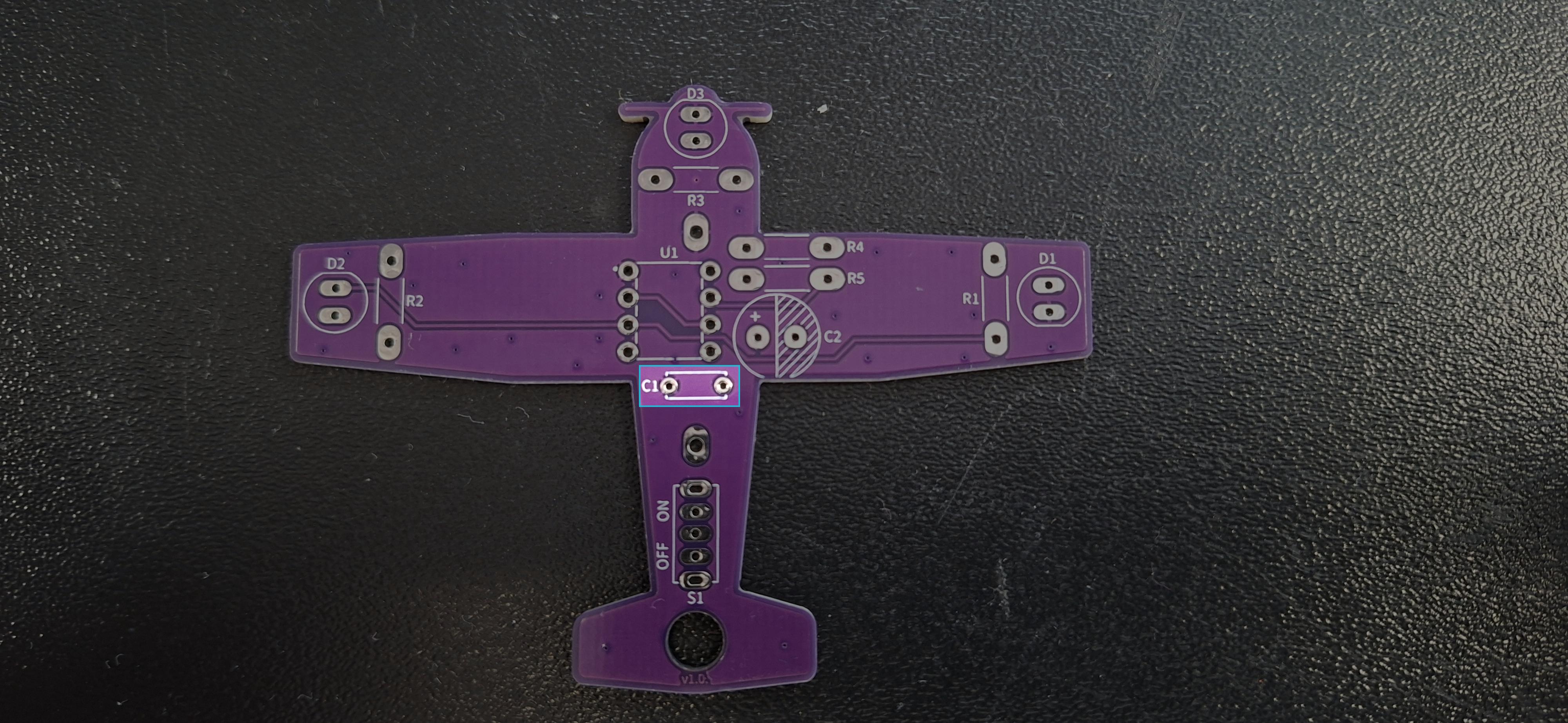
Highlighted pins for 10nF capacitor
ℹ️
We will place the components as shown in the picture above. However, for convenience, we will rotate the PCBs and solder the components from the bottom side.

Solder the 10uF capacitor

Solder the 10uF capacitor to the PCB on the pin marked C2. This capacitor is a polarized capacitor, which means that its anode (+) must be soldered to the side marked with a +.
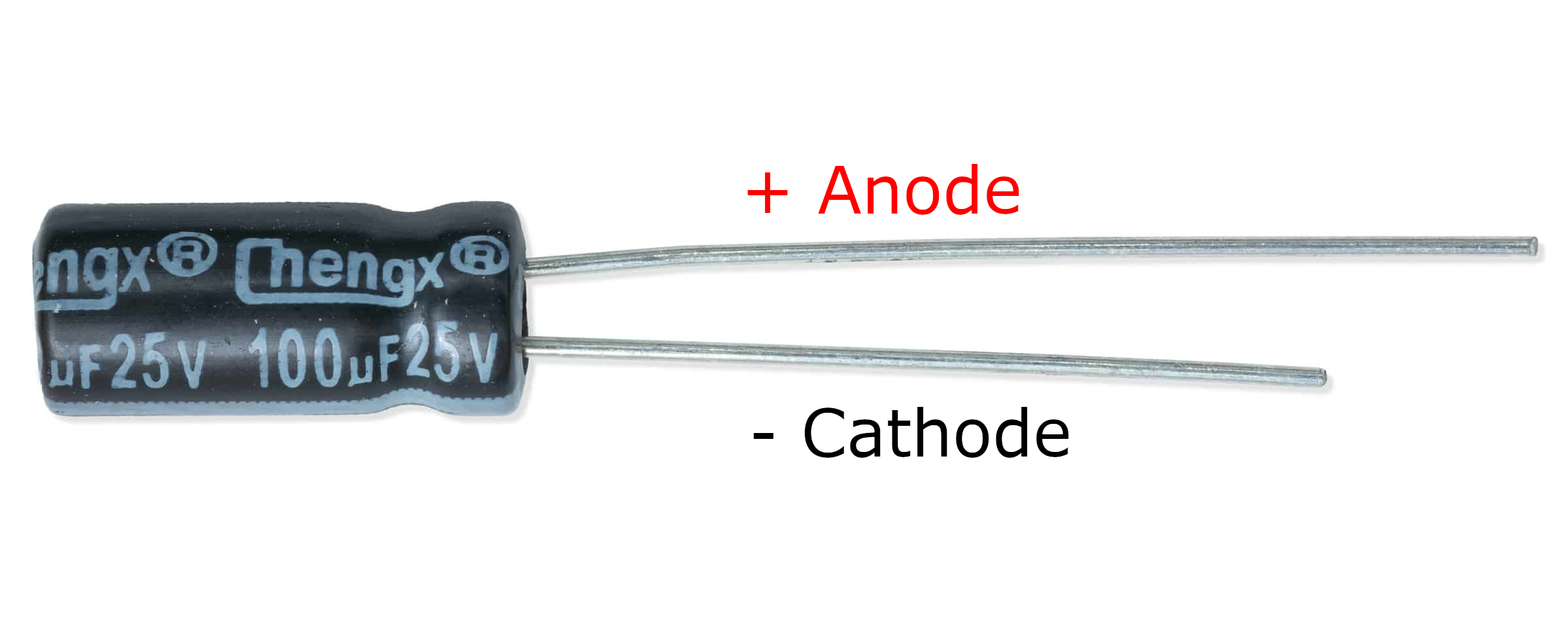
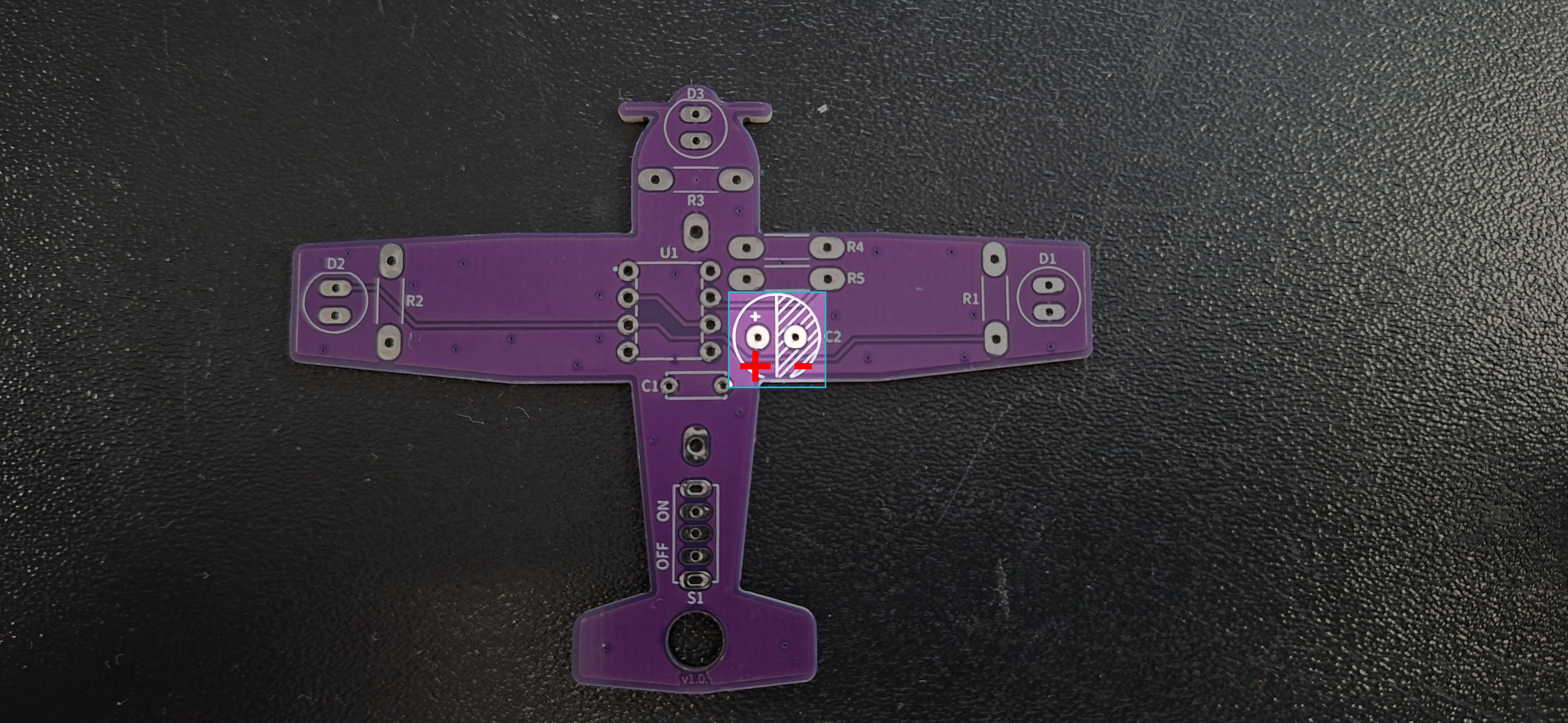
Marked pins on polarised capacitor
Highlighted pins for 10uF capacitor
Highlighted pins on a 10uF capacitor
ℹ️
We will place the components as shown in the picture above. However, for convenience, we will rotate the PCBs and solder the components from the bottom side.

Step 3: Solder the LEDs

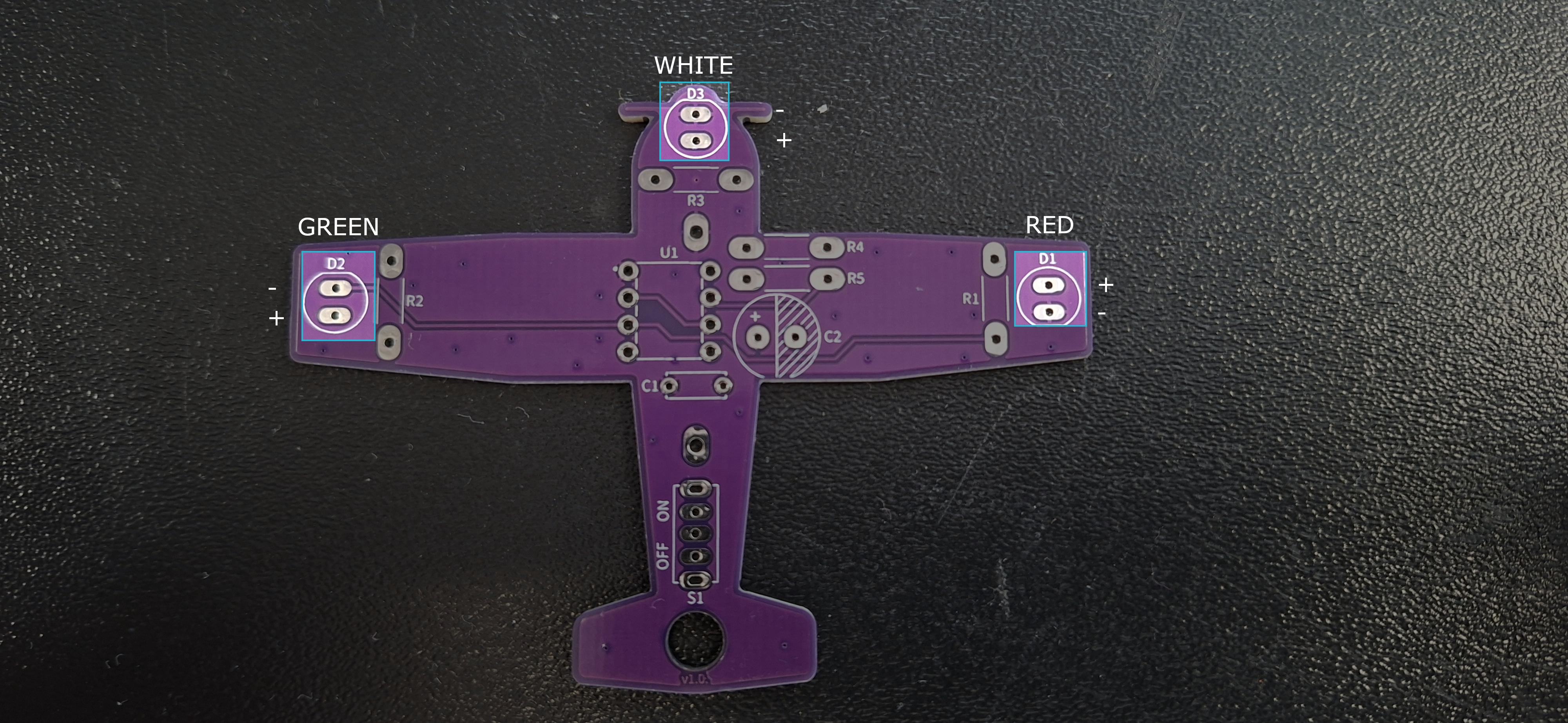
Solder the LEDs to the PCB in the order provided in the table below:

LED COLORPIN NUMBER
REDD1
WHITED3
GREEND2
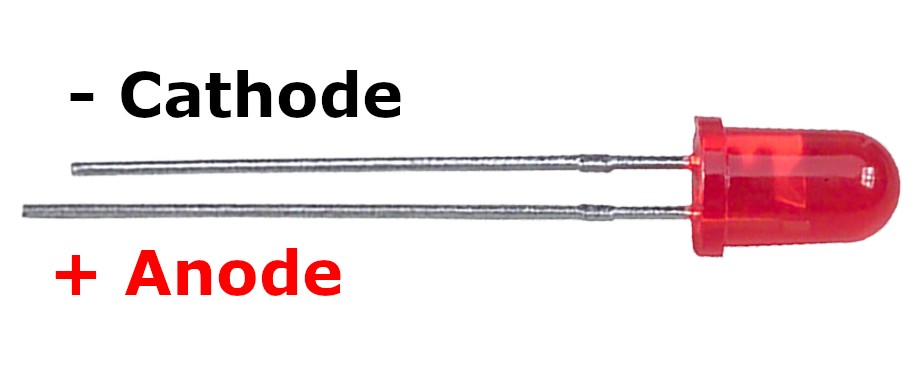
Marked pins on LED
Marked pins on LED
Highlighted pins for LEDs
ℹ️
We will place the components as shown in the picture above. However, for convenience, we will rotate the PCBs and solder the components from the bottom side.

Step 4: Solder the XD555 timer

Solder the XD555 timer on the pin marked U1. Make sure that the side with an indent is facing the front of the plane.
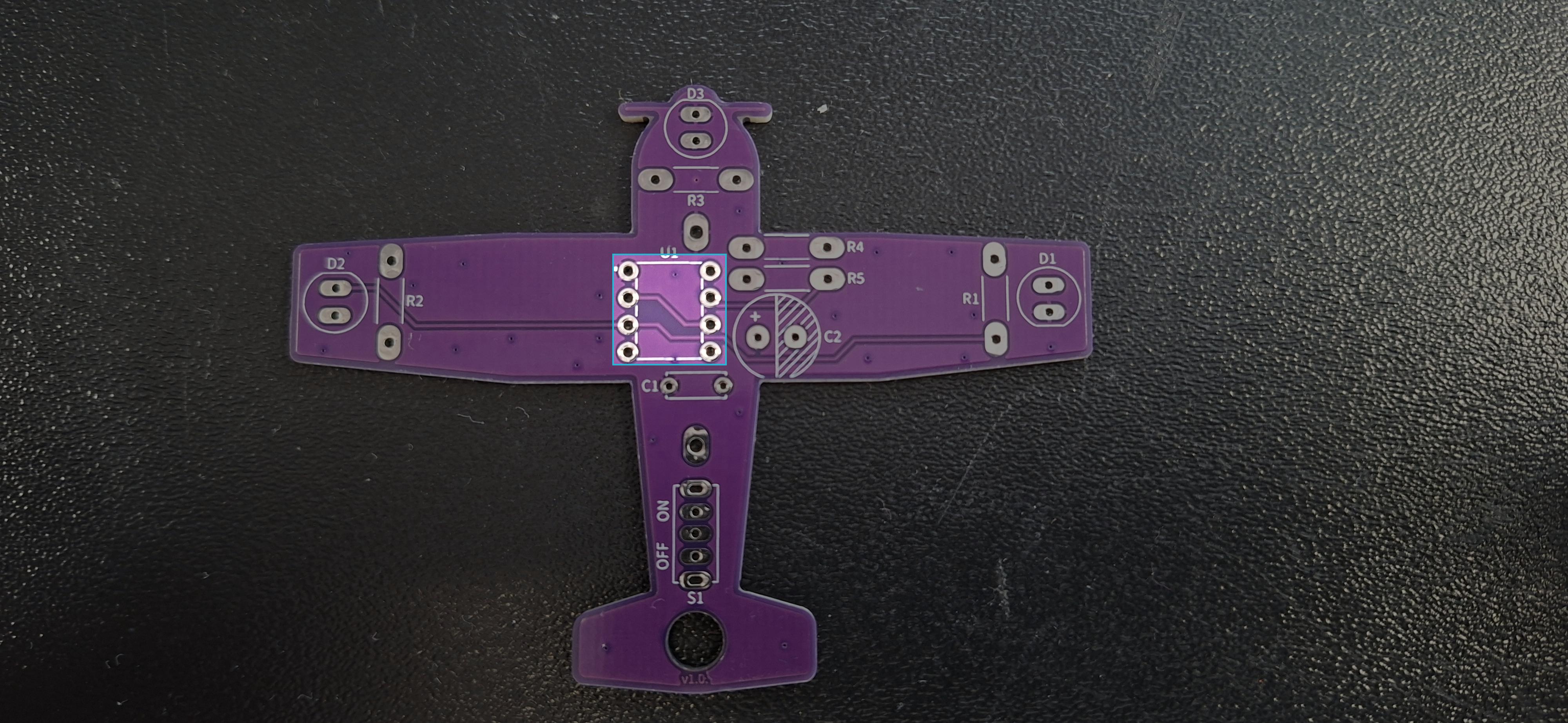
Highlighted pins for XD555 timer
ℹ️
We will place the components as shown in the picture above. However, for convenience, we will rotate the PCBs and solder the components from the bottom side.

Step 5: Solder the CR2032 battery holder

Rotate the PCB so that its backside is up and align the holder with the printed topology on the pin marked K1.
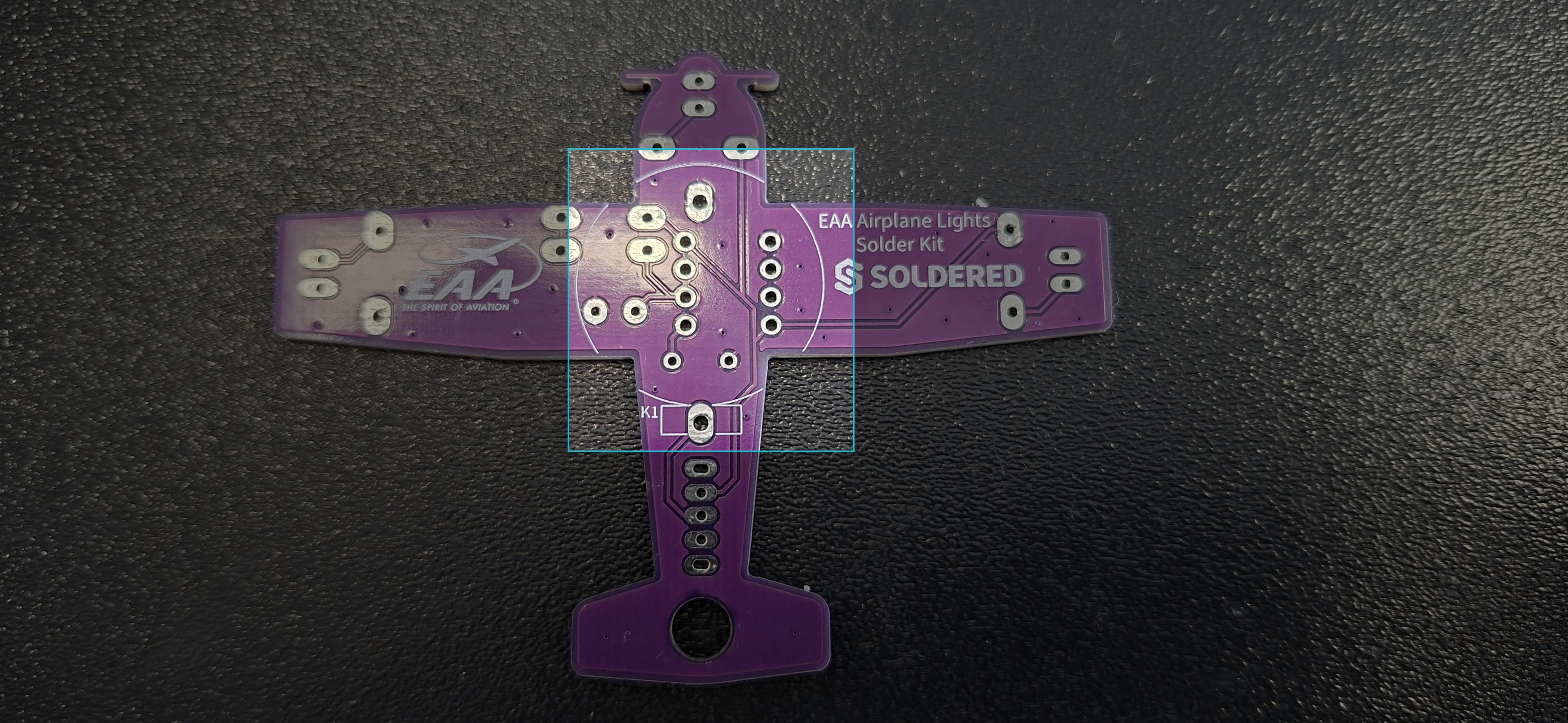
Highlighted pins for battery holder
ℹ️
We will place the components as shown in the picture above. However, for convenience, we will rotate the PCBs and solder the components from the bottom side.

Step 6: Solder the switch

Solder the switch on the pin marked S1; its orientation doesn't matter.
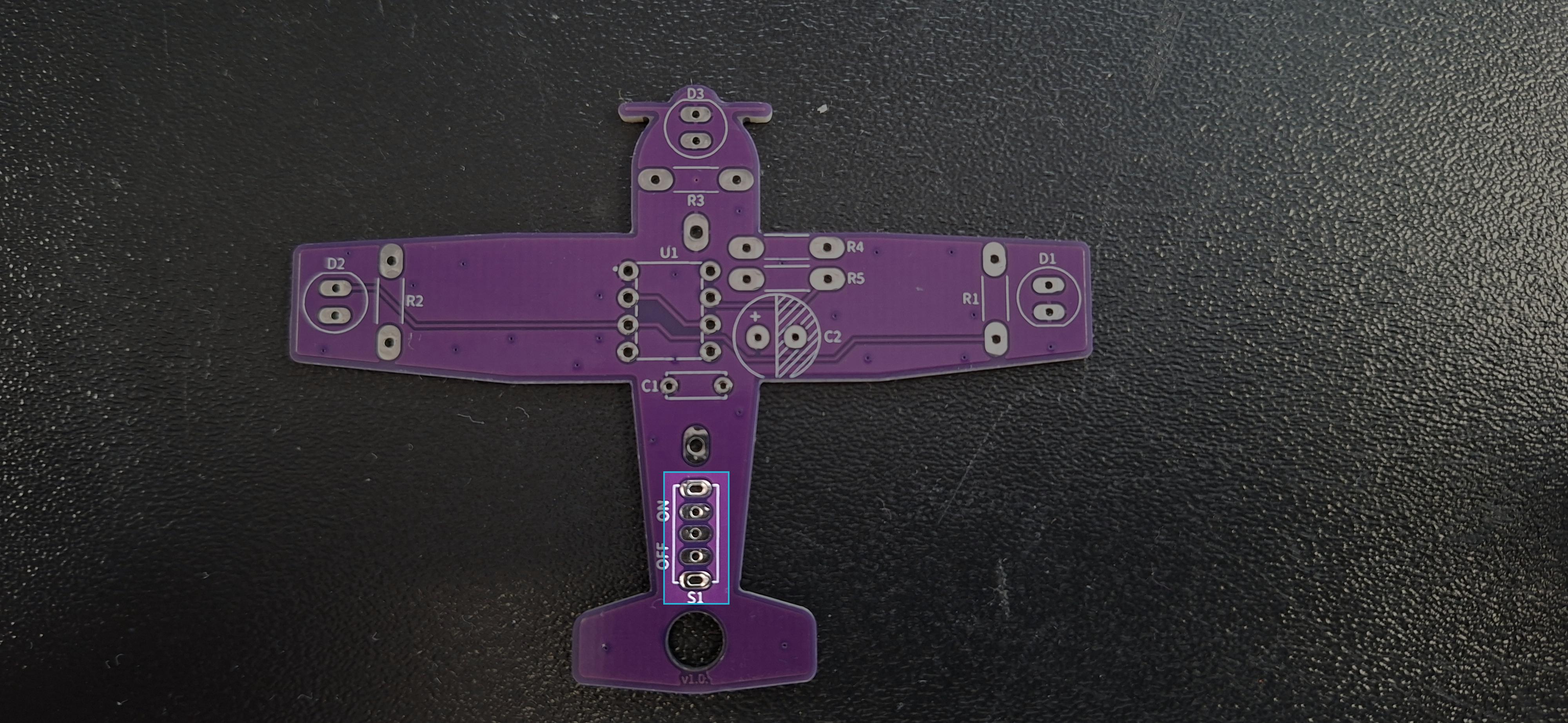
Highlighted pins for switch
ℹ️
We will place the components as shown in the picture above. However, for convenience, we will rotate the PCBs and solder the components from the bottom side.