2.4" TFT LCD Breakout with Touch - Graphics Test
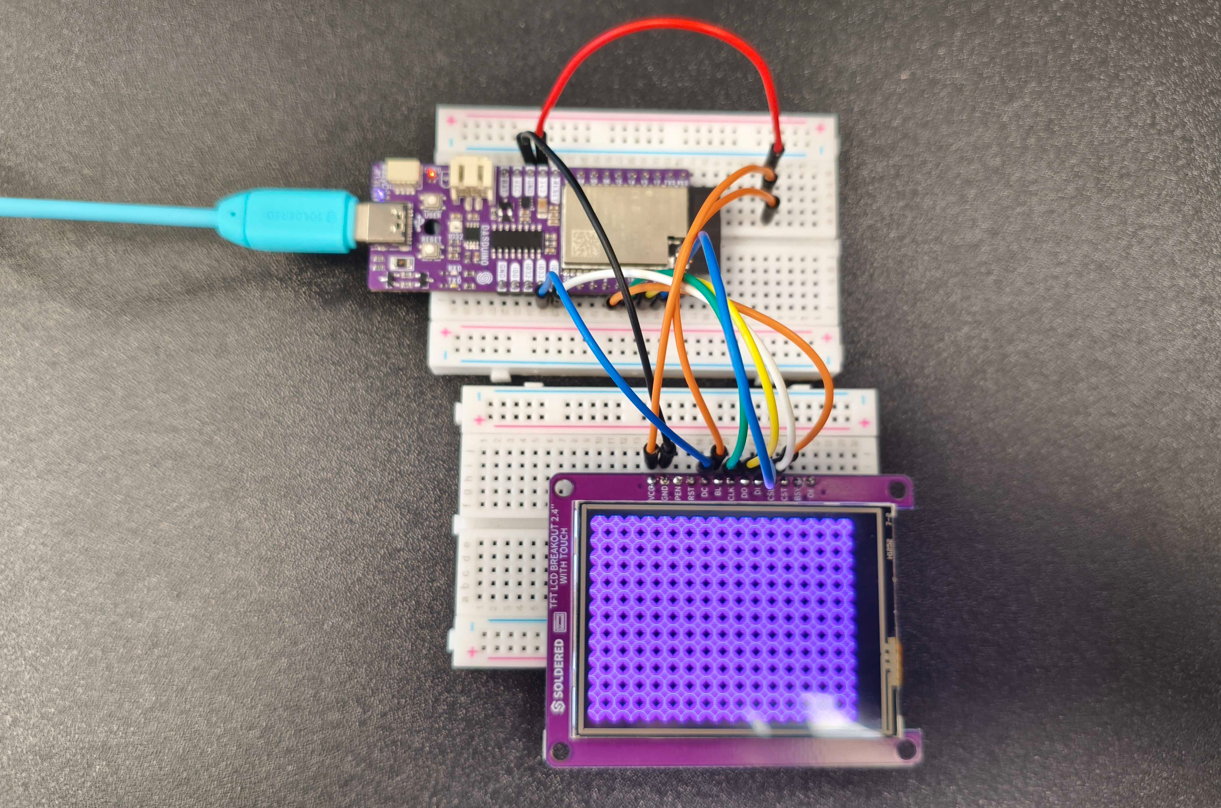
This page provides a simple graphics test example to showcase how to draw shapes, text, and colors using the TFT LCD Breakout 2.4" with Touch display.
Initialization
To start using the display, include the required libraries and initialize the TFT screen. You can define the CS, DC, and RST pins according to your wiring.
#include "SPI.h"
#include "Adafruit_GFX.h"
#include "TFT-LCD-Breakout-2.4-With-Touch-SOLDERED.h"

#define TFT_DC   33
#define TFT_CSL  25
#define TFT_RST  -1 // Set to -1 if not connected

TFTDisplay tft(TFT_CSL, TFT_DC, TFT_RST);

void setup() {
  Serial.begin(115200);
  tft.begin();
}
tft.begin()
Initializes communication with the TFT LCD display. Must be called before any drawing commands.
Returns value: None
Graphics Test
This function performs a benchmark test that draws lines, rectangles, circles, text, and color fills on the screen. It is useful for checking display performance and verifying that everything is connected properly.
void setup() {
  Serial.begin(115200);
  tft.begin();

  Serial.println("Benchmark                Time (microseconds)");
  delay(10);
  Serial.print("Screen fill              ");
  Serial.println(testFillScreen());

  Serial.print("Text                     ");
  Serial.println(testText());

  Serial.print("Lines                    ");
  Serial.println(testLines(ILI9341_CYAN));

  Serial.print("Rectangles (outline)     ");
  Serial.println(testRects(ILI9341_GREEN));

  Serial.print("Rectangles (filled)      ");
  Serial.println(testFilledRects(ILI9341_YELLOW, ILI9341_MAGENTA));

  Serial.print("Circles (filled)         ");
  Serial.println(testFilledCircles(10, ILI9341_MAGENTA));

  Serial.print("Circles (outline)        ");
  Serial.println(testCircles(10, ILI9341_WHITE));

  Serial.print("Triangles (outline)      ");
  Serial.println(testTriangles());

  Serial.print("Triangles (filled)       ");
  Serial.println(testFilledTriangles());

  Serial.print("Rounded rects (outline)  ");
  Serial.println(testRoundRects());

  Serial.print("Rounded rects (filled)   ");
  Serial.println(testFilledRoundRects());

  Serial.println("Done!");
}

void loop() {
  for (uint8_t rotation = 0; rotation < 4; rotation++) {
    tft.setRotation(rotation);
    testText();
    delay(1000);
  }
}
Full Example
This example demonstrates a wide range of drawing capabilities including screen rotation, text rendering, and geometric shapes. Due to its complexity and length, we recommend reviewing the full example directly on GitHub
GraphicsTest.ino
Complete example of a graphical test sequence for the TFT LCD