Electrochemical Gas Sensors – Calibrating a sensor
In this example we will go over calibrating the internal zero voltage value of the sensor.
Depending on the humidity and temperature, a sensor calibration may be needed. Calibrating should be done in a vacuum or area where there is no trace of the gas we want to measure.
First, in the Electrochemical-Gas-Sensor-SOLDERED.h header file, uncomment the following define macro:
// This define will cause debug messages to print in our library
// Useful when calibrating the sensor
#define ELECTROCHEMICAL_SENSOR_DEBUG //UNCOMMENT THIS
Next, we have to include the library, create an instance of the sensor object and define the internal zero calibration value we will use to calibrate the sensor:
// Include the required library
#include "Electrochemical-Gas-Sensor-SOLDERED.h"

// This is the custom value we set for the calibration voltage
// This value is added to the voltage read from the ADC
// In an environment with 0 of the target gas, the voltage after calibration should be
// roughly 0, adjust customCalibration to get it to that value.
const double customCalibration = 0.05;


// Create the sensor object with the according type
ElectrochemicalGasSensor sensor(SENSOR_NH3, 0x49, 32);
Next, in the setup() function, we are initializing the sensor and setting the custom calibration value right after:
void setup()
{
    Serial.begin(115200); // For debugging

    // Initialize the breakout
    if (!sensor.begin())
    {
        // Can't init? Notify the user and go to infinite loop
        Serial.println("ERROR: Can't init the sensor! Check connections!");
        while (true)
            delay(100);
    }

    //Set the custom calibration value
    sensor.setCustomZeroCalibration(customCalibration);

    Serial.println("Sensor initialized successfully!");
}
sensor.setCustomZeroCalibration(double calibration)
Sets the internal zero calibration offset
Returns value: None
Function parameters:
| Type | Name | Description |
|---|---|---|
double | calibration | Internal zero calibration offset in volts |
Finally, with the debug functions we can see the raw voltage, voltage without and with the calibration value:
void loop()
{
    // Make the reading
    double reading = sensor.getPPM();
    // This function will also print debug messages if the #define in
    // the header file of the library is uncommented
    // It will print:
    // - The raw voltage measurement
    // - Voltage without reference value
    // - Voltage after calibration
    // These values can help you adjust the internal zero calibration


    // Print the reading with 5 digits of precision
    Serial.print("Sensor reading: ");
    Serial.print(reading, 5);
    Serial.println(" PPM");

    // Wait a bit before reading again
    delay(2500);
}
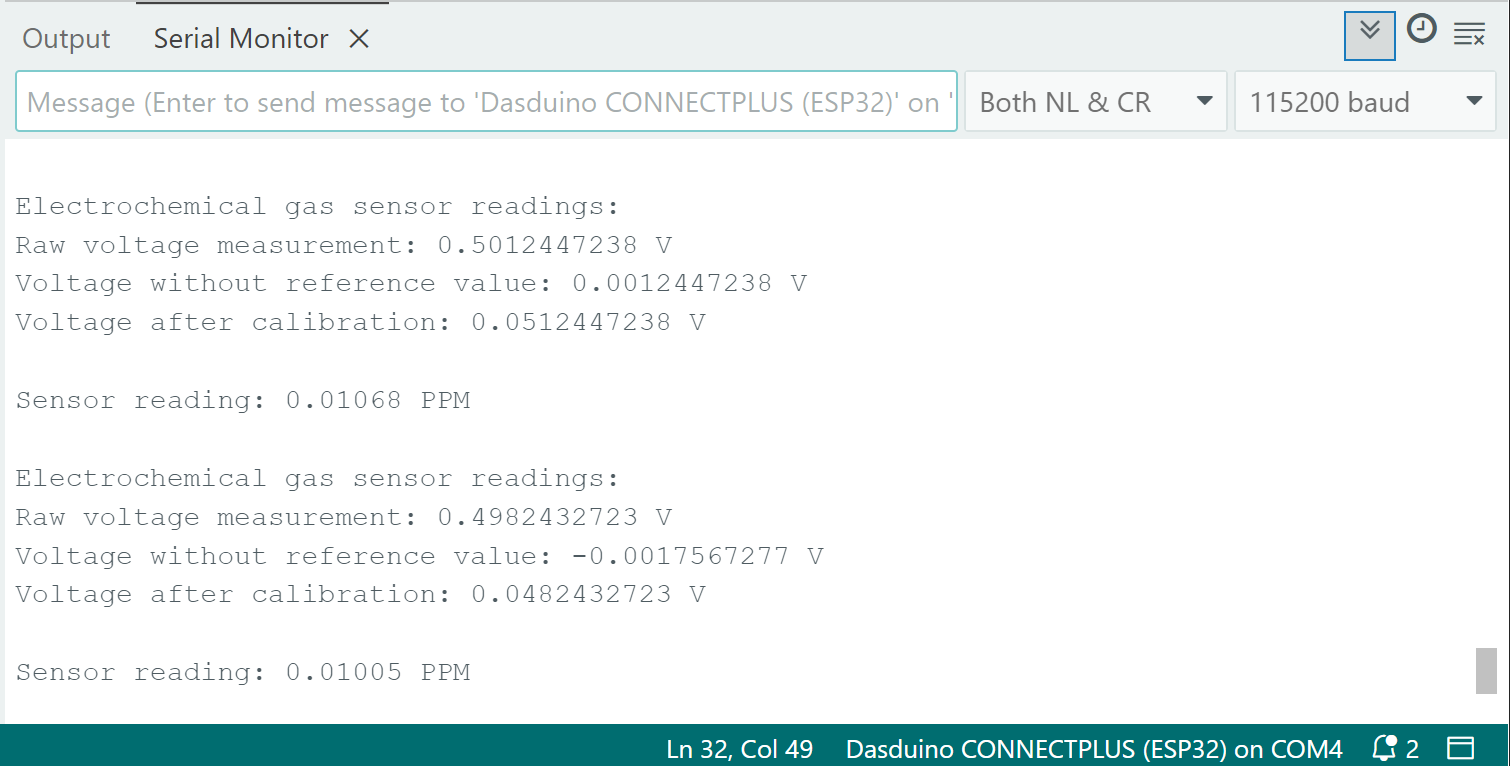
Full example
See the full example in the link below:
Calibration example
Calibration example for electrochemical sensors