Hx711 – Calibration and Unit Read
This page contains an example of calibrating the HX711 load-cell amplifier and reading calibrated values in units using regular and easyC versions.
Calibration
To calibrate the HX711 sensor, first include the required library, create the sensor object, and initialize the sensor in the setup() function.
DAT and SCK are defined before initialization. If you're using the easyC version, there is no need to define DAT and SCK pins, and creating the HX711 object looks like this:
// Create the easyC variant of the HX711 object
HX711 hx711;
// Include the library
#include "HX711-SOLDERED.h"

// Define pins used for DAT and SCK here
#define PIN_DAT 4
#define PIN_SCK 3

// Create the HX711 object on the right pins
HX711 hx711(PIN_DAT, PIN_SCK);

void setup()
{
    Serial.begin(115200); // Start serial communication

    // Initialize the HX711 sensor
    hx711.begin();

    // Wait a bit until it initializes fully
    delay(200);

    // While calibrating, don't put any load on the load cell!
    // It has to measure the signal without any weight so that we know where the zero is.
    // 15 measurements are taken, and their average is considered 0 (to reduce noise).
    hx711.setZero();
}

void loop()
{
    // Make a raw reading from the calibrated sensor and store it in a variable.
    // Note that this is not the same function as getRawReading().
    // The applied offset is the calibration.
    long ofsettedReading = hx711.getOffsettedReading();

    // You may also call getOffsettedReading(n) for the result to be an average of n readings.

    // Print the reading
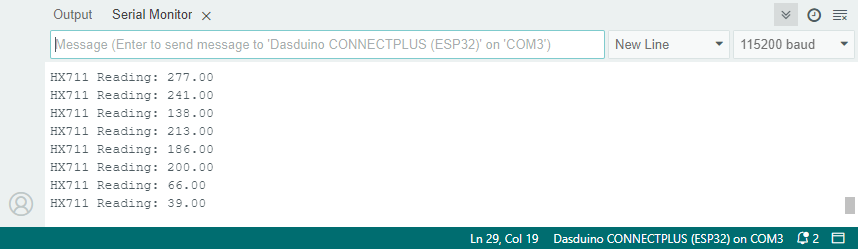
    Serial.print("HX711 Reading: ");
    Serial.println(ofsettedReading);

    // Wait a bit before the next reading
    delay(200);
}
hx711.begin()
Initializes the HX711 load-cell amplifier, setting up communication and verifying its presence.
Returns value: None.
hx711.setZero()
Sets the zero reference value (offset) for calibration. Takes 15 average readings to determine zero with no load on the load cell.
Returns value: None.
hx711.getOffsettedReading()
Gets the average of raw readings minus any offset (calibration value set by setZero).
Returns value: A double representing the offset-corrected reading.
Function parameters:
| Type | Name | Description |
|---|---|---|
uint8_t | numReadings | The number of readings to average. |
Reading in Units
In this example, we will read the weight in a specific unit (e.g., kilograms, grams, pounds) using the HX711 sensor. To do so, you need to calibrate the sensor with a known weight and then use that calibration to obtain readings in your desired unit.
Reading values from the Load Cell in units requires performing one test measurement:
- Obtain an object whose weight you know (for example, a 0.5kg weight).
- Run this sketch without changing the SCALE_UNITS value for now.
- After running the sketch, place the known weight on the load cell.
- Note the displayed value—let's call it X.
- Your SCALE_UNITS is X divided by the known weight; set it to that value.
As an example, our 5kg load cell returned 391254 for a 0.5 kg weight.
Thus, SCALE_UNITS in that case would be 391254 * 0.5.
DAT and SCK are defined before initialization. // Include the library
#include "HX711-SOLDERED.h"
// Define pins used for DAT and SCK here
#define PIN_DAT 4
#define PIN_SCK 3
// Scale units; for more information, refer to setup() below
#define SCALE_UNITS 1.0
// Create the HX711 object on the right pins
HX711 hx711(PIN_DAT, PIN_SCK);
void setup()
{
Serial.begin(115200); // For debugging
// Initialize HX711
hx711.begin();
// Wait a bit until it initializes fully
delay(200);
// While calibrating, don't put any load on the load cell!
hx711.setZero();
hx711.setScale(SCALE_UNITS);
}
void loop()
{
// Make a reading in units.
double readingInUnits = hx711.getReadingInUnits();
// You may also call getReadingInUnits(n) for the result to be an average of n readings.
// Print the reading
// Try viewing this on the serial plotter!
Serial.print("HX711 Reading: ");
Serial.println(readingInUnits);
// Wait a short while before the next reading.
delay(200);
}
hx711.getReadingInUnits()
Gets the average of raw readings divided by the scale factor (calibration value set by setScale).
Returns value: A double representing the offset-corrected reading, scaled to units.
Function parameters:
| Type | Name | Description |
|---|---|---|
uint8_t | numReadings | The number of readings to average. |
calibrate.ino
Example file for calibrating the HX711 Sensor
readInUnits.ino
Example file for using the HX711 Sensor for reading in units