Joystick - Using the module (example)
This page contains some basic examples with function documentation on how to use Joystick module.
Moving X and Y axis
To read values of the potentiometers, call analogRead() function.
#define X_PIN 13
#define Y_PIN 14

int x_Value=0;
int y_Value=0;

void setup(){
    Serial.begin(115200);
}
void loop(){
    x_Value=analogRead(X_PIN);
    y_Value=analogRead(Y_PIN);
    Serial.print("x = ");
    Serial.println(x_Value);
    Serial.print("y = ");
    Serial.println(y_Value);
    delay(200);
}
analogRead()
Get ADC value for specified pin
Returns value: Returns integer value that is the result of analog to digital conversion.
Function parameters:
| Type | Name | Description |
|---|---|---|
uint8_t | pin | Pin used for ADC. |
Serial monitor output
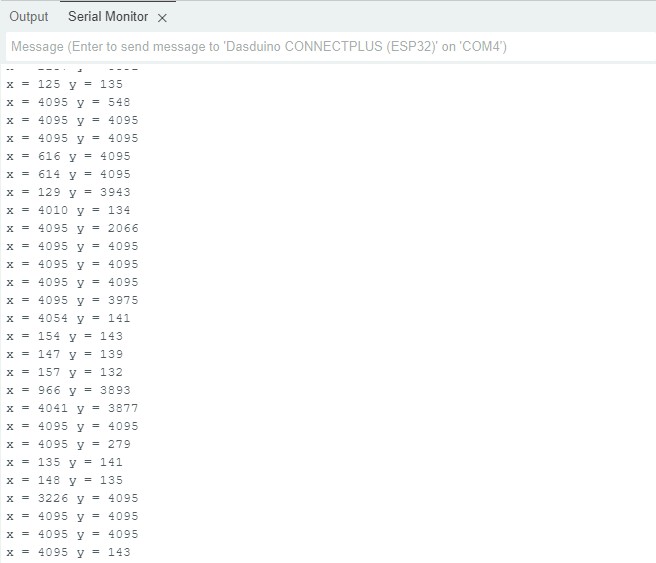
Output from Serial Monitor
Detecting button press
To read value from the button, call digitalRead() function.
#define SW 15
int swValue=0;
void setup(){
    Serial.begin(115200);
    pinMode(SW,INPUT);
}
void loop(){
    swValue=digitalRead(SW);

    //reverse logic!
    if(swValue==0){
      Serial.println("Button pressed!");
    }
    else{
      Serial.println("Button not pressed!");
    }
    delay(200);
}
Serial monitor output
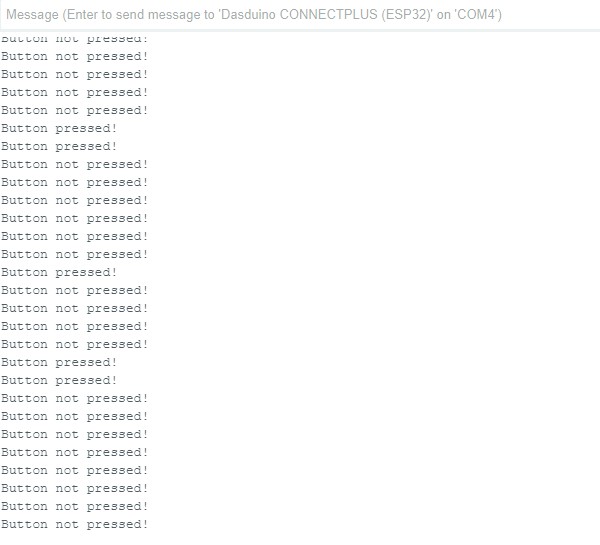
Output from Serial Monitor
Full example
Try all of the above mentioned functions in this full example which prints out the x,y position and button state:
#define X_PIN 13
#define Y_PIN 14
#define SW 15

int xValue=0;
int yValue=0;
int swValue=0;

void setup(){
    Serial.begin(115200);
    pinMode(SW,INPUT);
}
void loop(){
    xValue=analogRead(X_PIN);
    yValue=analogRead(Y_PIN);
    swValue=digitalRead(SW);

    //reverse logic!
    if(swValue==0){
      Serial.println("Button pressed!");
    }
    else{
      Serial.println("Button not pressed!");
    }
    Serial.print("x = ");
    Serial.print(xValue);
    Serial.print(" y = ");
    Serial.print(yValue);
    delay(200);
}