Mcp23017 - Button input example
This page contains an example of reading input from a button.
Connections for this example
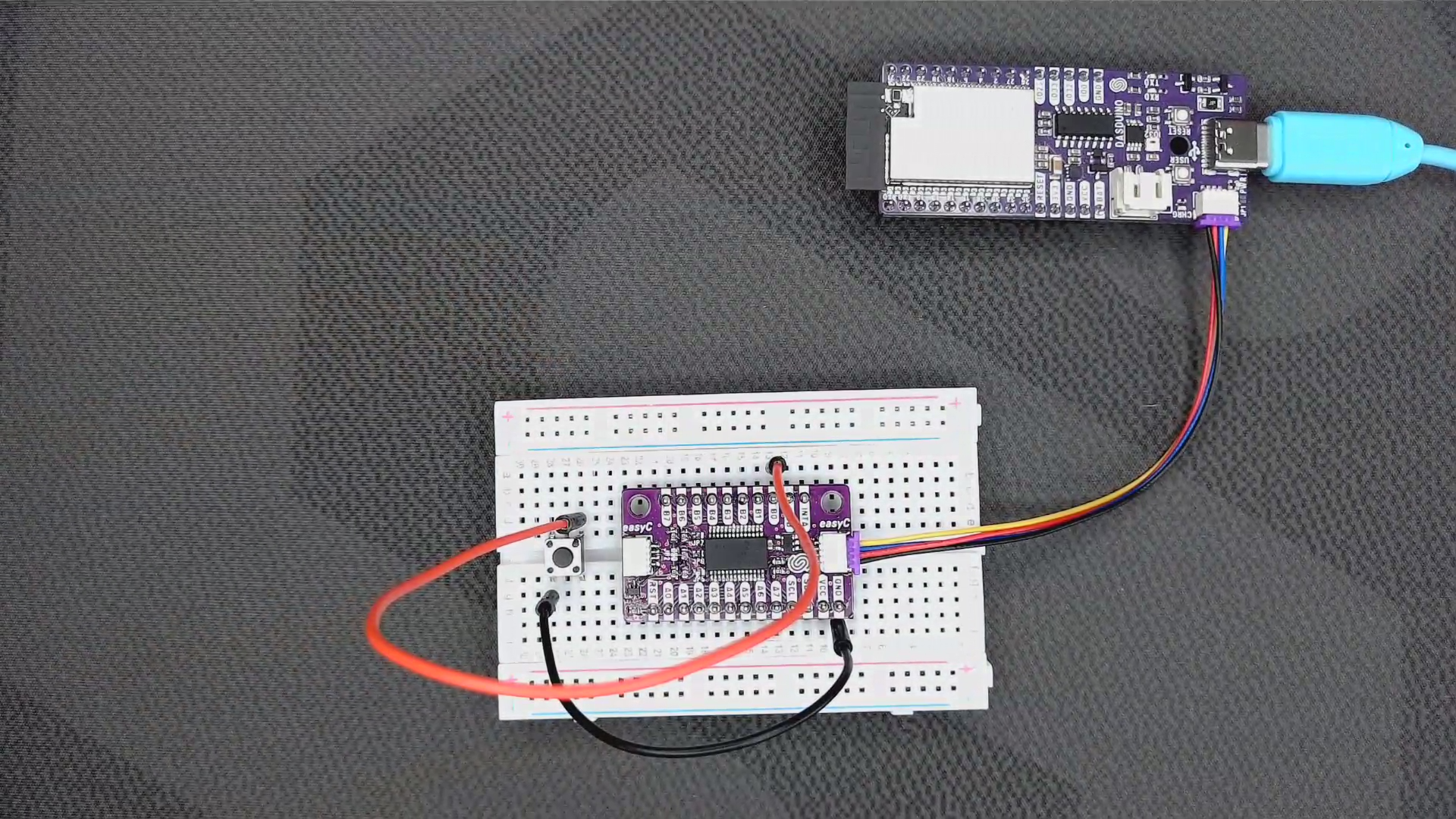
Full example
In this example, we first include the library and create an instance of the board. Next, in the setup() function, we initialize the I2C communication with the I/O expander and set the pin mode for the GPB0 pin (which is used for the button). Finally, in the loop() function, we read the pin and print the status of the button to the Serial monitor:
#include "MCP23017-SOLDERED.h"

MCP_23017 mcp;

void setup()
{
    // Initialize MCP23017
    mcp.begin();

    // Initialize serial communication
    Serial.begin(115200);

    // Set up the buttons
    mcp.pinMode(GPB0, INPUT_PULLUP);
}

void loop()
{
    // Read the button
    if (mcp.digitalRead(GPB0) == LOW)
    {
        // Button is pressed
        Serial.println("Button is pressed");
    }
    else
    {
        // Button is not pressed
        Serial.println("Button is not pressed");
    }

    delay(1000);
}
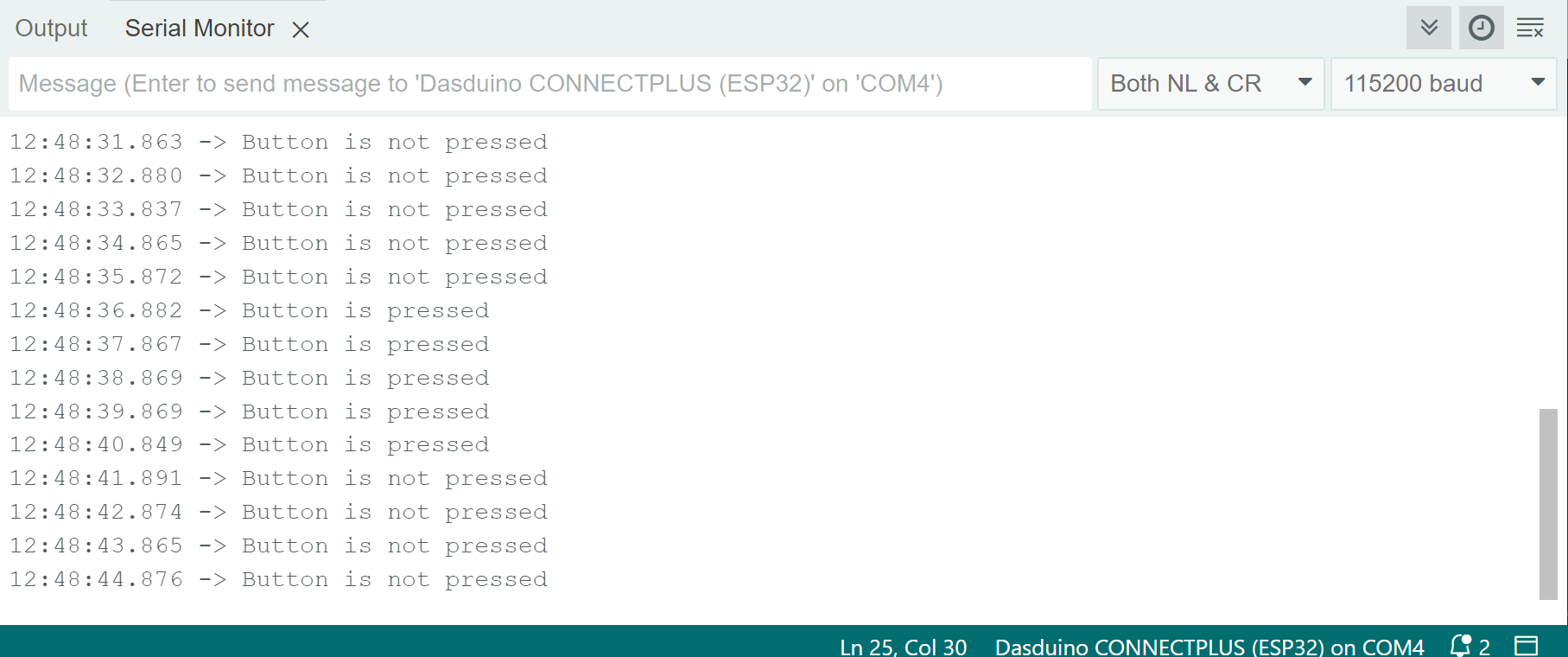
Button state on serial monitor
mcp.begin()
Initializes the I/O extender via I2C
Returns value: None
mcp.pinMode(uint8_t pin, uint8_t mode)
Controls a single pin direction
Returns value: None
Function parameters:
| Type | Name | Description |
|---|---|---|
uint8_t | pin | pin number |
uint8_t | mode | OUTPUT, INPUT, or INPUT_PULLUP |
mcp.digitalWrite(uint8_t pin, uint8_t state)
Sets the state for a specific pin
Returns value: None
Function parameters:
| Type | Name | Description |
|---|---|---|
uint8_t | pin | pin number |
uint8_t | state | state in which to put the pin |
mcp.digitalRead(uint8_t pin)
Gets the state of a specific pin
Returns value: None
Function parameters:
| Type | Name | Description |
|---|---|---|
uint8_t | pin | pin number |