PCF85063A - Reading the time and date
In the loop() function, we will read the time on the RTC every second:
void loop()
{
    switch (rtc.getWeekday()) // Get the weekday (0 is Sunday) and decode to string
    {
    case 0:
        Serial.print("Sunday, ");
        break;
    case 1:
        Serial.print("Monday, ");
        break;
    case 2:
        Serial.print("Tuesday, ");
        break;
    case 3:
        Serial.print("Wednesday, ");
        break;
    case 4:
        Serial.print("Thursday, ");
        break;
    case 5:
        Serial.print("Friday, ");
        break;
    case 6:
        Serial.print("Saturday, ");
        break;
    }

    Serial.print(rtc.getDay());    // Function for getting the day of the month
    Serial.print(".");
    Serial.print(rtc.getMonth());    // Function for getting the month
    Serial.print(".");
    Serial.print(rtc.getYear());     // Function for getting the year
    Serial.print(". ");
    Serial.print(rtc.getHour());     // Function for getting the hour
    Serial.print(":");
    Serial.print(rtc.getMinute());   // Function for getting the minute
    Serial.print(":");
    Serial.println(rtc.getSecond()); // Function for getting the second

    delay(1000); // Delay for 1 second
}
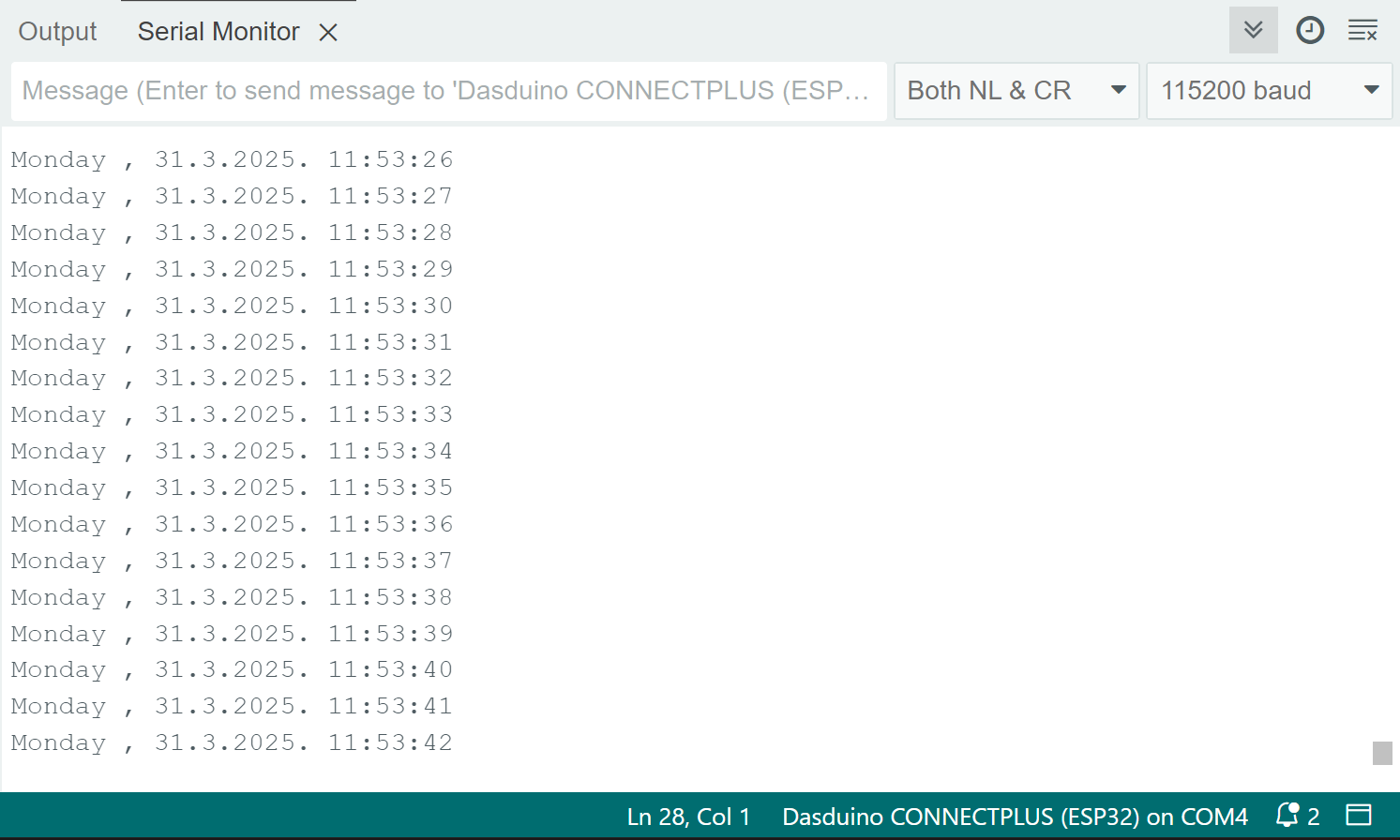
Serial monitor date & time readings
rtc.getWeekday()
Returns the current weekday
Returns value: uint8_t value, the current weekday id (0 for sunday, 6 for saturday)
rtc.getDay()
Returns the current day
Returns value: uint8_t value, the current day
rtc.getMonth()
Returns the current month
Returns value: uint8_t value, the current month
rtc.getYear()
Returns the current year
Returns value: uint16_t value, the current year
rtc.getHour()
Returns the current hour
Returns value: uint8_t value, the current hour
rtc.getMinute()
Returns the current minute
Returns value: uint8_t value, the current minutes
rtc.getSecond()
Returns the current seconds
Returns value: uint8_t value, the current hour
Full example
The full example is listed below:
// Include the library
#include "PCF85063A-SOLDERED.h"

// Create an instance of the RTC
PCF85063A rtc;


void setup()
{
    Serial.begin(115200); // Start serial communication with PC using 115200 baud rate
    rtc.begin();  // Initialize the RTC module

    // setTime(hour, minute, sec);
    rtc.setTime(11, 53, 00); // 24-hour mode, e.g., 11:53:00
    // setDate(weekday, day, month, yr);
    rtc.setDate(1, 31, 3, 2025); // 0 for Sunday, e.g., Monday, 31.3.2025.
}

void loop()
{
    switch (rtc.getWeekday()) // Get the weekday (0 is Sunday) and decode to string
    {
    case 0:
        Serial.print("Sunday, ");
        break;
    case 1:
        Serial.print("Monday, ");
        break;
    case 2:
        Serial.print("Tuesday, ");
        break;
    case 3:
        Serial.print("Wednesday, ");
        break;
    case 4:
        Serial.print("Thursday, ");
        break;
    case 5:
        Serial.print("Friday, ");
        break;
    case 6:
        Serial.print("Saturday, ");
        break;
    }

    Serial.print(rtc.getDay());    // Function for getting the day of the month
    Serial.print(".");
    Serial.print(rtc.getMonth());    // Function for getting the month
    Serial.print(".");
    Serial.print(rtc.getYear());     // Function for getting the year
    Serial.print(". ");
    Serial.print(rtc.getHour());     // Function for getting the hour
    Serial.print(":");
    Serial.print(rtc.getMinute());   // Function for getting the minute
    Serial.print(":");
    Serial.println(rtc.getSecond()); // Function for getting the second

    delay(1000); // Delay for 1 second
}