BME688 Environmental Sensor - Taking measurements (Arduino)
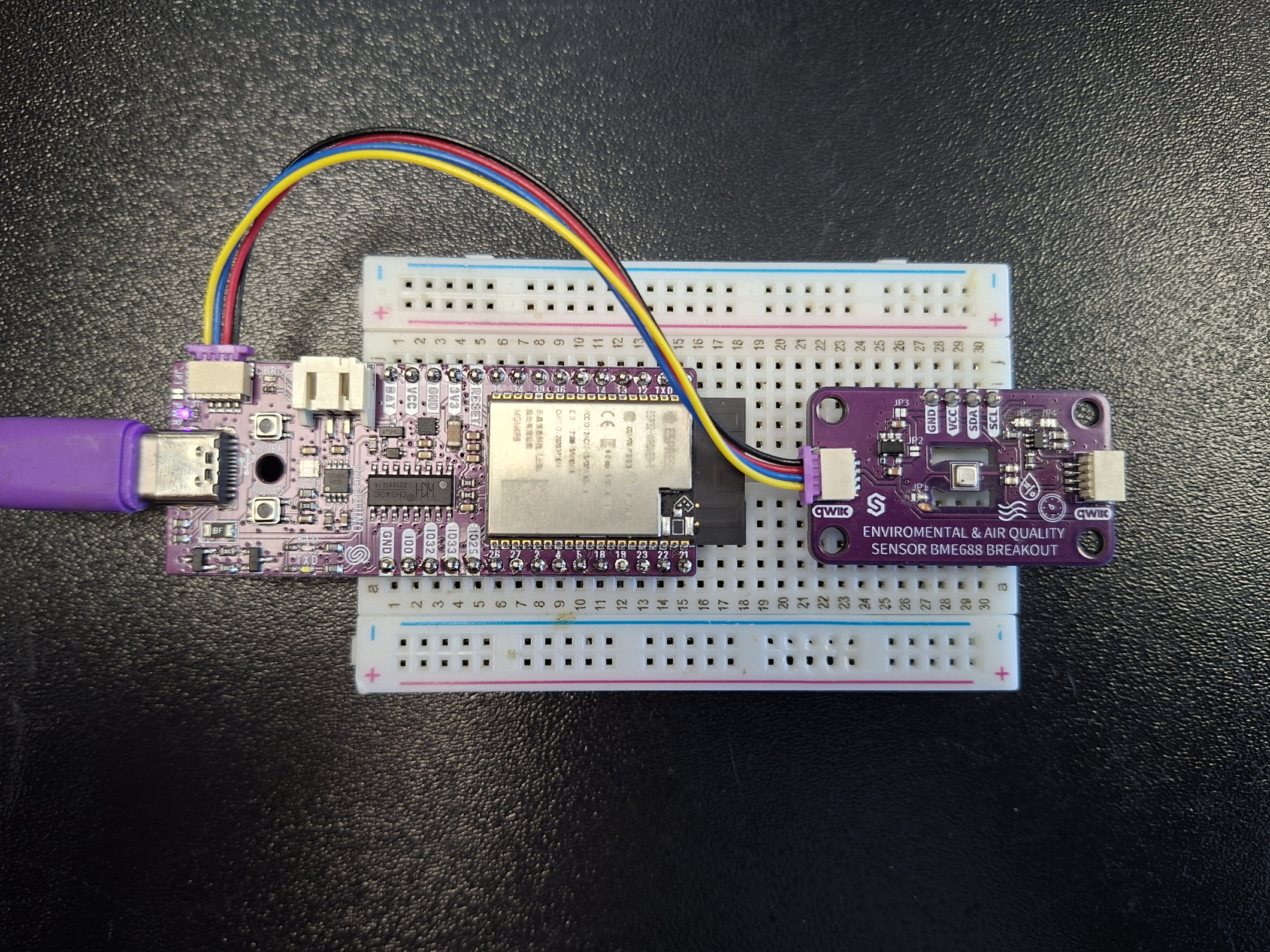
Connections for this example
Initialization
To use the BME688 sensor, first include the required library, create the sensor object, and initialize the sensor in the setup() function.
#include "BME688-Soldered.h"

BME688 sensor;

void setup(){
    Serial.begin(115200);
    if(sensor.begin()){
        Serial.println("BME688 Initialized Successfully!");
    }
    else{
        Serial.println("Failed to initialize BME688!");
        while(1);
    }
}
sensor.begin()
Initializes the BME688 sensor, setting up communication over I2C and configuring oversampling values for each sensor
Returns value: Boolean value. True if the sensor was successfully initialized, False otherwise.
Temperature
To get temperature value, use the readTemperature() function. The sensor samples temperature in degrees Celsius.
void loop(){
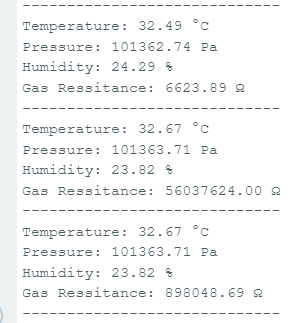
    Serial.print("Temperature: ");
    Serial.print(sensor.readTemperature()); // Read temperature in °C
    Serial.println(" °C");
}
sensor.readTemperature()
Reads the value from the sensor and returns the scaled Celsius value
Returns value: Float value of the temperature reading in degrees Celsius
Pressure
To get pressure value, use the readPressure() function. The sensor samples the pressure in Pascals (Pa).
void loop(){
    Serial.print("Pressure: ");
    Serial.print(sensor.readPressure()); // Read pressure in Pascals
    Serial.print(" Pa");
}
sensor.readPressure()
Float value of the temperature reading in Pa
Humidity
To get humidity value, use the readHumidity() function. The sensor samples humidity as a percentage.
void loop(){
    Serial.print("Humidity: ");
    Serial.print(sensor.readHumidity());
    Serial.print(" %");
}
sensor.readHumidity()
Reads the value from the sensor and returns the scaled percentage value
Returns value: Float value of the humidity reading in %
Gas Resistance
To get gas resistance value, use the sensor.readGas() function. The sensor samples gas resistance in ohms.
void loop(){
    Serial.print("Gas Resistance: ");
    Serial.print(sensor.readGas(0)); // Read gas resistance in ohms
    Serial.println(" Ω");

}
sensor.readGas()
Reads the value from the sensor and returns the scaled value in ohms
Returns value: Float value of the gas resistance in ohms
Function parameters:
| Type | Name | Description |
|---|---|---|
integer | profile | Selects which of the BME688's up to 10 configured heater profiles (0-9) |