MQ Gas Sensors – Initialization (Native)
In this example, we will go over how to initialize the native version of the MQ sensor.
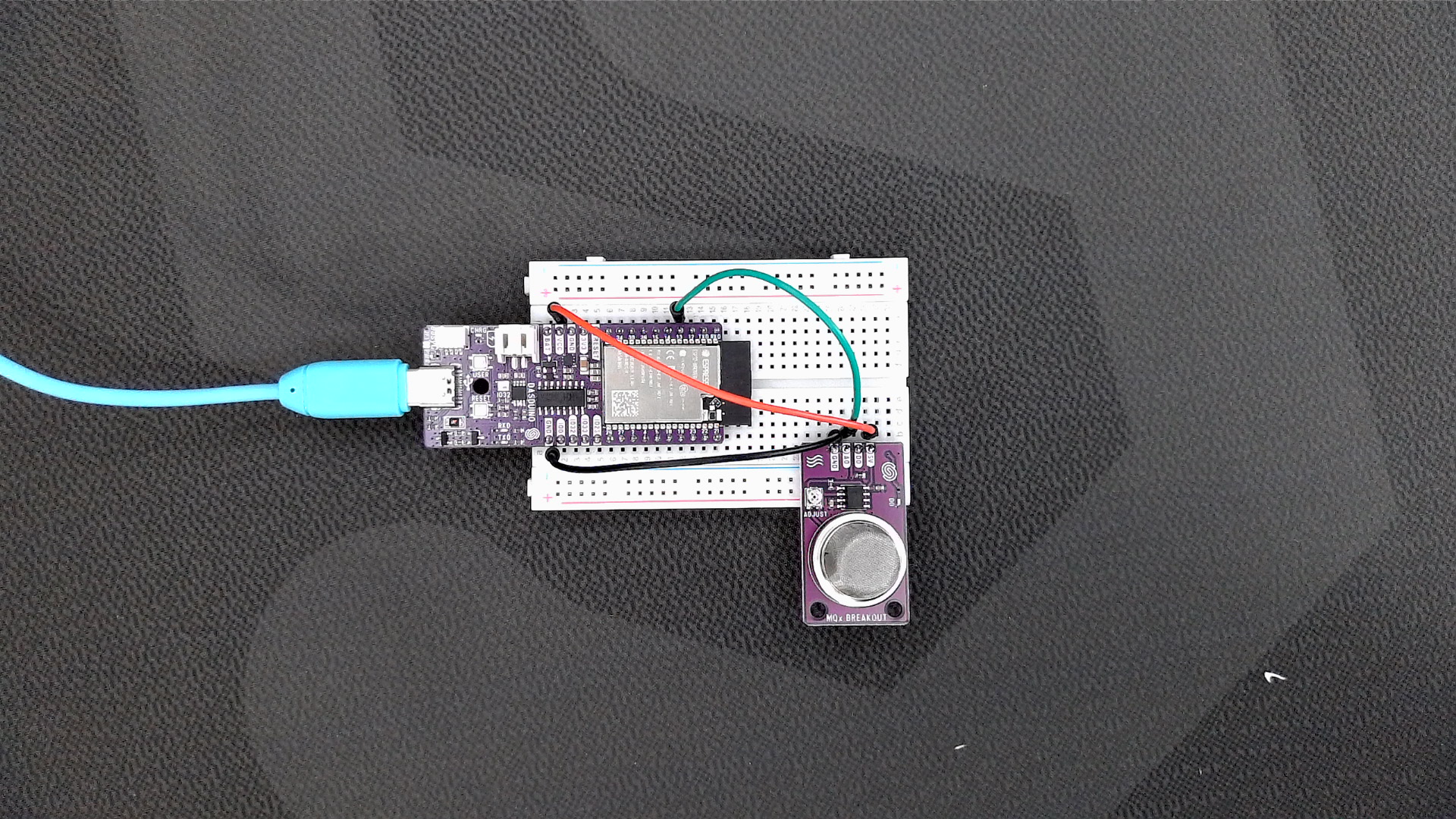
First, we have to include the library, then specify the GPIO pin connected to the analog pin on the breakout board. Depending on your board (we used a Dasduino CONNECTPLUS, which has an ESP32 onboard), define the pin macro. We also created an instance of the MQ sensor object using the analog pin macro we just defined.
// Include the library
#include "MQ-Sensor-SOLDERED.h"

// Predefined microcontroller pins for AO sensor pin (microcontroller dependent)
// You can change the pin to suit your setup.
#if defined(__AVR__) || defined(STM32)
#define SENSOR_ANALOG_PIN A1
#elif defined(ESP32)
#define SENSOR_ANALOG_PIN 13
#else
#define SENSOR_ANALOG_PIN 5
#endif

// Create an instance of the object
MQ135 mq135(SENSOR_ANALOG_PIN);

// Number of readings of R0 taken to get an average measurement
#define numOfCalibrations 10
Next, in the setup() function, we initialize the serial communication as well as the sensor.
// Initialize the serial port communication at 115200 baud. It is used to print out measured data.
Serial.begin(115200);

// Initialize the sensor
mq135.begin();
mq135.begin()
Initializes the MQ sensor, setting its regression method configuration
Returns value: None
Function parameters:
| Type | Name | Description |
|---|---|---|
| |
Next, we have to calibrate the sensor. Calibration is done in clean air after the sensor has been heated. You can find preheat times for the sensor in their datasheets, which are linked here. All the calibration does is take measurements of the resistance, which will be used for later resistance measurements in an environment with the specific gas calculated.
// In the setup() function...

/*****************************  MQ Calibration ********************************************/
// Explanation:
// In this routine, the sensor measures the resistance after it has been preheated for 48h and is now in a clean air environment,
// and it will set up the R0 value.
// This routine does not need to execute on every restart; you can load your R0 from flash memory and read it at startup.

Serial.print("Calibrating please wait.");
bool calibrationResult = mq135.calibrateSensor(numOfCalibrations);
if (!calibrationResult) // Check if the sensor was properly calibrated
{
  Serial.println("There was an error reading the sensor, check connection and try again");
  while (1)
  {
  }
}
Serial.print("Calibration done!");

/*****************************  MQ Calibration ********************************************/
mq135.calibrateSensor(int numOfCalibrations)
Calibrates the sensor by taking multiple readings and averaging them.
Returns value: Boolean value, True if calibration is successful, false if the calculated R0 is invalid
Function parameters:
| Type | Name | Description |
|---|---|---|
int | numOfCalibrations | Number of calibration readings to take |
Full example
See the full example below:
// Include the library
#include "MQ-Sensor-SOLDERED.h"

// Predefined microcontroller pins for AO sensor pin (microcontroller dependent)
// You can change the pin to suit your setup.
#if defined(__AVR__) || defined(STM32)
#define SENSOR_ANALOG_PIN A1
#elif defined(ESP32)
#define SENSOR_ANALOG_PIN 13
#else
#define SENSOR_ANALOG_PIN 5
#endif

// Create an instance of the object
MQ135 mq135(SENSOR_ANALOG_PIN);

// Number of readings of R0 taken to get an average measurement
#define numOfCalibrations 10

void setup()
{
    // Initialize the serial port communication at 115200 baud. It is used to print out measured data.
    Serial.begin(115200);

    // Initialize the sensor
    mq135.begin();

    /*****************************  MQ Calibration ********************************************/
    // Explanation:
    // In this routine, the sensor measures the resistance after it has been preheated for 48h and is now in a clean air environment,
    // and it will set up the R0 value.
    // This routine does not need to execute on every restart; you can load your R0 from flash memory and read it at startup.

    Serial.print("Calibrating please wait.");
    bool calibrationResult = mq135.calibrateSensor(numOfCalibrations);
    if (!calibrationResult) // Check if the sensor was properly calibrated
    {
      Serial.println("There was an error reading the sensor, check connection and try again");
      while (1)
      {
      }
    }
    Serial.print("Calibration done!");

    /*****************************  MQ Calibration ********************************************/
}

void loop()
{

}