Slider Potentiometer - Reading Slider Potentiometer
This page contains some simple examples of how to take analog slider measurements using the Slider Potentiometer.
Initialization
To start using the Slider Potentiometer Breakout, you need to connect it to your microcontroller. The potentiometer acts as a voltage divider, and its output can be read through an analog pin on your microcontroller.
Here's how to set it up:
// Define the analog pin connected to the potentiometer
#define SLIDER_PIN 2

void setup() {
  // Initialize serial communication for debugging
  Serial.begin(115200);
}

void loop() {
  // Read the analog value from the slider potentiometer
  int sliderValue = analogRead(SLIDER_PIN);

  // Print the value to the serial monitor
  Serial.print("Slider Value: ");
  Serial.println(sliderValue);

  delay(100); // Add a short delay for stability
}
analogRead(SLIDER_PIN)
Reads the analog voltage output of the slider potentiometer and converts it to a digital value (0–1023 for 5V systems).
Returns value: Returns an integer representing the slider's position as a digital value.
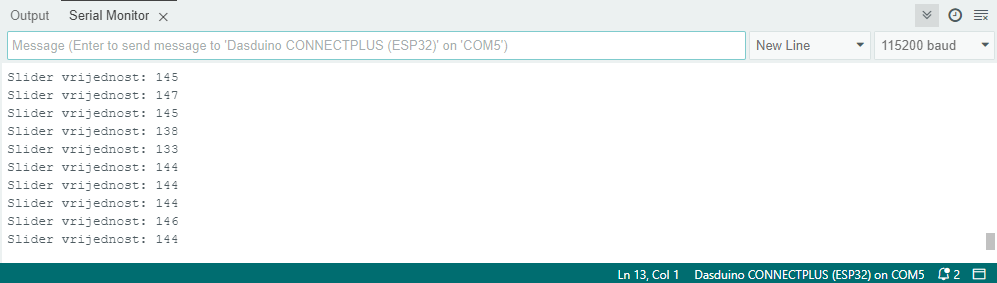
Serial Monitor output for position 1
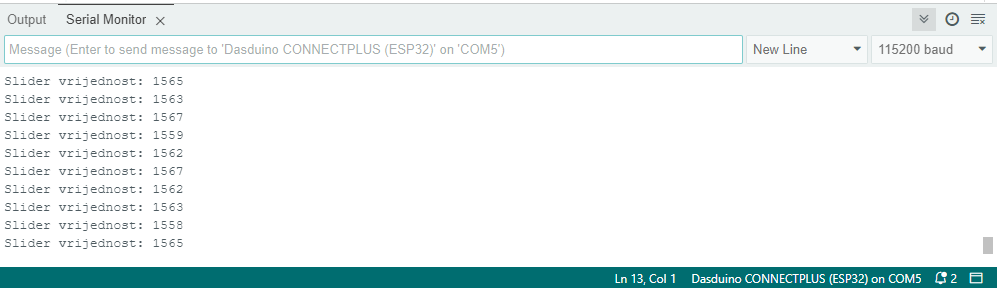
Serial Monitor output for position 2