Slider Potentiometer - Reading Slider Potentiometer (Qwiic version)
This page contains simple examples illustrating how to take analog slider measurements using the Slider Potentiometer with Qwiic.
Initialization
To start using the Slider Potentiometer Breakout, you need to connect it to your microcontroller. The potentiometer acts as a voltage divider, and its output can be read through an analog pin on your microcontroller.
Here’s how you can set it up:
#include "Slider-potentiometer-easyC-SOLDERED.h"

// Declare the sensor object
sliderPot slider;

void setup()
{
    // Initialize serial communication via UART
    Serial.begin(115200);

    // Initialize the sensor
    slider.begin();
}
Reading slider data
To start reading data obtained by moving the slider, follow the code given below.
    Serial.print("Raw value of slider potentiometer: "); // Print information message
    Serial.println(slider.getValue()); // Prints raw value of slider potentiometer

    Serial.print("Minimum value of slider potentiometer: "); // Print information message
    Serial.println(slider.minValue()); // Prints minimum value of potentiometer

    Serial.print("Maximum value of slider potentiometer: "); // Print information message
    Serial.println(slider.maxValue()); // Prints maximum value of potentiometer

    Serial.print("Percent value of slider potentiometer: "); // Print information message
    Serial.println(slider.getPercentage()); // Prints percent value of slider potentiometer
    delay(1000);
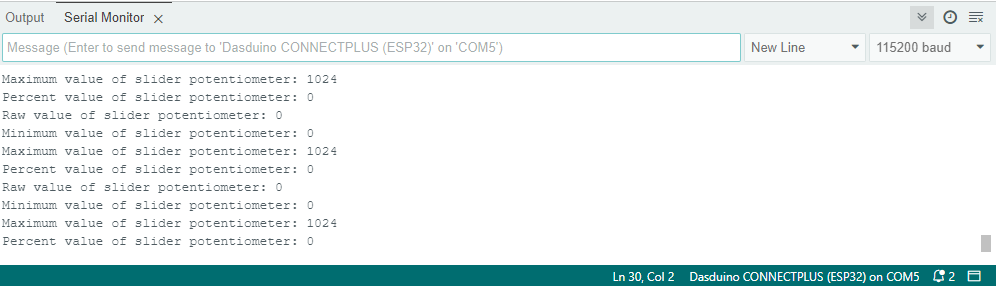
Serial Monitor output for position 1
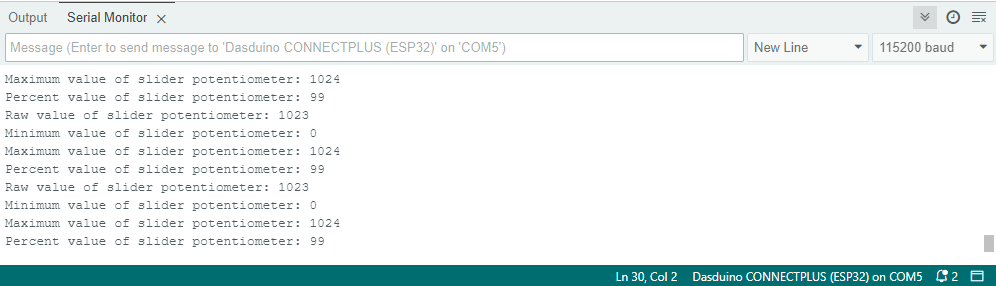
Serial Monitor output for position 2
Full example
Try all of the above-mentioned functions in this full example which prints out the measured slider potentiometer data over Serial at 115200 baud:
#include "Slider-potentiometer-easyC-SOLDERED.h"

// Declare the sensor object
sliderPot slider;

void setup()
{
    // Initialize serial communication via UART
    Serial.begin(115200);

    // Initialize the sensor
    slider.begin();
}

void loop()
{
    Serial.print("Raw value of slider potentiometer: "); // Print information message
    Serial.println(slider.getValue()); // Prints raw value of slider potentiometer

    Serial.print("Minimum value of slider potentiometer: "); // Print information message
    Serial.println(slider.minValue()); // Prints minimum value of potentiometer

    Serial.print("Maximum value of slider potentiometer: "); // Print information message
    Serial.println(slider.maxValue()); // Prints maximum value of potentiometer

    Serial.print("Percent value of slider potentiometer: "); // Print information message
    Serial.println(slider.getPercentage()); // Prints percent value of slider potentiometer
    delay(1000);
}