Touchpads on Inkplate
When our rebranding happened from E-Radionica to Soldered, we also changed some Inkplate features, including the Touchpads which are only available on older versions of the Inkplate boards.
| Feature | Older Inkplate boards | Newer Inkplate boards |
|---|---|---|
| Board definition | e-Radionica Inkplate | Soldered Inkplate |
| Board color | Blue (usually) | Purple |
| Has touchpads | Yes | No |
| GPIO Expander | MCP23017 | PCAL6416A |
ℹ️
There is no functional difference for the end-user between the two GPIO expanders.
If you need Inkplate board with touchpads we recommend checking with our distributors since the versions can sometimes vary and they still may have older boards in stock. If you are purchasing your Inkplate directly from Soldered.com, you will always receive a newer model with all the corresponding features which are listed on that particular Inkplate's product page.
ℹ️
We still fully support all our boards with the lastest version of the Inkplate library!
Older Touchpad Boards
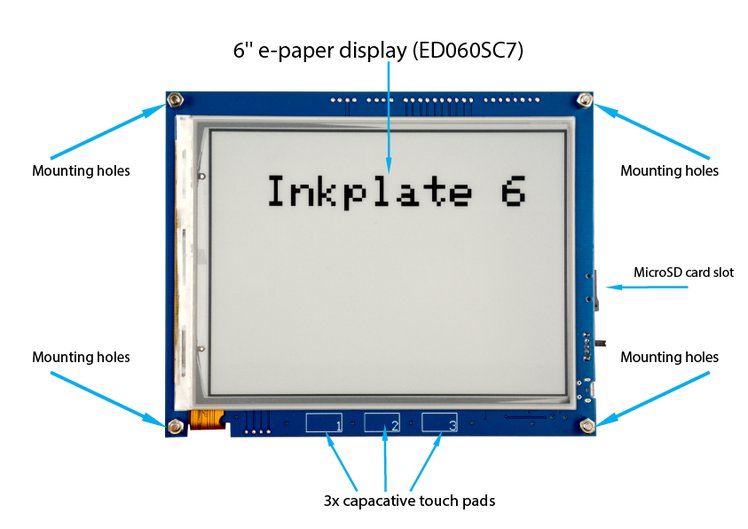
E-Radionica Inkplate 6
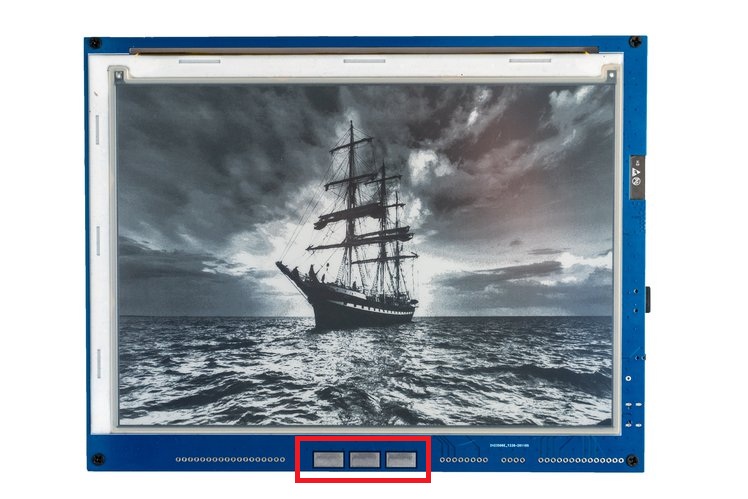
E-Radionica Inkplate 10
Read Touchpad Code Example
#include "Inkplate.h"            //Include Inkplate library to the sketch
Inkplate display(INKPLATE_1BIT); // Create an object on Inkplate library and also set library into 1 Bit mode (BW)

int number = 0; // Variable that stores our number
int n = 0;      // Variable that keeps track on how many times display is partially updated
void setup()
{
    display.begin();                    // Init Inkplate library (you should call this function ONLY ONCE)
    display.clearDisplay();             // Clear frame buffer of display
    display.display();                  // Put clear image on display
    display.setTextSize(5);             // Set text scaling to five (text will be five times bigger)
    display.setTextColor(BLACK, WHITE); // Set text color to black and background color to white
    displayNumber();                    // Call our function to display nubmer on screen
}

void loop()
{
    if (display.readTouchpad(PAD1))
    { // Check if first pad has been touched. If it is, decrement the number and refresh the screen.
        number--;
        displayNumber();
    }

    if (display.readTouchpad(PAD2))
    { // If you touched second touchpad, set number to zero and refresh screen by calling our displayNumber() function
        number = 0;
        displayNumber();
    }

    if (display.readTouchpad(PAD3))
    { // If you touched third touchpad, incerement the number and refresh the screen.
        number++;
        displayNumber();
    }
    delay(100); // Wait a little bit between readings.
}

// Function that will write you number to screen
void displayNumber()
{
    display.clearDisplay();      // First, lets delete everything from frame buffer
    display.setCursor(385, 280); // Set print cursor coordinates (adjust to your own preference)
    display.print(number, DEC);  // Print the number
    display.setCursor(255, 560); // Set new print position
    display.print('-');          // Print minus sign
    display.setCursor(385, 560); // Set new print position
    display.print('0');          // Print zero
    display.setCursor(520, 560); // Set new print position
    display.print('+');          // Print plus sign
    if (n > 20)
    { // Chech if screen has been partially refreshed more than 20 times. If it is, do a full refresh. If is not, do a
      // partial refresh
        display.display();
        n = 0;
    }
    else
    {
        display.partialUpdate();
        n++;
    }
}