Pir Sensor - Detecting movement (Standard)
This page contains an example of detecting movement using the standard version of the board
Connections for this example
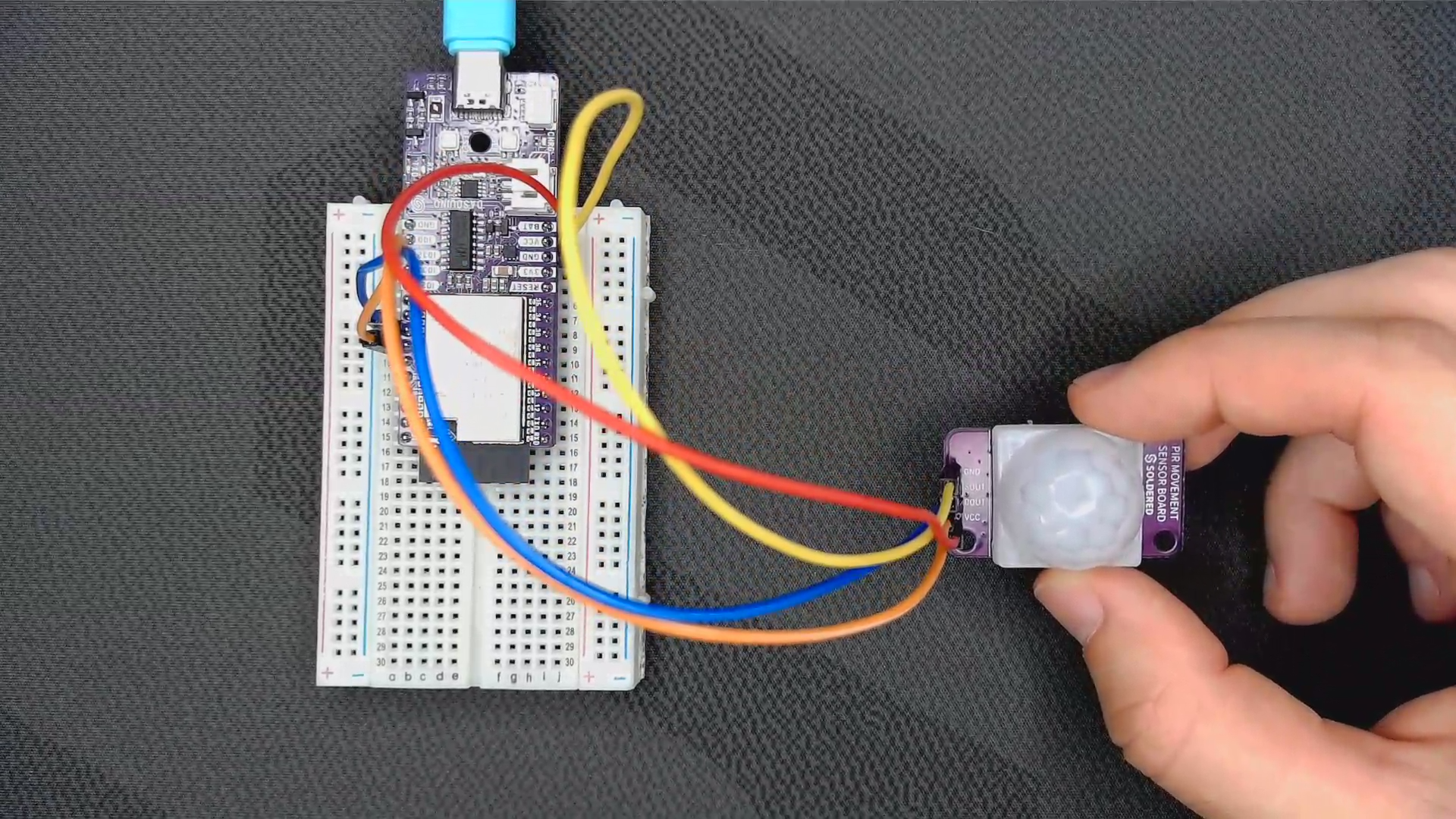
Setting up the pins
First, we must define which pins to use and for what purpose:
#define SOUT_PIN 2
#define DOUT_PIN 4

// Variables that hold the time since the last measurement for specific pins
unsigned long dout_delay = 0;
unsigned long sout_delay = 0;
In the setup() function, the pin modes are set for the specific pins, and Serial communication is initialized. There is also a 20-second delay required to warm up the sensor for more accurate readings:
void setup() {
  // Set the pins as input
  pinMode(DOUT_PIN, INPUT);
  pinMode(SOUT_PIN, INPUT);

  // Initialize serial communication
  Serial.begin(115200);

  Serial.println("Warming up sensor...");
  // Wait 20s so the sensor can warm up
  delay(20000);

  Serial.println("Warmup done!");
}
Detecting movement
In the loop() function, we check if there is a HIGH signal from the pins. If so, and if at least 4 seconds have passed since the last measurement, we print the detection to the serial monitor.
void loop() {
  // If the pin is set to HIGH and at least 4s have passed since the last measurement, print detection
  if (digitalRead(DOUT_PIN) && millis() - dout_delay >= 4000)
  {
    Serial.println("DOUT Motion detected!");
    dout_delay = millis();
  }
  // If the pin is set to HIGH and at least 4s have passed since the last measurement, print detection
  if (digitalRead(SOUT_PIN) && millis() - sout_delay >= 4000)
  {
    Serial.println("SOUT Motion detected!");
    sout_delay = millis();
  }

}
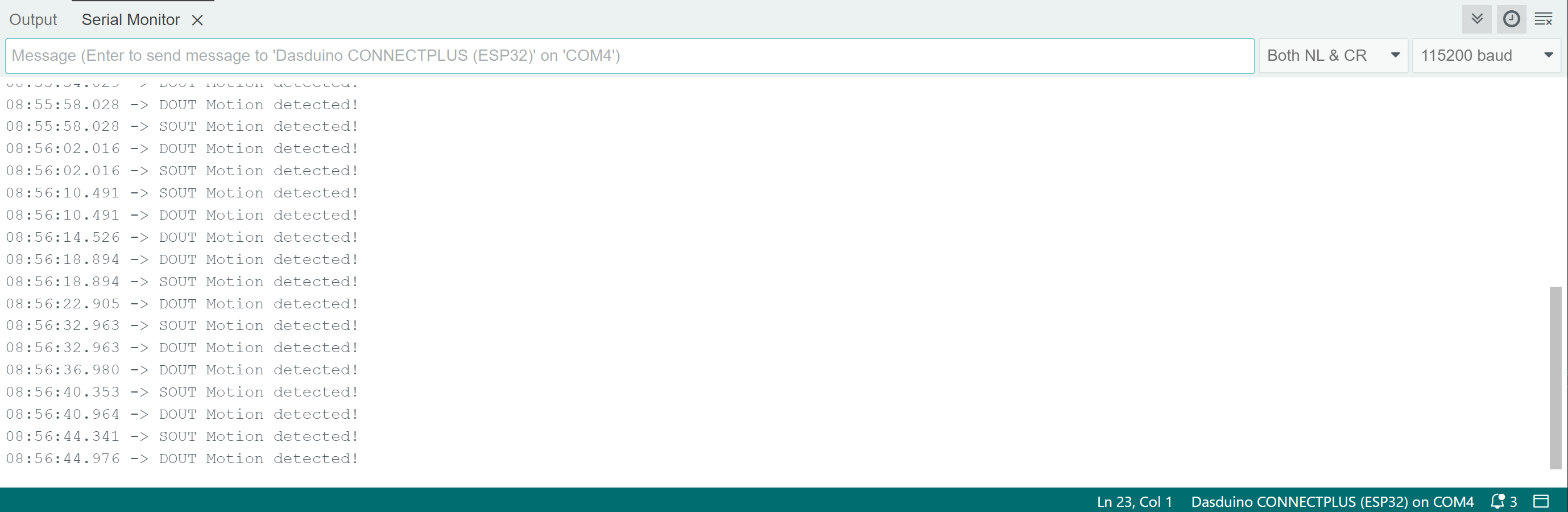
You can see from the timestamps that the DOUT pin passes the 4-second delay threshold; when the onboard potentiometer is set to the highest delay (counter-clockwise), it gives a HIGH reading for an additional 2 seconds. This can be useful when creating a motion detector that is not too sensitive to small movements.
Full example
The full example is listed below:
#define SOUT_PIN 2
#define DOUT_PIN 4

// Variables that hold the time since the last measurement for specific pins
unsigned long dout_delay = 0;
unsigned long sout_delay = 0;

void setup() {
  // Set the pins as input
  pinMode(DOUT_PIN, INPUT);
  pinMode(SOUT_PIN, INPUT);

  // Initialize serial communication
  Serial.begin(115200);

  Serial.println("Warming up sensor...");
  // Wait 20s so the sensor can warm up
  delay(20000);

  Serial.println("Warmup done!");
}

void loop() {
  // If the pin is set to HIGH and at least 4s have passed since the last measurement, print detection
  if (digitalRead(DOUT_PIN) && millis() - dout_delay >= 4000)
  {
    Serial.println("DOUT Motion detected!");
    dout_delay = millis();
  }
  // If the pin is set to HIGH and at least 4s have passed since the last measurement, print detection
  if (digitalRead(SOUT_PIN) && millis() - sout_delay >= 4000)
  {
    Serial.println("SOUT Motion detected!");
    sout_delay = millis();
  }

}