BMP388 Pressure & Temperature Sensor - Forced measurement
In this example we will take forced measurements with the BMP388 sensor. Unlike a continous measuremnt, a forced measurements wakes up the sensor, takes a measurement and then puts it back to sleep.
Setting up
Setting up is done in the same way as it was done for taking a continous measurement:
// Include Soldered BMP388 library.
#include <BMP388-SOLDERED.h>

// Create BMP388 sensor object.
Soldered_BMP388 bmp388;

void setup()
{
    // Initialize serial communication at 115200 bauds.
    Serial.begin(115200);

    // Initialize sensor (check for sensor). Notify if init failed.
    // Also, this will set BMP388 sensor into sleep mode.
    if (!bmp388.begin())
    {
        // Print error message.
        Serial.println("Sensor not found! Check your wiring!");

        // Stop the code!
        while (1)
        {
            // Delay for ESP8266.
            delay(10);
        }
    }

    // Set current pressure at sea level to get accurate altitude readings.
    bmp388.setSeaLevelPressure(1025.0);
}
Taking measurements
When taking a forced measurement, we first ask the sensor for data and then we print it out to the Serial monitor:
void loop()
{
    // Variables for storing measurement data.
    float temperature, pressure, altitude;

    // Make a request for new measurement!
    bmp388.startForcedConversion();

    // Check if the measurement is complete.
    if (bmp388.getMeasurements(temperature, pressure, altitude))
    {
        // If the measurement is complete, print results.
        Serial.print(temperature);
        Serial.print(F("*C   "));
        Serial.print(pressure);
        Serial.print(F("hPa   "));
        Serial.print(altitude);
        Serial.println(F("m"));
    }

    // Wait a little bit.
    delay(1000);
}
bmp388.startForcedConversion()
Requests a new forced measurement from the sensor
Returns value: None
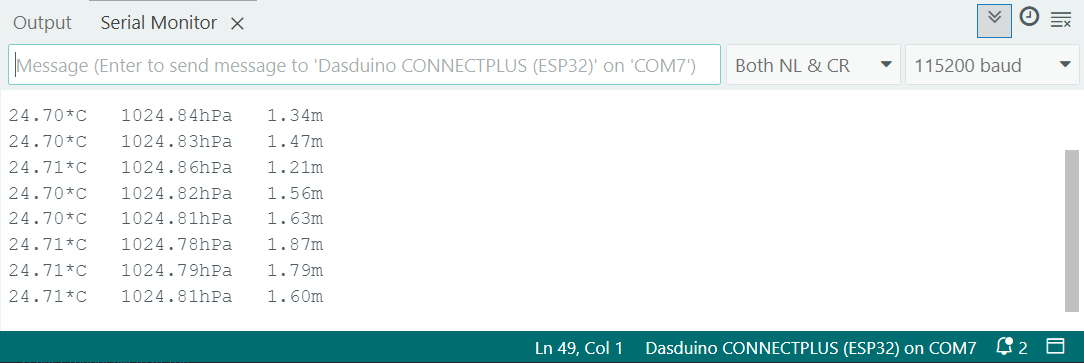
Serial monitor
Full example
See the full example below:
// Include Soldered BMP388 library.
#include <BMP388-SOLDERED.h>

// Create BMP388 sensor object.
Soldered_BMP388 bmp388;

void setup()
{
    // Initialize serial communication at 115200 bauds.
    Serial.begin(115200);

    // Initialize sensor (check for sensor). Notify if init failed.
    // Also, this will set BMP388 sensor into sleep mode.
    if (!bmp388.begin())
    {
        // Print error message.
        Serial.println("Sensor not found! Check your wiring!");

        // Stop the code!
        while (1)
        {
            // Delay for ESP8266.
            delay(10);
        }
    }

    // Set current pressure at sea level to get accurate altitude readings.
    bmp388.setSeaLevelPressure(1025.0);
}

void loop()
{
    // Variables for storing measurement data.
    float temperature, pressure, altitude;

    // Make a request for new measurement!
    bmp388.startForcedConversion();

    // Check if the measurement is complete.
    if (bmp388.getMeasurements(temperature, pressure, altitude))
    {
        // If the measurement is complete, print results.
        Serial.print(temperature);
        Serial.print(F("*C   "));
        Serial.print(pressure);
        Serial.print(F("hPa   "));
        Serial.print(altitude);
        Serial.println(F("m"));
    }

    // Wait a little bit.
    delay(1000);
}