Quick start guide
To get started with Arduino on Inkplate 2, a few simple steps need to be completed to install the required software.
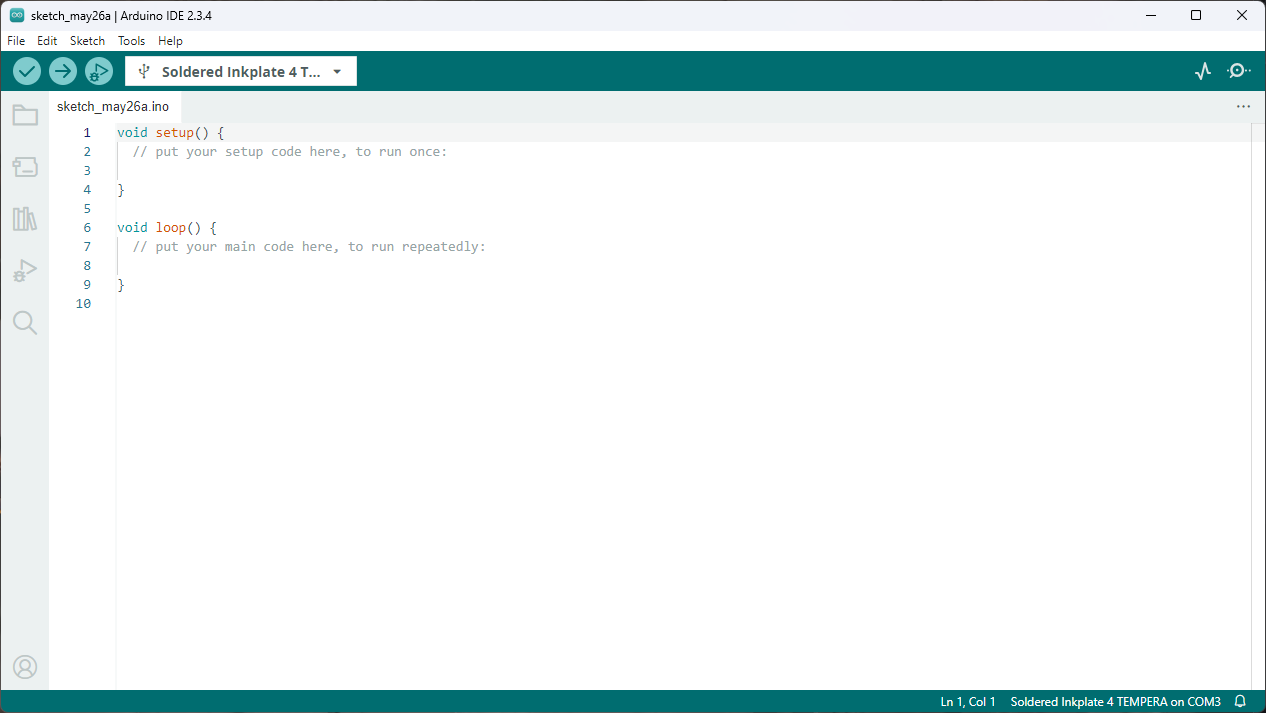
1. Install Arduino IDE
If you haven’t installed it yet, download and install the Arduino IDE from the official website.
2. Install Inkplate boards definition
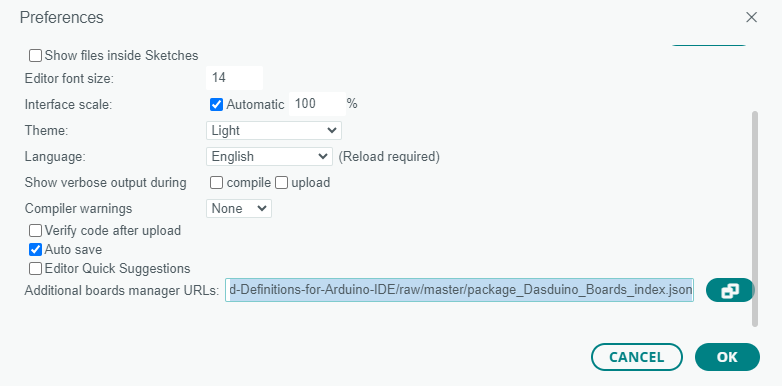
Copy the following URL:
https://github.com/SolderedElectronics/Dasduino-Board-Definitions-for-Arduino-IDE/raw/master/package_Dasduino_Boards_index.json
And add it to the Additional boards manager URLs in Arduino settings:
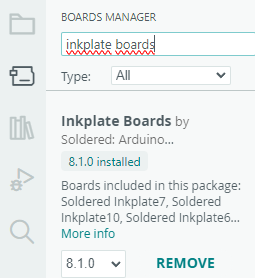
Now, you can open the Boards Manager, search for Inkplate Boards, and install the Inkplate Boards board definitions.
Click Install here:
3. Install Inkplate library
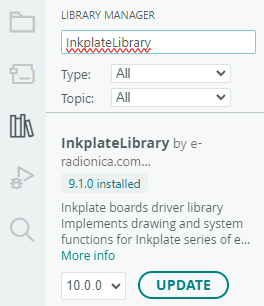
In the Arduino Library Manager, search for the Inkplate Motion library and click Install:
4. Install CH340 driver
The CH340 is an onboard chip that enables serial communication over USB. If the driver is not installed, download it from this link. Start the installation and follow the instructions:

Done!
Inkplate 2 setup is complete. Now, try out some examples from the Arduino library—upload them and see the results for yourself! See the next page in the documentation for details on how to upload code:
Uploading code
To upload your own sketch or an Arduino example to Inkplate 2, follow this brief guide.
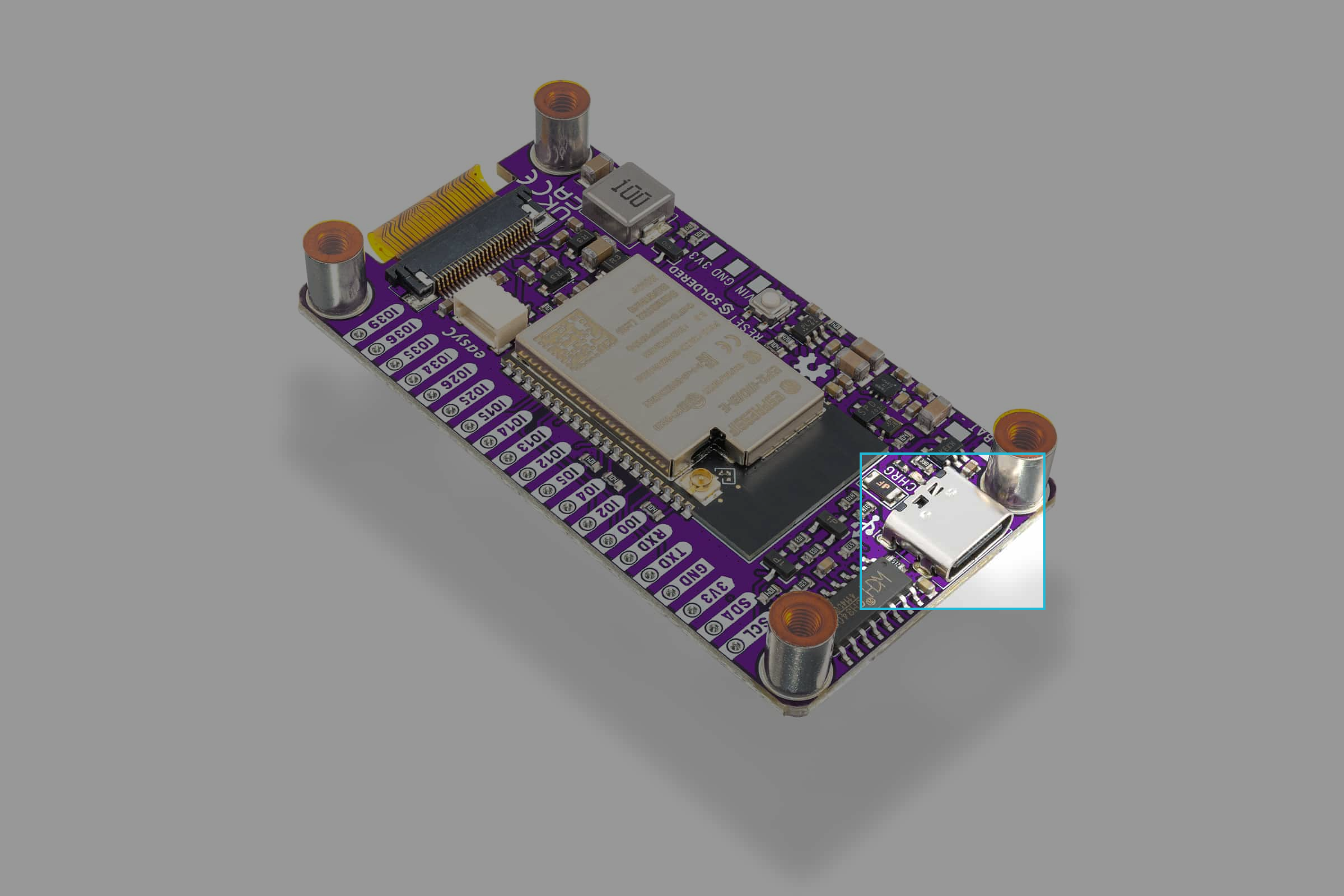
1. Connect Inkplate via USB and power it on
Use the provided USB-C cable to connect Inkplate 2 to your computer. The board is powered on!
2. Create a sketch
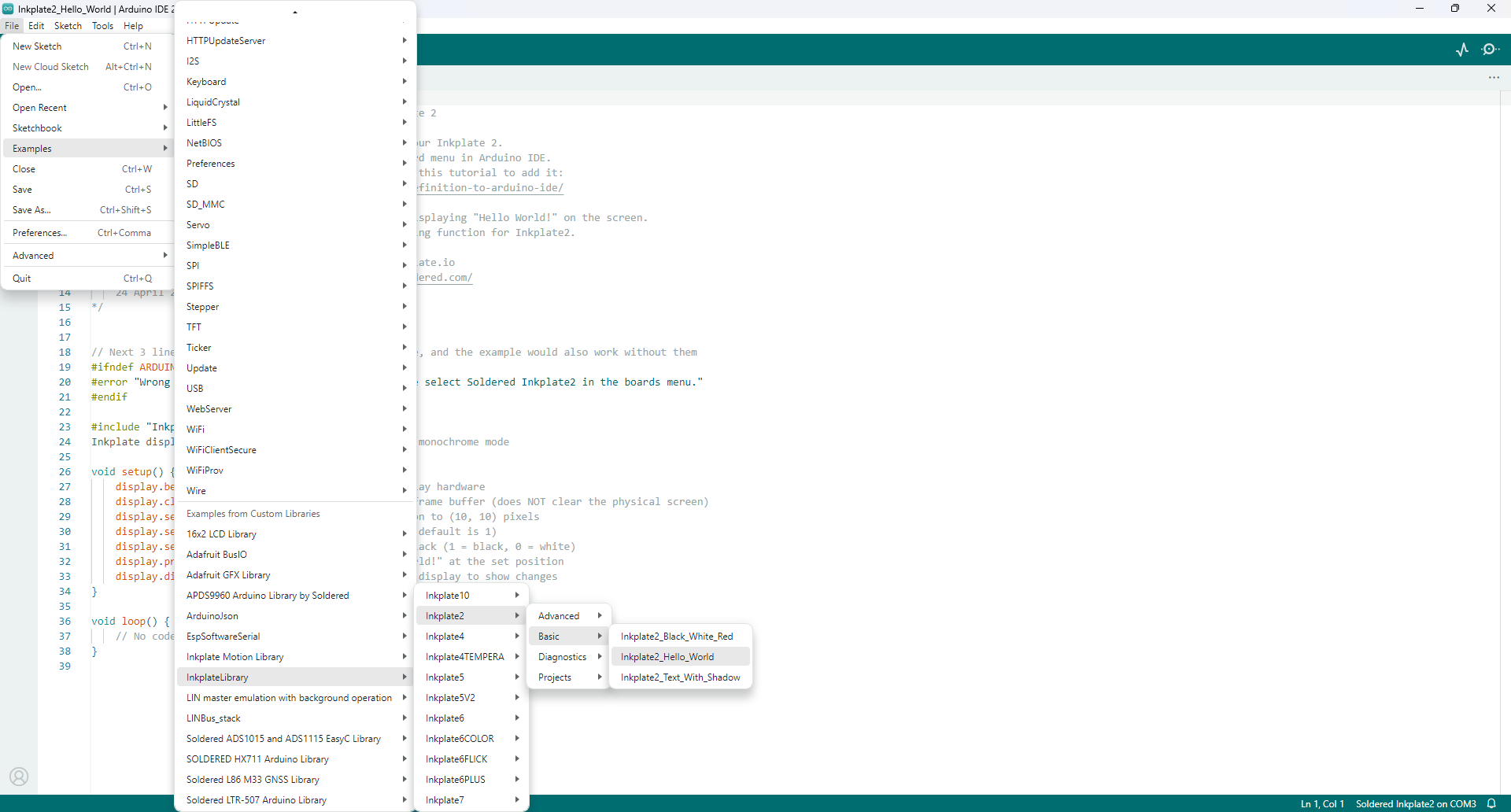
For the needs of this documentation, we will be using a premade example. Go to File->Examples->InkplateLibrary->Inkplate2->Basic->Inkplate2_Hello_World
3. Upload the code
Before uploading the code, select the correct board definition. The table below should help you out:
| Board Definition | Board Description |
|---|---|
| Soldered Inkplate2 | The newer and more stylish version of the product, and the PCB is purple. |
Click Upload in the Arduino IDE.
Once the process completes, Inkplate will restart automatically and run the newly uploaded code. Arduino's upload log should read:
Leaving...
Hard resetting via RTS pin...
Troubleshooting
Having problems with uploading your first code? Check out our troubleshooting page: