Battery
Inkplate 2 includes soldering pads for connecting a 3.7V Li-ion battery directly to the board. The onboard charging IC, MCP73831, automatically charges the battery when Inkplate 2 is connected via USB-C and switches to battery power when unplugged. This design enables long battery-powered operation, especially in low-power applications.
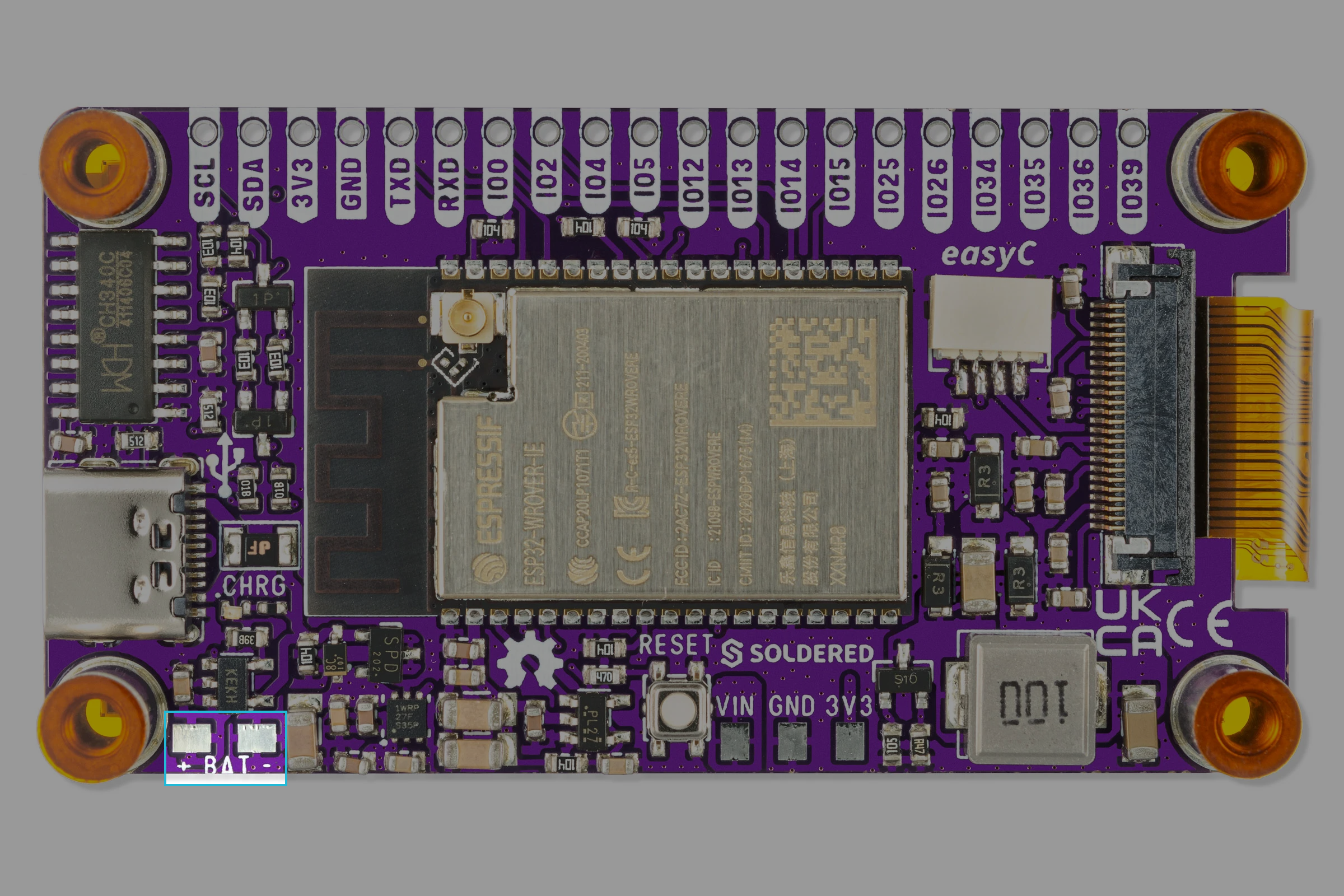
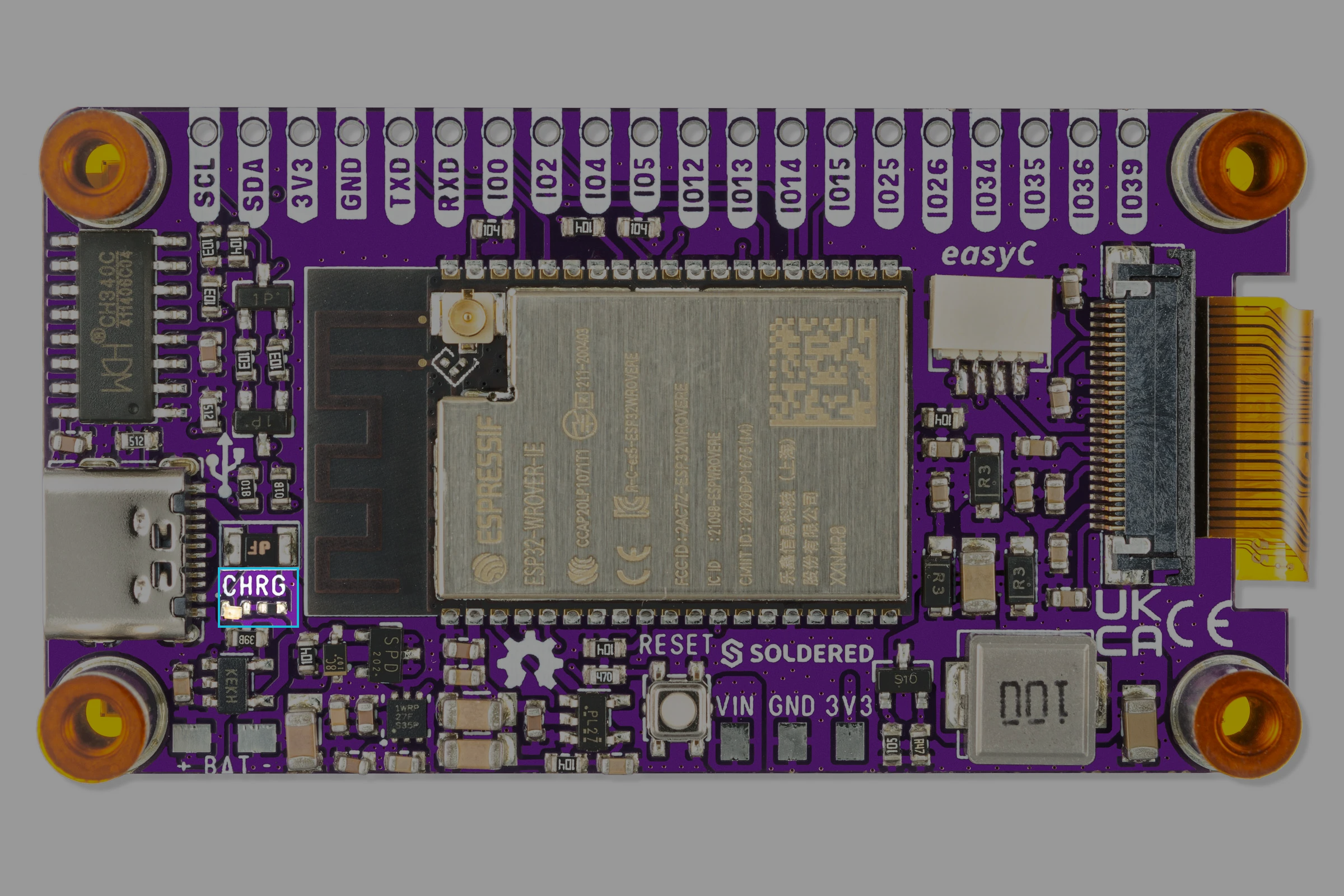
Battery Connection
Unlike larger Inkplate boards, the Inkplate 2 does not include a JST connector for battery attachment. Instead, it provides clearly marked soldering pads on the PCB for manual connection of your Li-ion battery wires:
Supported Battery Types
Inkplate 2 is compatible with 3.7V Li-ion batteries, ideally with built-in protection circuits. These can be sourced from your preferred electronics supplier or from the Soldered online store.
Some recommended battery specs:
- Voltage: 3.7V
- Capacity: 300 mAh–1000 mAh for typical use
- Protection Circuit: Required
- Connector: No connector required (battery must be soldered)
Charging Circuit: MCP73831
The MCP73831 is a compact and highly integrated Li-ion/Li-Polymer charge management controller. It is preconfigured on Inkplate 2 to safely and efficiently manage charging behavior.
Key features:
- USB-powered charging (via USB-C)
- Automatic charge termination
- Overvoltage and overcurrent protection
- Trickle charging when full
- Compatible with single-cell 3.7V Li-ion batteries
MCP73831
Single-cell Li-ion battery charge controller used on Inkplate 2
Returns value: Hardware only – automatic operation without user configuration
Battery Safety Guidelines
- Always check battery polarity before soldering.
- Use batteries with protection circuits to avoid over-discharge.
- Do not charge damaged batteries.
- Avoid short circuits on the battery pads during assembly.