Environmental Sensor
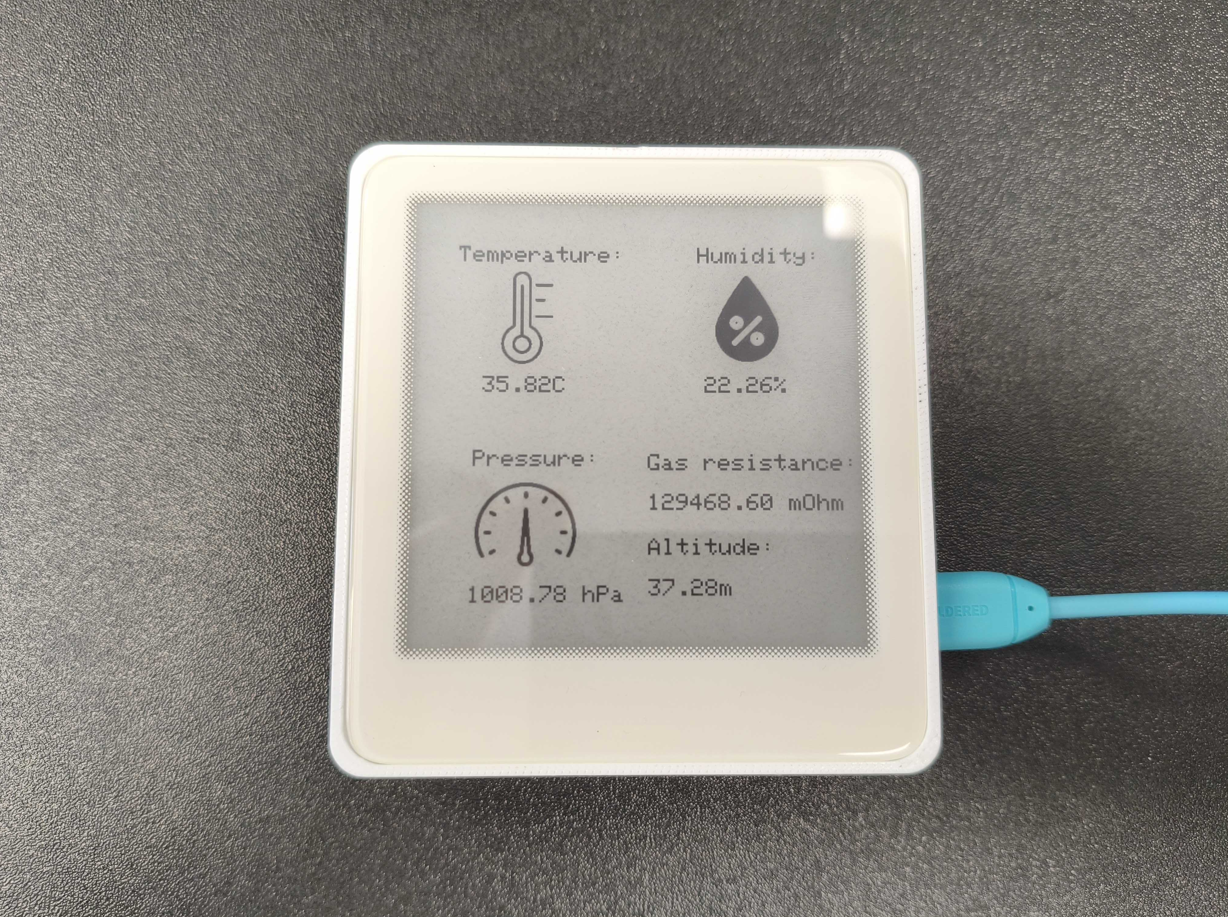
The BME688 is a high-performance environmental sensor integrated into the Inkplate 4 TEMPERA. It combines temperature, humidity, barometric pressure, gas resistance, and altitude estimation capabilities in one compact package. This makes it ideal for indoor air quality monitoring, weather stations, and general environmental sensing.
Features
- Temperature measurement with calibration offset
- Relative humidity reading (%RH)
- Barometric pressure in hectopascals (hPa)
- Gas resistance (used to estimate air quality)
- Approximate altitude (based on pressure)
- Fully supported by the Inkplate library — no need to install external drivers
inkplate.wakePeripheral(INKPLATE_BME688). Always ensure it's enabled before attempting to read values.Initialization
To start using the BME688, call wakePeripheral() and then initialize the sensor:
inkplate.wakePeripheral(INKPLATE_BME688);
inkplate.bme688.begin();
inkplate.wakePeripheral()
Powers on a peripheral device on the Inkplate board.
Returns value: None
Function parameters:
| Type | Name | Description |
|---|---|---|
uint8_t | peripheral | Peripheral constant, e.g. INKPLATE_BME688 |
inkplate.bme688.begin()
Initializes the BME688 sensor and configures it for reading.
Returns value: Returns true if the sensor is initialized successfully.
Reading Sensor Data
Once the sensor is initialized, you can read individual values:
float temperature = inkplate.bme688.readTemperature() + offset; // °C
float humidity = inkplate.bme688.readHumidity(); // %RH
float pressure = inkplate.bme688.readPressure(); // hPa
float gas = inkplate.bme688.readGasResistance(); // mOhm
float altitude = inkplate.bme688.readAltitude(); // m
inkplate.bme688.readTemperature()
Reads the ambient temperature in degrees Celsius.
Returns value: Returns the temperature as a float.
inkplate.bme688.readHumidity()
Reads the relative humidity in %RH.
Returns value: Returns the humidity as a float.
inkplate.bme688.readPressure()
Reads barometric pressure in hectopascals (hPa).
Returns value: Returns the pressure as a float.
inkplate.bme688.readGasResistance()
Reads the gas resistance value in milliohms.
Returns value: Returns gas resistance as a float.
inkplate.bme688.readAltitude()
Estimates altitude based on the current pressure reading.
Returns value: Returns altitude as a float in meters.
Displaying Data
Use standard Inkplate drawing functions to display sensor readings alongside icons or labels. The partialUpdate() method can be used to update the screen without flicker, and full refreshes can be used occasionally to maintain image quality.
inkplate.setCursor(100, 200);
inkplate.print("Temperature: ");
inkplate.print(temperature);
inkplate.print(" C");
inkplate.partialUpdate();
Full Example
Inkplate4TEMPERA_BME688_Read.ino
Full Arduino example showing how to read and display data from the onboard BME688 sensor.