Fuel gauge
The BQ27441 fuel gauge is an IC that precisely tracks the state of the lithium battery, including voltage (mV), state of charge (%), and remaining capacity (mAh). It comes as an integrated sensor on Inkplate 4TEMPERA and uses a 0x55 address for I2C communication.
Initialization
To start using the BQ27441, call wakePeripheral() and then initialize the sensor:
inkplate.wakePeripheral(INKPLATE_FUEL_GAUGE);
inkplate.battery.begin();
inkplate.battery.setCapacity(BATTERY_CAPACITY); // e.g. 1200 for the standard bundled battery
inkplate.wakePeripheral()
Powers on a peripheral device on the Inkplate board.
Returns value: None
Function parameters:
| Type | Name | Description |
|---|---|---|
uint8_t | peripheral | Peripheral constant, e.g. INKPLATE_FUEL_GAUGE |
inkplate.battery.begin()
Initializes the BQ27441 sensor and configures it for reading.
Returns value: Returns true if the sensor is initialized successfully.
inkplate.battery.setCapacity()
Sets the design capacity of the connected battery, in mAh, for accurate state-of-charge and capacity readings.
Returns value: None
Function parameters:
| Type | Name | Description |
|---|---|---|
unsigned int | capacity | Battery capacity in mAh (e.g. 1200 for the standard battery bundled with Inkplate 4TEMPERA). |
Reading sensor data
Once the sensor is initialized, you can read individual values:
int soc = inkplate.battery.soc();                   // Read state-of-charge (%)
int volts = inkplate.battery.voltage();             // Read battery voltage (mV)
int current = inkplate.battery.current(AVG);        // Read average current (mA)
int fullCapacity = inkplate.battery.capacity(FULL); // Read full capacity (mAh)
int capacity = inkplate.battery.capacity(REMAIN);   // Read remaining capacity (mAh)
int power = inkplate.battery.power();               // Read average power draw (mW)
int health = inkplate.battery.soh();                // Read state-of-health (%)
inkplate.battery.soc()
Reads and returns specified state of charge measurement.
Returns value: Returns integer representation of charge measurement in %.
inkplate.battery.voltage()
Reads and returns the battery voltage.
Returns value: Returns integer representation of voltage measurement in mV.
inkplate.battery.current()
Reads and returns the specified current measurement.
Returns value: Returns integer representation of current measurement in mA.
Function parameters:
| Type | Name | Description |
|---|---|---|
current_measure | type | Optional, default is AVG. Command specifying the type of measurement to be performed. |
inkplate.battery.capacity()
Reads and returns the specified capacity measurement.
Returns value: Returns integer representation of capacity measurement in mAh.
Function parameters:
| Type | Name | Description |
|---|---|---|
capacity_measure | type | Optional, default is FULL. Reads and returns the specified capacity measurement. |
inkplate.battery.power()
Reads and returns measured average power.
Returns value: Returns integer representation of power measurement in mW.
inkplate.battery.soh()
Reads and returns specified state of health measurement.
Returns value: Returns specified state of health measurement in %, or status bits.
Function parameters:
| Type | Name | Description |
|---|---|---|
soh_measure | type | Optional, default is PERCENT. Reads and returns the specified state of health measurement. |
Displaying data
Use standard Inkplate drawing functions to display sensor reading alongside icons and labels. The partialUpdate() method can be used to update the screen without flicker, and full refreshes can be used occasionally to maintain image quality.
int dataFromFuelGauge[] = {soc, volts, current, fullCapacity, capacity, power, health};
for (int i = 0; i < 7; i++)
    {
        // Set the cursor position so it's printed line-by-line
        inkplate.setCursor(30, 30 + 45 * i);
        // Print what the data is and then the number
        inkplate.print(infoNames[i]);
        inkplate.print(dataFromFuelGauge[i]);
    }
// Update the screen
if (numRefreshes > NUM_PARTIAL_UPDATES_BEFORE_FULL_REFRESH)
{                      // Check if you need to do full refresh or you can do partial update
    inkplate.display(); // Do a full refresh
    numRefreshes = 0;  // Reset the counter
}
else
{
    inkplate.partialUpdate(false, true); // Do partial update
    numRefreshes++;                     // Keep track on how many times screen has been partially updated
}
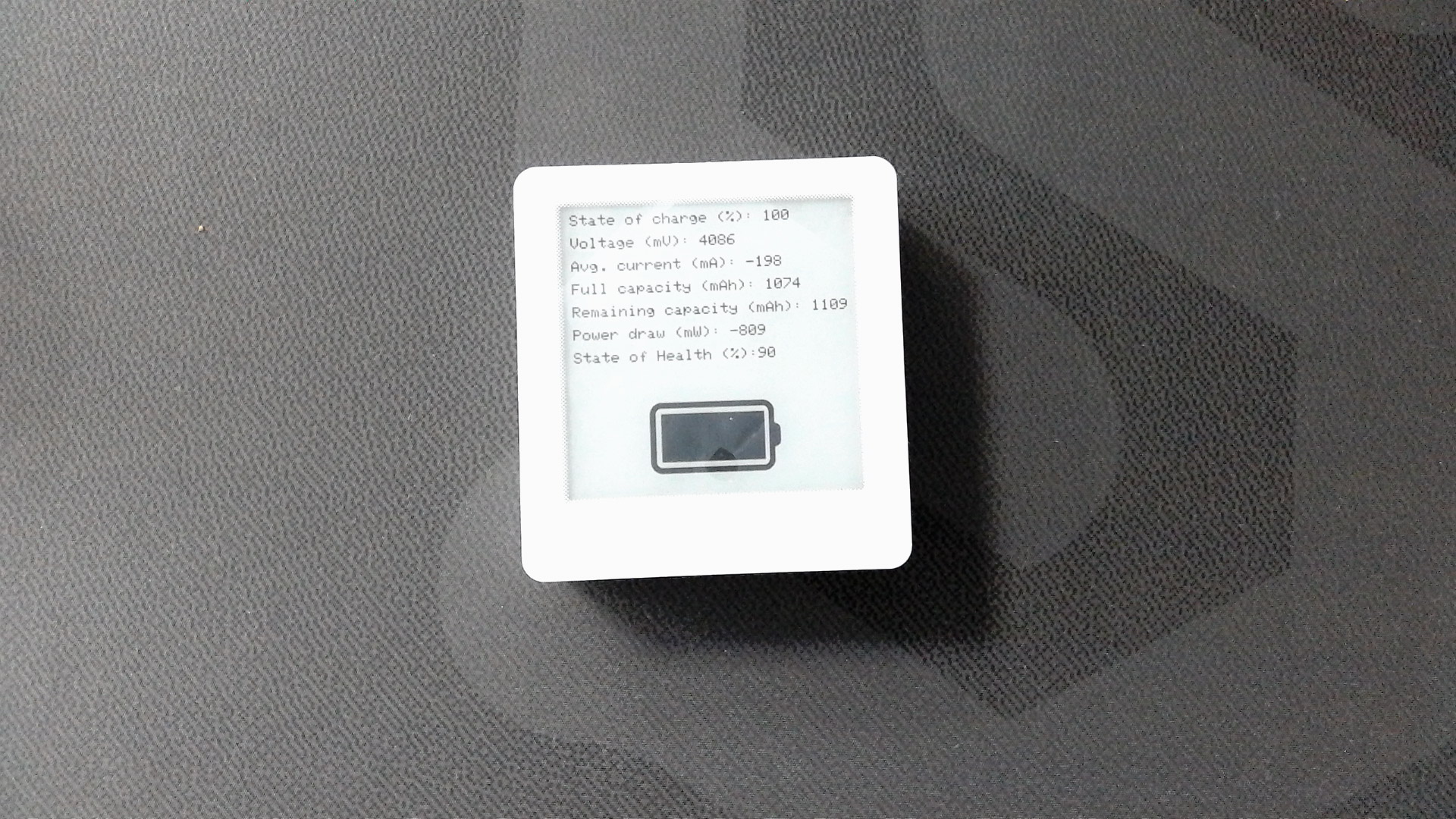
Full example
Inkplate4TEMPERA_Fuel_Gauge.ino
Full Arduino example showing how to read and display data from the onboard BQ27441 sensor.