6Motion - Draw Image from Web
Drawing an image from the web on Inkplate 6MOTION is simple using the draw function, which supports multiple image formats.
Drawing an Image from a URL
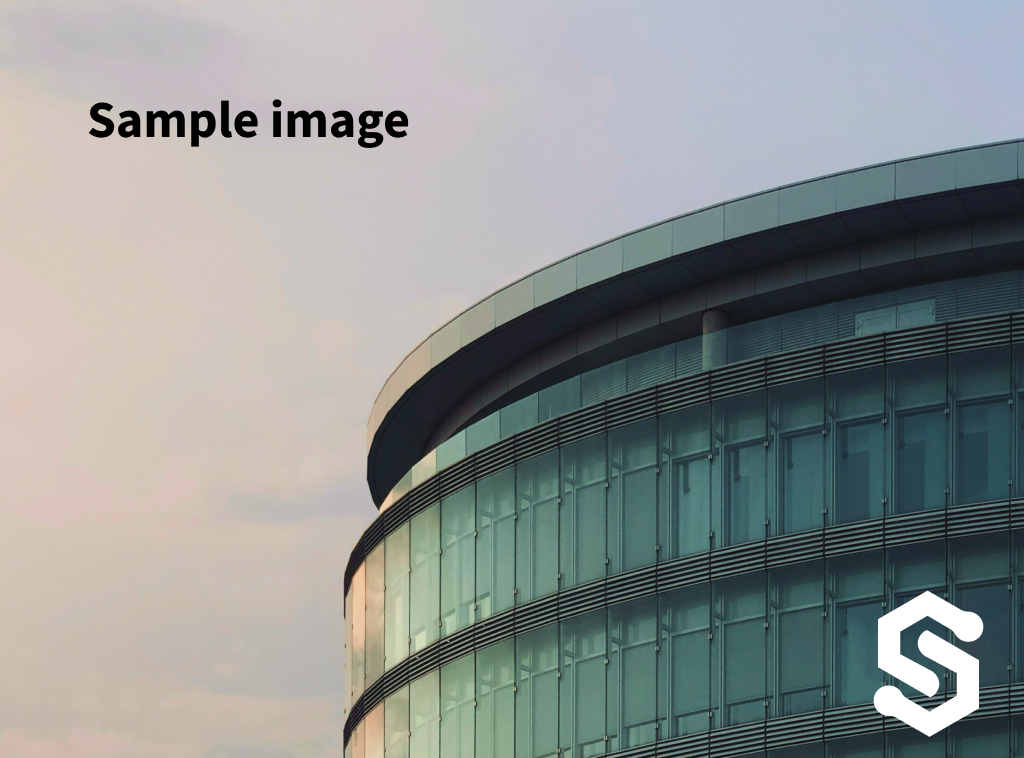
Let's draw this image of the Eurodom building in Osijek, Croatia on Inkplate 6MOTION:
// Ensure Inkplate is connected to the internet
const char * imageUrl = "docs.inkplate.com/img/sample_image.jpg";
// Draw the image using Floyd-Steinberg dither kernel
if (!inkplate.image.draw(imageUrl, 0, 0, false, 1, FS_KERNEL, FS_KERNEL_SIZE))
{
    // Show error on the screen if decoding fails
    inkplate.println("Image download or decode failed!");
    inkplate.printf("Decode Err: %d\r\n", inkplate.image.getError());
}
// Show the result on the display
inkplate.partialUpdate();
inkplate.image.draw()
Loads an image from the microSD card or web, decodes it, and stores it in the ePaper framebuffer. Supports optional dithering, color inversion, and format/path specification.
Returns value: Returns true if the image was successfully loaded into the framebuffer, otherwise false. Use ImageDecoder::getError() for failure details.
Function parameters:
| Type | Name | Description |
|---|---|---|
const char* | _path | Path and filename of the image. Can be a URL (for web images) or a file path (on the microSD card). |
int | _x | X-coordinate of the image's upper-left corner in the framebuffer. |
int | _y | Y-coordinate of the image's upper-left corner in the framebuffer. |
bool | _invert | If true, inverts colors. |
uint8_t | _dither | Dithering mode: 0 (disabled), 1 (enabled). |
const KernelElement* | _ditherKernelParameters | Dithering kernel to be used. Options: FS_KERNEL (Floyd-Steinberg), STUCKI_KERNEL, SIERRA_KERNEL, SIERRA_LITE_KERNEL, ATKINSON_KERNEL, BURKES_KERNEL. |
size_t | _ditherKernelParametersSize | Size of the selected dithering kernel, e.g., FS_KERNEL_SIZE. |
enum InkplateImageDecodeFormat | _format | Optional. Forces a specific image format if automatic detection fails. |
enum InkplateImagePathType | _pathType | Optional. Forces a specific image source (web or microSD card). |
In case of an error, you can use getError():
inkplate.image.getError()
Retrieves the last error encountered while decoding an image using ImageDecoder::draw(). Errors are cleared before each decoding process.
Returns value: Returns an InkplateImageDecodeErrors enum value representing the last encountered error.
| Enum Value | Description |
|---|---|
| INKPLATE_IMAGE_DECODE_NO_ERR | No error |
| INKPLATE_IMAGE_DECODE_ERR_BAD_PARAM | Invalid parameter |
| INKPLATE_IMAGE_DECODE_ERR_UNKNOWN_FORMAT | Unknown image format |
| INKPLATE_IMAGE_DECODE_ERR_FILE_OPEN_FAIL | Failed to open image file |
| INKPLATE_IMAGE_DECODE_ERR_NO_MEMORY | Not enough memory for decoding |
| INKPLATE_IMAGE_DECODE_ERR_BMP_DECODER_FAULT | BMP decoder error |
| INKPLATE_IMAGE_DECODE_ERR_JPG_DECODER_FAULT | JPG decoder error |
| INKPLATE_IMAGE_DECODE_ERR_PNG_DECODER_FAULT | PNG decoder error |
| INKPLATE_IMAGE_DECODE_ERR_BMP_HARD_FAULT | Critical BMP decoding fault |
Full Example
Inkplate_6_Motion_Image_From_Web.ino
Connect to WiFi and draw an image from the web.