Inkplate 6COLOR – Drawing colorful graphics
Inkplate 6COLOR allows you to draw colorful graphics on a 600 x 448px canvas.
ℹ️
Adafruit GFX is the graphics library included in the Inkplate library for drawing graphics. For more details, refer to the official repository:
Adafruit GFX Library
The core graphics library for Inkplate library, created by Adafruit.
Drawing Geometric Shapes
Below is an example demonstrating functions for drawing graphics on the Inkplate 6COLOR:
ℹ️
There are a total of 7 colors to choose from: INKPLATE_BLACK, INKPLATE_WHITE, INKPLATE_GREEN, INKPLATE_BLUE, INKPLATE_RED, INKPLATE_YELLOW, INKPLATE_ORANGE
#include "Inkplate.h"

#ifndef ARDUINO_INKPLATECOLOR
#error "Wrong board selection for this example, please select Soldered Inkplate 6COLOR in the boards menu."
#endif

// Declare Inkplate object
Inkplate display;

void setup()
{
    // Initialize the Inkplate
    display.begin();

    // Draw a full screen of all colors
    display.fillRect(0, 0, 600 / 7 + 2, 448, INKPLATE_BLACK);
    display.fillRect(1 * 600 / 7, 0, 600 / 7 + 2, 448, INKPLATE_WHITE);
    display.fillRect(2 * 600 / 7, 0, 600 / 7 + 2, 448, INKPLATE_GREEN);
    display.fillRect(3 * 600 / 7, 0, 600 / 7 + 2, 448, INKPLATE_BLUE);
    display.fillRect(4 * 600 / 7, 0, 600 / 7 + 2, 448, INKPLATE_RED);
    display.fillRect(5 * 600 / 7, 0, 600 / 7 + 2, 448, INKPLATE_YELLOW);
    display.fillRect(6 * 600 / 7, 0, 600 / 7 + 2, 448, INKPLATE_ORANGE);

    // Show the image on the screen
    display.display();
}

void loop()
{
    // Loop forever
}
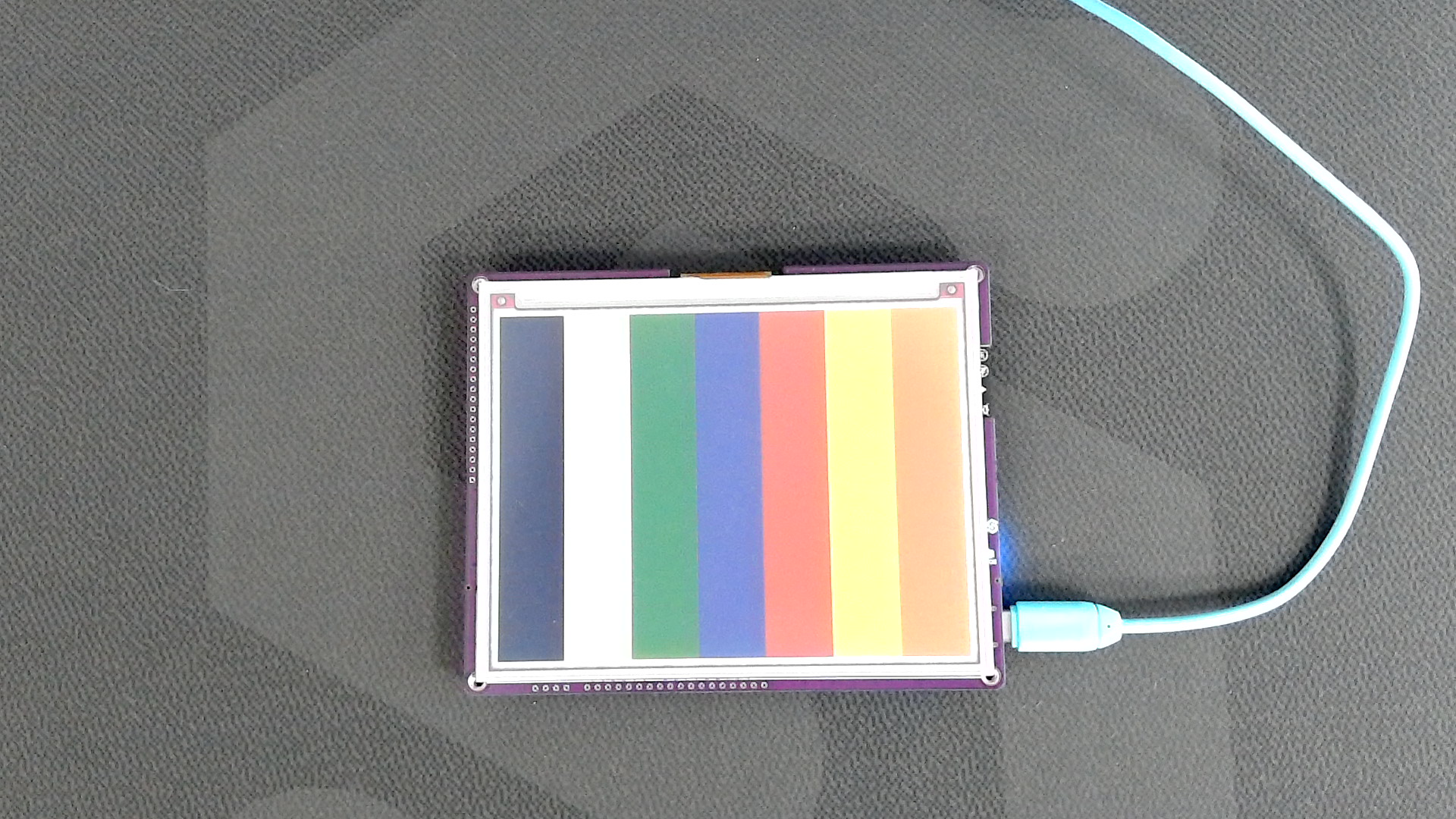
Expected output on Inkplate display.
Below are the detailed references for these functions:
inkplate.fillRect()
Draws a filled rectangle on the display.
Returns value: none
Function parameters:
| Type | Name | Description |
|---|---|---|
int | x | The x-coordinate of the top-left corner. |
int | y | The y-coordinate of the top-left corner. |
int | width | The width of the rectangle. |
int | height | The height of the rectangle. |
uint8_t | color | The fill color. |