Inkplate 6COLOR – Soldered Image Converter
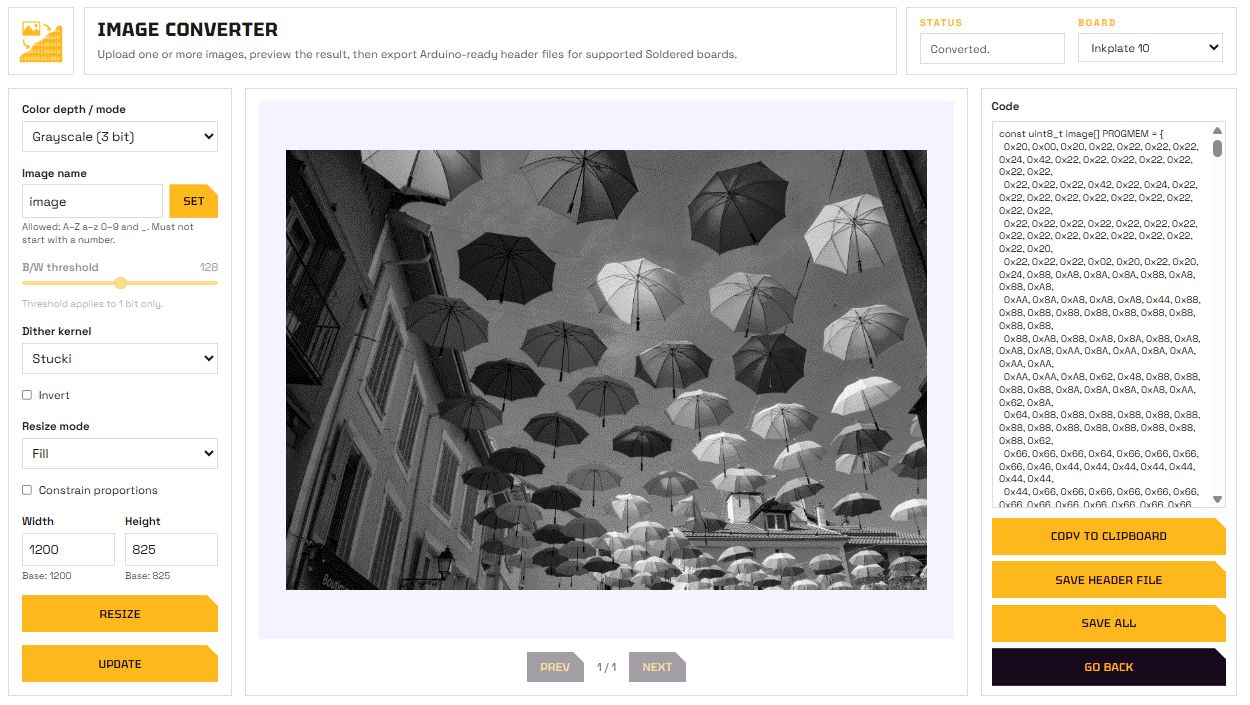
Soldered Image Converter web tool
The Soldered Image Converter is a free web tool that converts images into .h header files ready to include in your Arduino sketch and display on Inkplate.
Soldered Image Converter
Open the web-based image converter tool.
Workflow
- Open the tool at tools.soldered.com/tools/image-converter.
- Upload your image (PNG, JPG, or BMP).
- Select Inkplate 6COLOR as the target board.
- Choose the display mode:
- 7-color, Black, White, Green, Blue, Red, Yellow, Orange
- Adjust dithering, resize, and other options as needed.
- Download the generated
image.hfile.
Using the generated file
Place image.h in your sketch's project folder. To find this folder, go to Sketch → Show Sketch Folder in Arduino IDE.
Then include it and draw the image:
#include "Inkplate.h" // Include the Inkplate library
#include "image.h"    // Include the image header generated by the Image Converter tool

Inkplate display; // Create an Inkplate object for Inkplate 6COLOR

void setup() {
    display.begin();        // Initialize the display hardware
    display.clearDisplay(); // Clear the frame buffer (does NOT clear the physical screen)

    display.image.draw(image, 0, 0, image_w, image_h); // Arguments are: array variable name, start X, start Y,  size X, size Y

    display.display(); // Refresh the e-paper display to show the image
}

void loop() {
    // No code needed here for this example
}
Inkplate6COLOR_Image_Converter.ino
Full example showing how to display an image generated by the Image Converter tool.