Rfid - 125kHz RFID tag reader board (UART) - reading example
This page contains a few simple examples along with function documentation that explains how to use the 125kHz RFID Tag Reader Board (UART).
Initialization
To start working with the RFID reader via UART, configure the serial pins and baud rate. The default baud rate is 9600, but it can be changed using the DIP switches:
// Include breakout-specific library
#include "RFID-SOLDERED.h"

// Define UART pins
#define RX_PIN 4  // Connect TXD from breakout to this pin
#define TX_PIN 5  // Connect RXD from breakout to this pin

// Initialize RFID object with pins and baud rate
Rfid rfid(RX_PIN, TX_PIN, 9600);

void setup()
{
    Serial.begin(115200);
    rfid.begin();  // Initialize RFID module

    if (!rfid.checkHW())
    {
        Serial.println("No module detected! Check wiring and baud rate.");
        while (1) delay(1);
    }

    Serial.println("Place your tag near the RFID antenna");
}
//...
rfid.begin()
Initializes UART communication with the RFID module using specified pins and baud rate.
Returns value: None
Reading RFID Tags
Read tags by checking for data availability in the loop. Supported baud rates (set via DIP switches):
| Switch 1 | Switch 2 | Switch 3 | Baud Rate |
|---|---|---|---|
| 0 | 0 | 0 | 9600 |
| 1 | 0 | 0 | 2400 |
| 0 | 1 | 0 | 4800 |
| 1 | 1 | 0 | 19200 |
| 0 | 0 | 1 | 38400 |
| 1 | 0 | 1 | 57600 |
| 0 | 1 | 1 | 115200 |
| 1 | 1 | 1 | 230400 |
void loop()
{
    if (rfid.available())
    {
        Serial.print("Tag available! Tag ID: ");
        Serial.print(rfid.getId());
        Serial.print(" RAW RFID Data: ");
        rfid.printHex64(rfid.getRaw());
        Serial.println();
    }
}
rfid.available()
Checks if new RFID tag data is available in the buffer.
Returns value: Returns true if data is available, false otherwise.
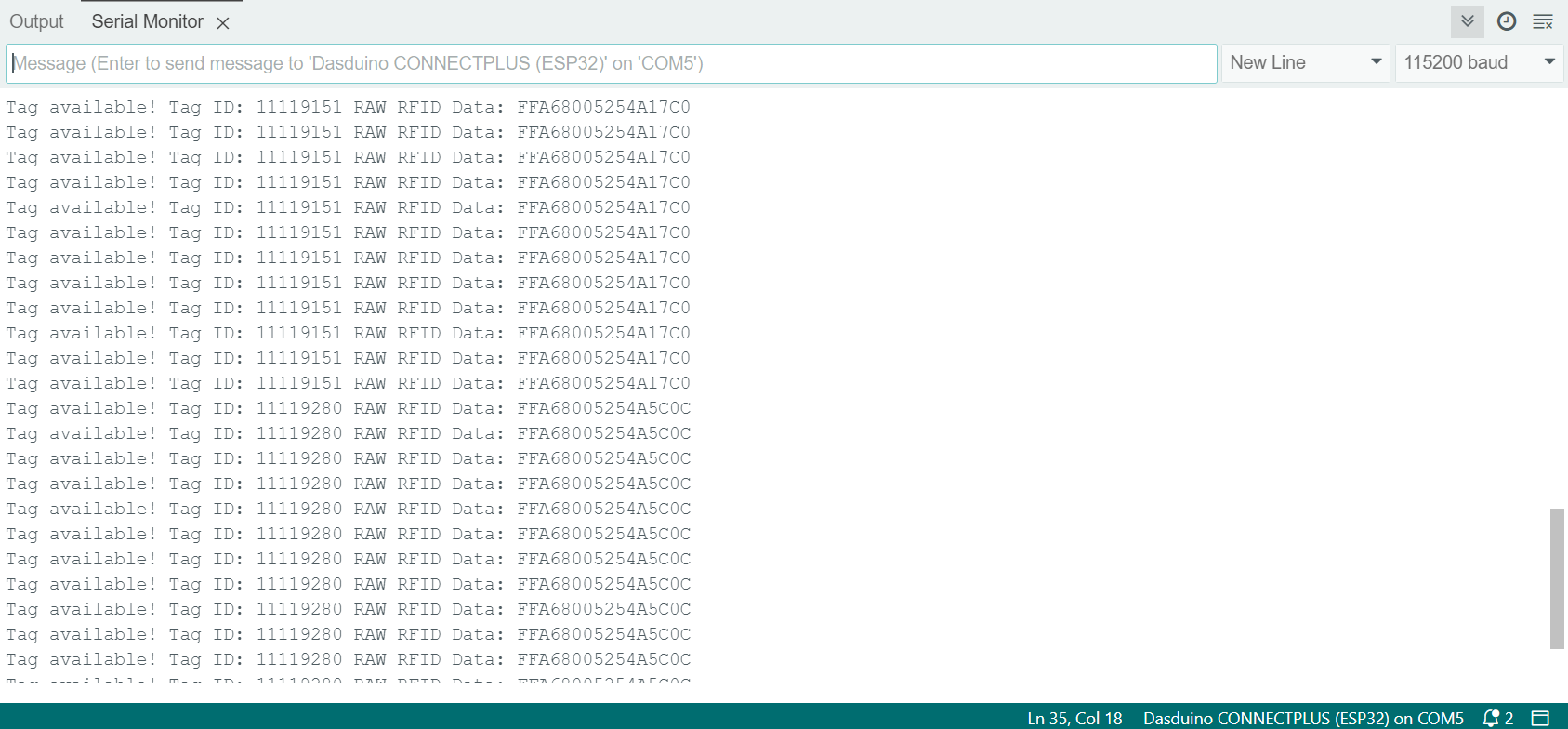
Serial Monitor for RFID (UART)
Full example
Complete code example for UART communication with the RFID reader:
#include "RFID-SOLDERED.h"

#define RX_PIN 4
#define TX_PIN 5

Rfid rfid(RX_PIN, TX_PIN, 9600);

void setup()
{
    Serial.begin(115200);
    rfid.begin();

    if (!rfid.checkHW())
    {
        Serial.println("Connection error! Check:");
        Serial.println("- Wiring");
        Serial.println("- Baud rate settings");
        Serial.println("- Power supply");
        while (1) delay(1);
    }

    Serial.println("Ready to scan tags");
}

void loop()
{
    if (rfid.available())
    {
        Serial.print("Detected Tag ID: ");
        Serial.print(rfid.getId());
        Serial.print(" | RAW Data: ");
        rfid.printHex64(rfid.getRaw());
        Serial.println();
    }
}
readTagIDWithUart.ino
Basic UART example for reading RFID tags