Inkplate 10 MicroPython - Draw image from microSD card
Inkplate 10 can load and render images directly from the onboard microSD card. This example shows how to initialize the SD card, list its contents and display a JPEG, PNG or BMP image on screen.
Displaying an image from the SD card
Before running this example, make sure your SD card is formatted as FAT16, FAT32 or exFAT and inserted into Inkplate 10. To learn how to format the microSD card click here
The picture used in the example can be downloaded directly from the Inkplate MicroPython Library.
from inkplate10 import Inkplate
import time
from os import listdir

inkplate = Inkplate(Inkplate.INKPLATE_2BIT)
inkplate.begin()
inkplate.init_sd_card(fastBoot=True)
print(listdir("/sd"))

# Draw image onto the buffer
drawLength = time.ticks_ms()
inkplate.draw_image(
    "sd/mountain.jpg",
    0, 0,
    invert=False,
    dither=True,
    kernel_type=Inkplate.KERNEL_FLOYD_STEINBERG
)
drawLength = time.ticks_ms() - drawLength
print("Time it took to draw to buffer: {} ms".format(drawLength))
inkplate.display()

# Put SD card interface to sleep
inkplate.sd_card_sleep()
# To wake it again, use: inkplate.sd_card_wake()
inkplate.draw_image()
Draw an image from a file path or URL into the display buffer.
Function parameters:
| Type | Name | Description |
|---|---|---|
String | path | Path to image (e.g. "sd/mountain.jpg") or URL. |
Number | x0 | X coordinate of the top-left corner. |
Number | y0 | Y coordinate of the top-left corner. |
Boolean | invert | If True, invert image colors. |
Boolean | dither | If True, apply dithering for better grayscale rendering. |
Constant | kernel_type | Dithering algorithm. Options: Inkplate.KERNEL_FLOYD_STEINBERG, Inkplate.KERNEL_JJN, Inkplate.KERNEL_STUCKI, Inkplate.KERNEL_BURKES. |
Available options for dithering algorithm:
| Algorithm | Value |
|---|---|
Inkplate.KERNEL_FLOYD_STEINBERG | 0 |
Inkplate.KERNEL_JJN | 1 |
Inkplate.KERNEL_STUCKI | 2 |
Inkplate.KERNEL_BURKES | 3 |
Performance Notes
- JPG: ~3 seconds (or ~14s with dithering)
- PNG: ~9 seconds (or ~19s with dithering)
- BMP: ~20 seconds (or ~40s with dithering)
- Maximum image file size: ~800kB
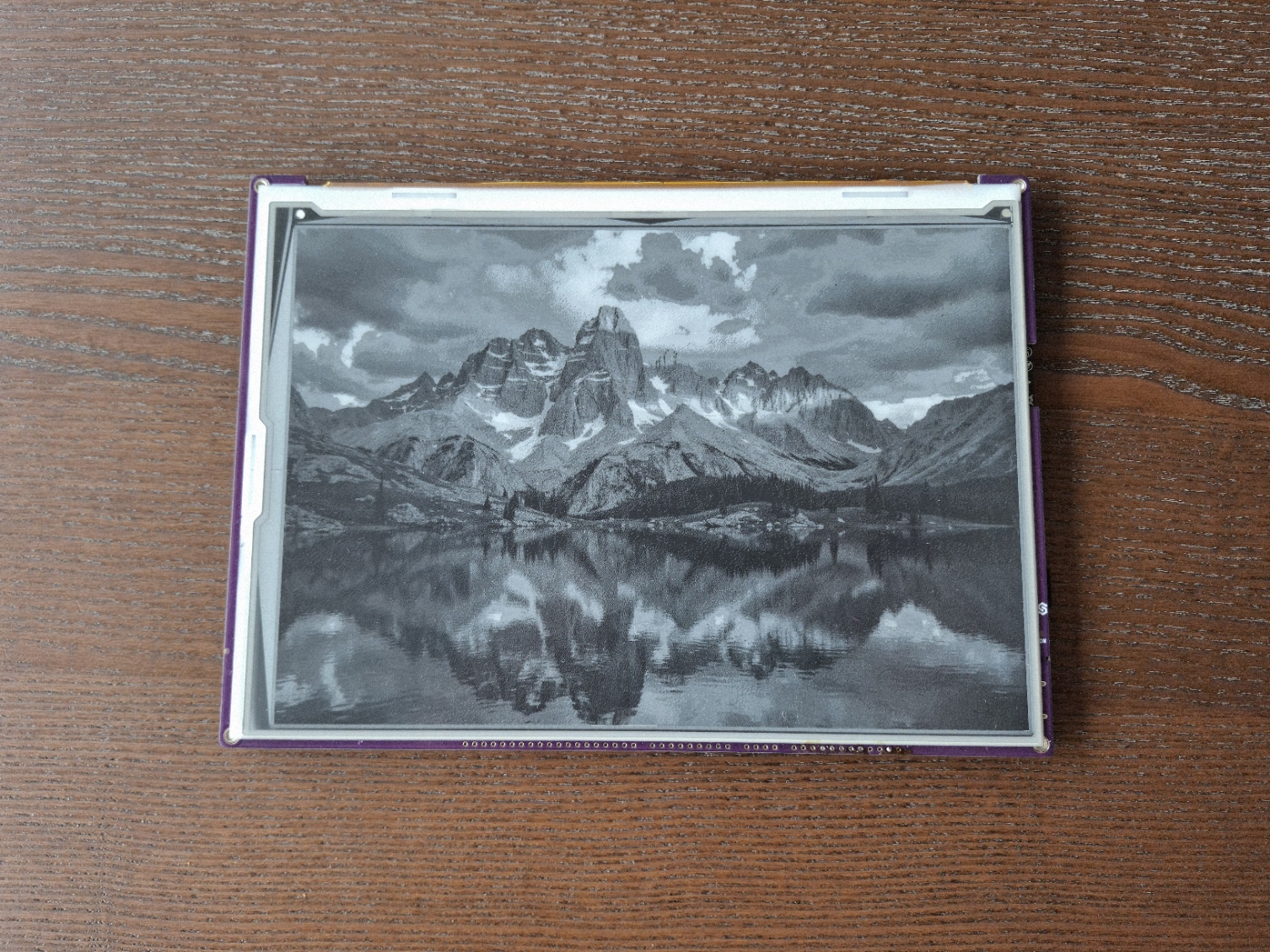
Full examples
display_image_sd.py
Initialize an SD card and render an image located on it.
display_image_sd_jpeg_c.py
Decode a JPEG from the microSD card through the C decode path (ROM tjpgd) with Floyd-Steinberg dithering, and draw it in grayscale.
display_image_sd_png_c.py
Decode a PNG from the microSD card through the C decode path (pngle plus ROM miniz) with Floyd-Steinberg dithering, and draw it in grayscale. Alpha is ignored.
display_image_sd_bmp_c.py
Decode a BMP from the microSD card through the C decode path (24-bit, 1/4/8-bit indexed and 16-bit 555/565) with Floyd-Steinberg dithering, and draw it in grayscale.