Inkplate 10 MicroPython - Battery and temperature
Inkplate 10 includes built-in functions for measuring battery voltage and board temperature. This example shows how to read these values and display them on screen.
⚠️
You need a Li-ion battery for this example to work, to learn more, check out battery docs page.
Battery should be connected like this:
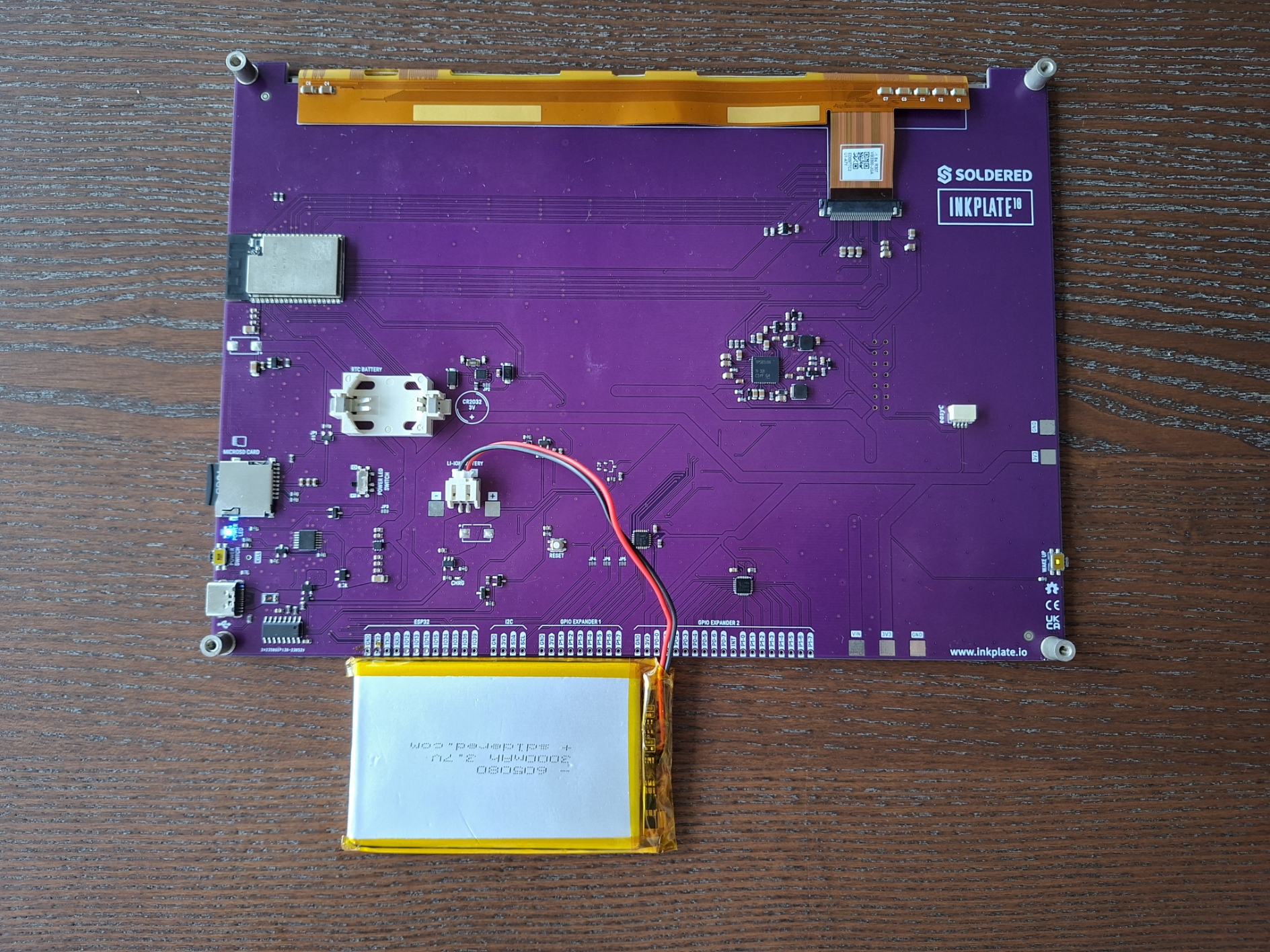
Battery connected to Inkplate 10.
Reading battery voltage and temperature
from inkplate10 import Inkplate
import time

inkplate = Inkplate(Inkplate.INKPLATE_1BIT)
inkplate.begin()
inkplate.clear_display()
inkplate.display()

# Get battery voltage as a string
battery = str(inkplate.read_battery())
inkplate.set_text_size(2)
inkplate.print_text(350, 350, "Battery voltage: " + battery + "V")
inkplate.partial_update()

# Get temperature reading as a string
temperature = str(inkplate.read_temperature())
inkplate.print_text(350, 400, "Temperature: " + temperature + "C")
inkplate.partial_update()
inkplate.read_battery()
Measure the current battery voltage of the Inkplate board.
Returns type: float
Returns value: Battery voltage in volts.
inkplate.read_temperature()
Measure the temperature of the Inkplate board's internal sensor.
Returns type: float
Returns value: Temperature in degrees Celsius.
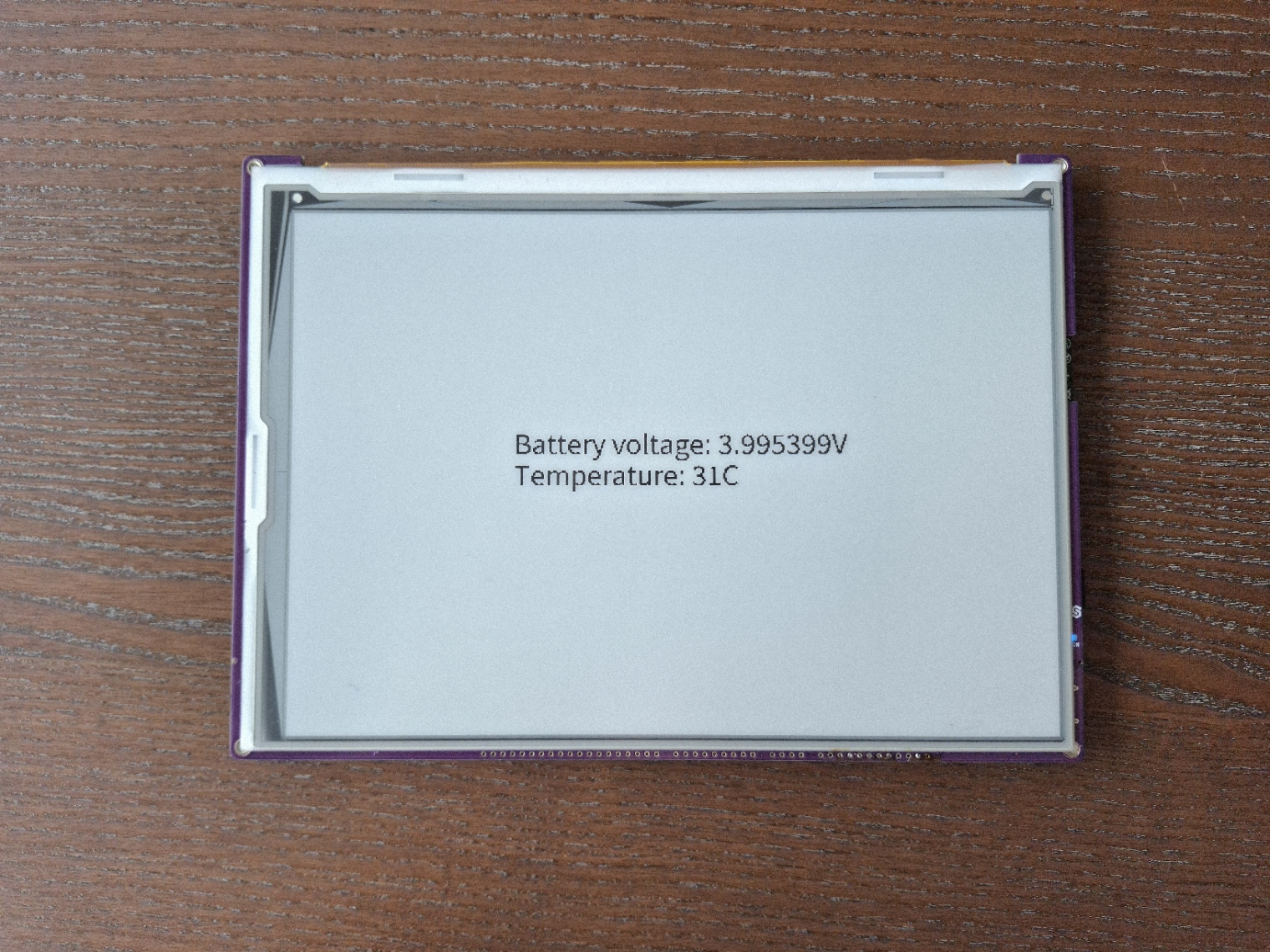
Displaying battery and temperature data on Inkplate display.
Full example
battery_and_temperature.py
Read the battery voltage and temperature and display them on the screen.