Inkplate 2 – Get & Post Request
Now that your Inkplate has internet access, you can use it to exchange information/data with sensors, custom services or your APIs. Below are examples showing how to receive and send data over the internet with Inkplate.
GET Request
Use HTTP GET request to easily download and handle data on your Inkplate. This example shows how to use GET for .html file and print it on Inkplate.
# Include needed libraries
from inkplate2 import Inkplate
import network
import socket
import time

# WiFi credentials
SSID = "YOUR_SSID_HERE"
PASSWORD = "YOU_PASSWORD_HERE"

sta_if = network.WLAN(network.STA_IF)

def do_connect():
    connected = False
    if not sta_if.isconnected():
        print("Connecting to network...")
        sta_if.active(True)
        try:
            sta_if.connect(SSID, PASSWORD)
        except Exception as e:
            print(f"Wi-Fi connect error: {e}\n")
            print("Check your credentials!")
        else:
            timeout = 30  # seconds
            start = time.ticks_ms()

            while not sta_if.isconnected():
                if time.ticks_diff(time.ticks_ms(), start) > timeout * 1000:
                    print("Failed to connect within timeout")
                    break
                time.sleep(0.5)
            else:
                connected = True
    else:
        connected = True

    if connected:
        print(f"CONNECTED: \n{sta_if.ifconfig()}")
        return True
    else:
        return False

# This function does a HTTP GET request
# More info here: https://docs.micropython.org/en/latest/esp8266/tutorial/network_tcp.html
def http_get(url):
    res = ""
    _, _, host, path = url.split("/", 3)
    addr = socket.getaddrinfo(host, 80)[0][-1]
    s = socket.socket()
    s.connect(addr)
    s.send(bytes("GET /%s HTTP/1.0\r\nHost: %s\r\n\r\n" % (path, host), "utf8"))
    while True:
        data = s.recv(100)
        if data:
            res += str(data, "utf8")
        else:
            break
    s.close()
    return res

# Connect to WiFi
if not do_connect():
    raise SystemExit("WiFi connection failed")

# Do a GET request to the webhook platform
# Change the url to do GET request to a different page
response = http_get("http://webhook.site/c8c5e570-639e-47bd-860a-e4343b8e9d85")

# Remove the header part from response so that we only print HTML part
parts = response.split("\r\n\r\n", 1)
if len(parts) > 1:
    html = parts[1]
else:
    html = response

# Create and initialize inkplate object
inkplate = Inkplate()
inkplate.begin()

# Set the text to its default size
inkplate.set_text_size(1)

# Print response line by line
inkplate.print(html)

# Display content from buffer
inkplate.display()
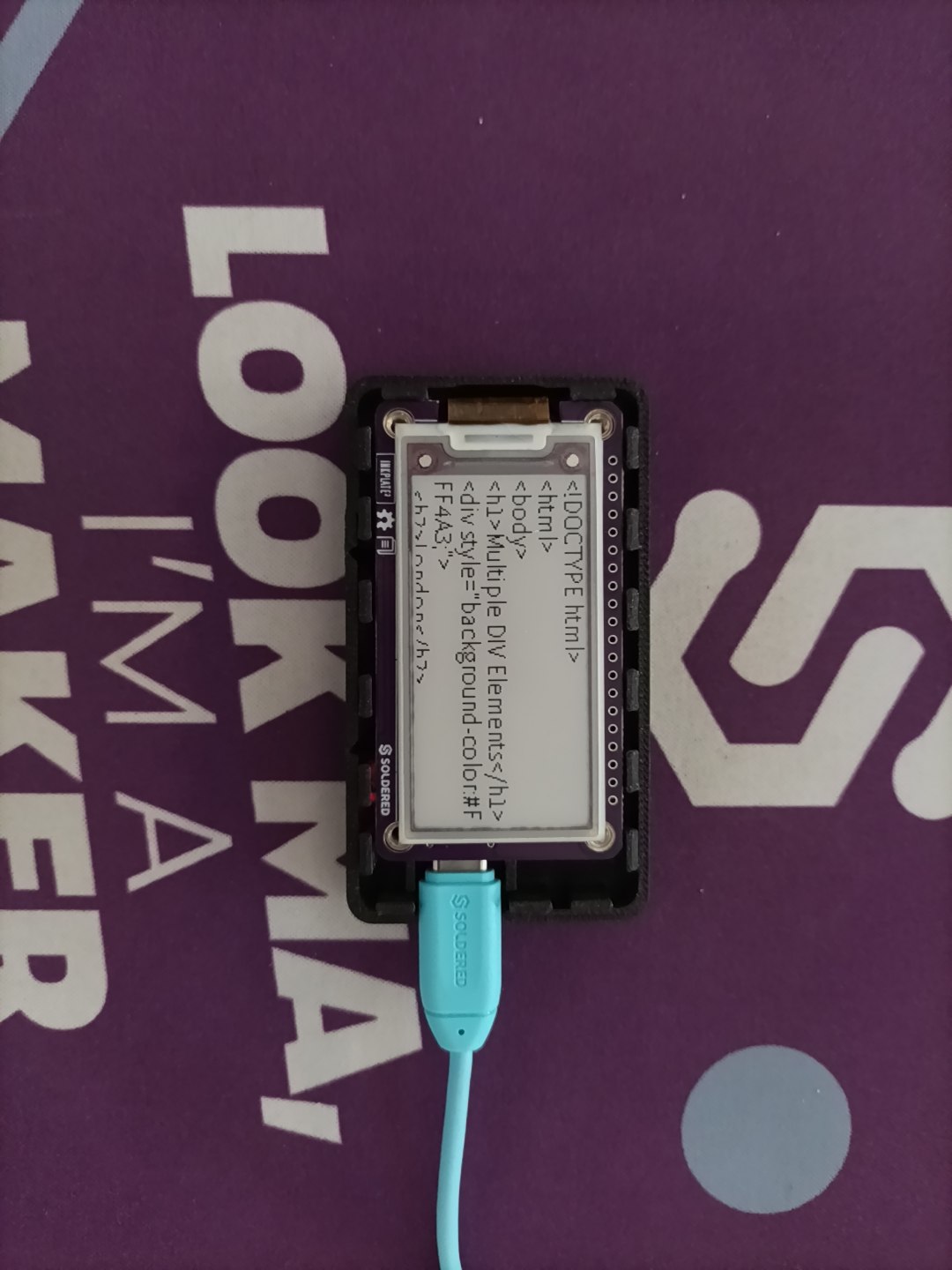
Expected HTML output on display
POST Request
This example shows how to send JSON data through a POST request to a webhook server.
from inkplate2 import Inkplate
import network
import time
import urequests
import ujson

# Replace with your credentials
SSID = "YOUR_SSID_HERE"
PASSWORD = "YOU_PASSWORD_HERE"

# Initialize Inkplate
inkplate = Inkplate()
inkplate.begin()

sta_if = network.WLAN(network.STA_IF)

# Connect to WiFi network
def do_connect():
    connected = False
    if not sta_if.isconnected():
        print("Connecting to network...")
        sta_if.active(True)
        try:
            sta_if.connect(SSID, PASSWORD)
        except Exception as e:
            print(f"Wi-Fi connect error: {e}\n")
            print("Check your credentials!")
        else:
            timeout = 30  # seconds
            start = time.ticks_ms()

            while not sta_if.isconnected():
                if time.ticks_diff(time.ticks_ms(), start) > timeout * 1000:
                    print("Failed to connect within timeout")
                    break
                time.sleep(0.5)
            else:
                connected = True
    else:
        connected = True

    if connected:
        print(f"CONNECTED: \n{sta_if.ifconfig()}")
        return True
    else:
        return False

def http_post(url, text_data):
    response = urequests.post(url, json=text_data)
    print("Status code:", response.status_code)
    inkplate.print(f"Body: {response.text}")

# Connect to WiFi
if not do_connect():
    raise SystemExit("WiFi connection failed")

WEBHOOK_URL = "https://webhook.site/YOUR_UNIQUE_ID"

# Data you want to send
data = {"message": "Hello from Inkplate2!"}

http_post(WEBHOOK_URL, data)

# Display HTTP response
inkplate.display()
Full examples
get_request.py
Connect to WiFi and perform an HTTP GET request over a socket.
post_request.py
Connect to WiFi and perform an HTTP POST request with a JSON payload using urequests.