Tcrt5000 - Example usage (Arduino)
This page contains a simple example with function documentation on how to take measurements using the TCRT5000 sensor.
Measuring with both digital and analog output
To use this sensor, basic Arduino functions are enough. Black color absorbs the transmitted IR radioation and reflects it very poorly so the output will be LOW if there is a black object in front of the sensor, but if shinier object is placed in front of the sensor, output becomes HIGH.
#define digitalPin 14
#define analogPin 15

int dVal=0;
int aVal=0;
void setup() {
  // put your setup code here, to run once:
  Serial.begin(115200);
  pinMode(digitalPin,INPUT);
  pinMode(analogPin,INPUT);
}

void loop() {
  // put your main code here, to run repeatedly:
  dVal=digitalRead(digitalPin);
  aVal=analogRead(analogPin);
  Serial.print("Analog Reading= ");
  Serial.println(aVal);
  Serial.print("Digital Reading= ");
  Serial.println(dVal);
  delay(500);
}
Serial Monitor output
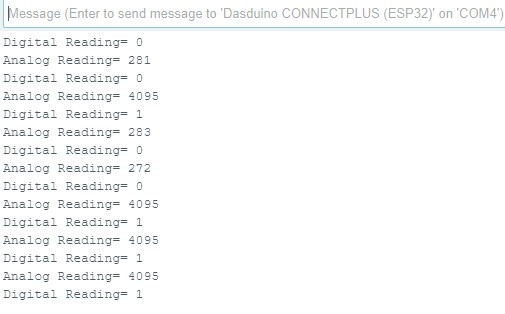
Output from Serial Monitor