Inkplate 5v2 MicroPython - GET and POST requests
Inkplate 5v2 can connect to the internet and make HTTP requests.
This example performs a GET and a POST request using the urequests library, with webhook.site as the test server.
Making a GET request
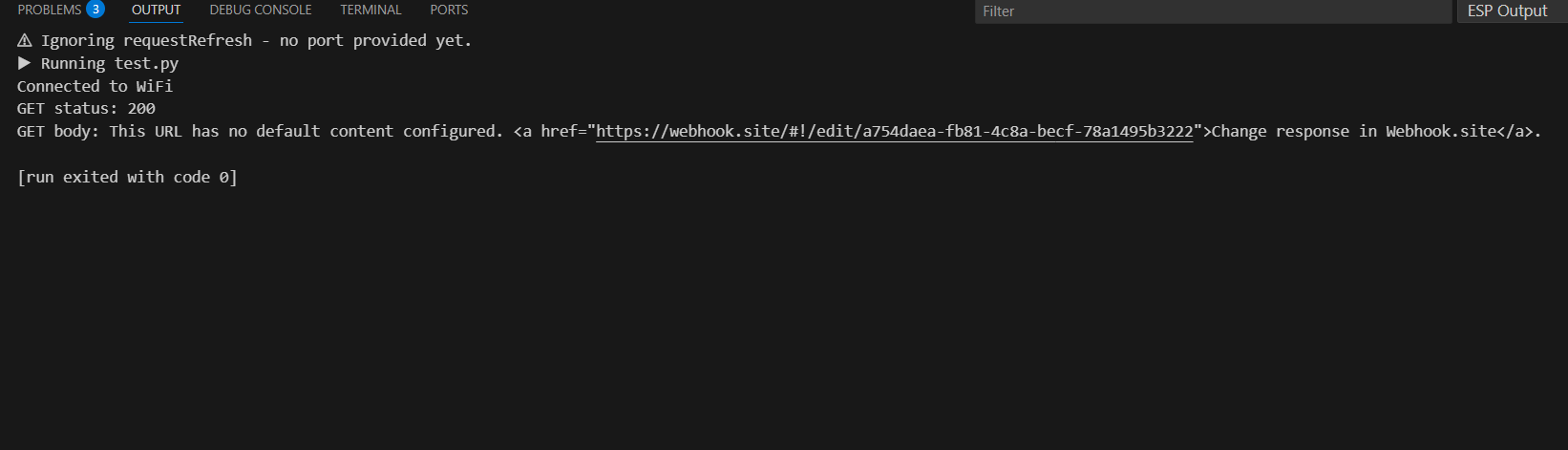
The example below fetches data from a webhook.site endpoint and prints the response.
Webhook.site will generate a unique URL for your personal use. Use http:// instead of https:// (many MicroPython builds do not include TLS support).
import network
import time
import urequests
from inkplate5v2 import Inkplate

# Your WiFi credentials
SSID = "YourNetwork"
PASSWORD = "YourPassword"

# Your personal webhook.site URL (use http://, no leading spaces!)
WEBHOOK_URL = "http://webhook.site/your-unique-url"

def connect_wifi():
    sta_if = network.WLAN(network.STA_IF)
    if not sta_if.isconnected():
        sta_if.active(True)
        sta_if.connect(SSID, PASSWORD)
        start = time.ticks_ms()
        while not sta_if.isconnected():
            if time.ticks_diff(time.ticks_ms(), start) > 10_000:
                print("WiFi connection failed")
                return False
            time.sleep(0.5)
    return True

if connect_wifi():
    print("Connected to WiFi")

    # Perform GET request
    response = urequests.get(WEBHOOK_URL)
    print("GET status:", response.status_code)
    print("GET body:", response.text)
    response.close()
urequests.get()
Perform an HTTP GET request to the given URL.
Returns type: Response
Returns value: Response object with .status_code and .text.
Function parameters:
| Type | Name | Description |
|---|---|---|
String | url | The target URL (must start with http://). |
Making a POST request
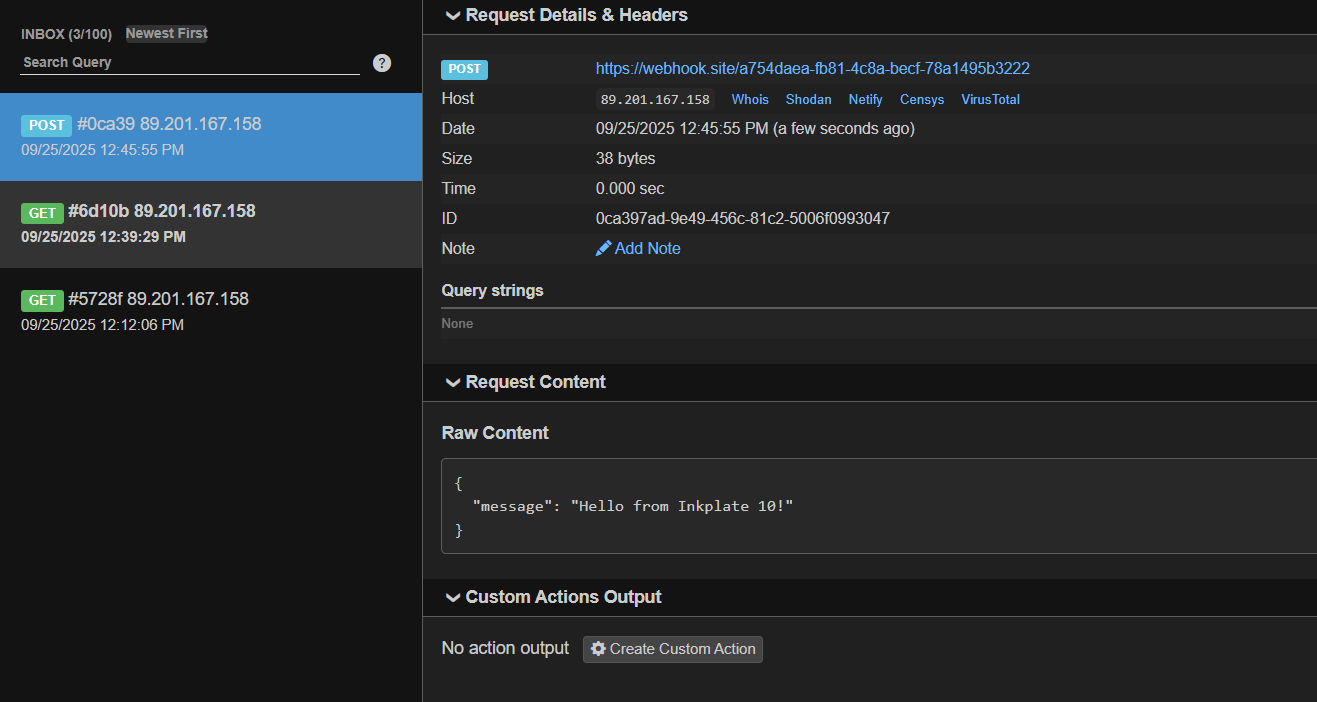
You can also send data to the server. This example sends a JSON payload to the webhook URL.
import network
import time
import urequests
import ujson
from inkplate5v2 import Inkplate

# Your WiFi credentials
SSID = "YourNetwork"
PASSWORD = "YourPassword"

# Your personal webhook.site URL (use http://, no leading spaces!)
WEBHOOK_URL = "http://webhook.site/your-unique-url"

def connect_wifi():
    sta_if = network.WLAN(network.STA_IF)
    if not sta_if.isconnected():
        print("Connecting to WiFi...")
        sta_if.active(True)
        sta_if.connect(SSID, PASSWORD)
        start = time.ticks_ms()
        while not sta_if.isconnected():
            if time.ticks_diff(time.ticks_ms(), start) > 10_000:
                print("WiFi connection failed")
                return False
            time.sleep(0.5)
    print("Connected:", sta_if.ifconfig())
    return True

# Initialize Inkplate display
inkplate = Inkplate(Inkplate.INKPLATE_1BIT)
inkplate.begin()
inkplate.clear_display()
inkplate.display()
inkplate.set_text_size(2)
inkplate.set_cursor(50, 100)

if connect_wifi():
    # Data to send
    data = {"message": "Hello from Inkplate 5v2!"}

    # Perform POST request
    try:
        response = urequests.post(WEBHOOK_URL, json=data)
        print("POST status:", response.status_code)
        print("POST body:", response.text)

        inkplate.print("POST OK!")
        inkplate.display()

        response.close()
    except Exception as e:
        print("POST failed:", e)
        inkplate.print("POST failed!")
        inkplate.display()
else:
    inkplate.print("WiFi failed!")
    inkplate.display()
urequests.post()
Perform an HTTP POST request to the given URL.
Returns type: Response
Returns value: Response object with .status_code and .text.
Function parameters:
| Type | Name | Description |
|---|---|---|
String | url | The target URL (must start with http://). |
Dict | json | Dictionary to send as JSON in the request body. |
Full examples
get_request.py
Connect to WiFi and perform an HTTP GET request using urequests.
post_request.py
Connect to WiFi and perform an HTTP POST request with a JSON payload using urequests.