Getting started
The following guide is speciffically made for the STM32 NUCLEO-U5A5ZJ-Q development board that uses the STM32U5A5 microcontroller. This breakout will work with other STM32 boards but the configuration process might differ in some steps.
Installing Required Packages
Install STM32U5 MCU Package
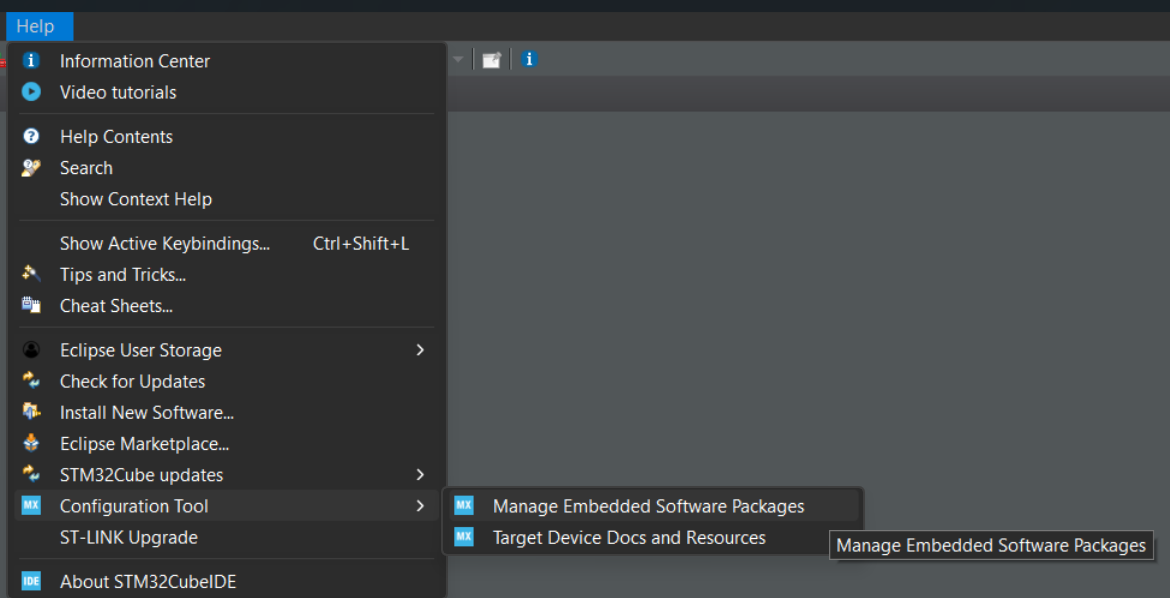
Open STM32CubeIDE and navigate to: Help -> Configuration Tool -> Manage Embedded Software Packages.
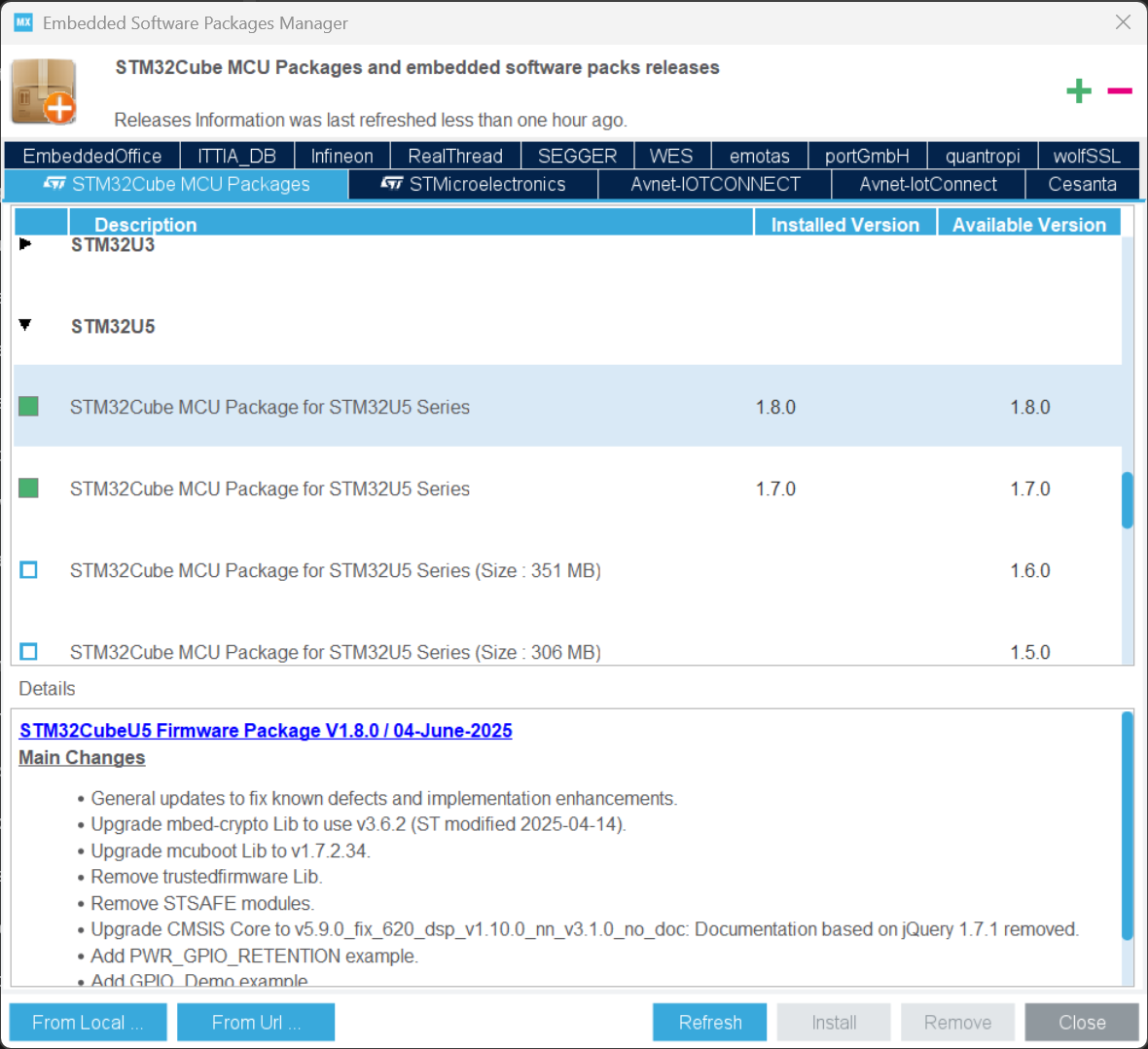
In the STM32Cube MCU Packages tab locate STM32U5 package, select the latest version and press install.
Install X-CUBE-ST67W61 Expansion Package
In the same Manage Embedded Software Packages window switch to STMicroelectronics and search for X-CUBE-ST67W61 and install the latest version.
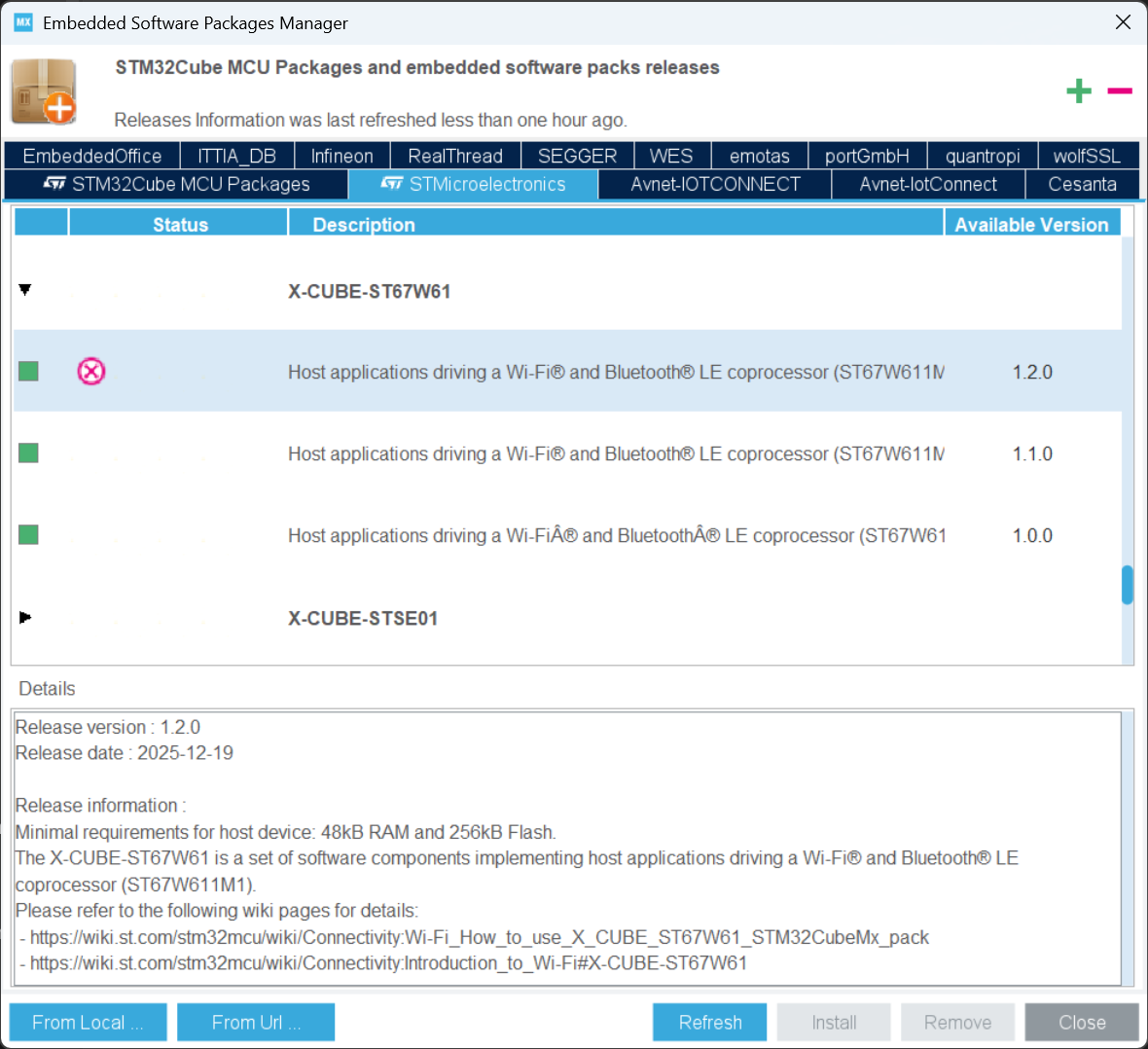
This package contains all the necessary drivers for the ST67W611 Wi-Fi module Which come preflashed on our board, middleware, utilities and the required ST67W6X_HTTPS_Client project.
Connections
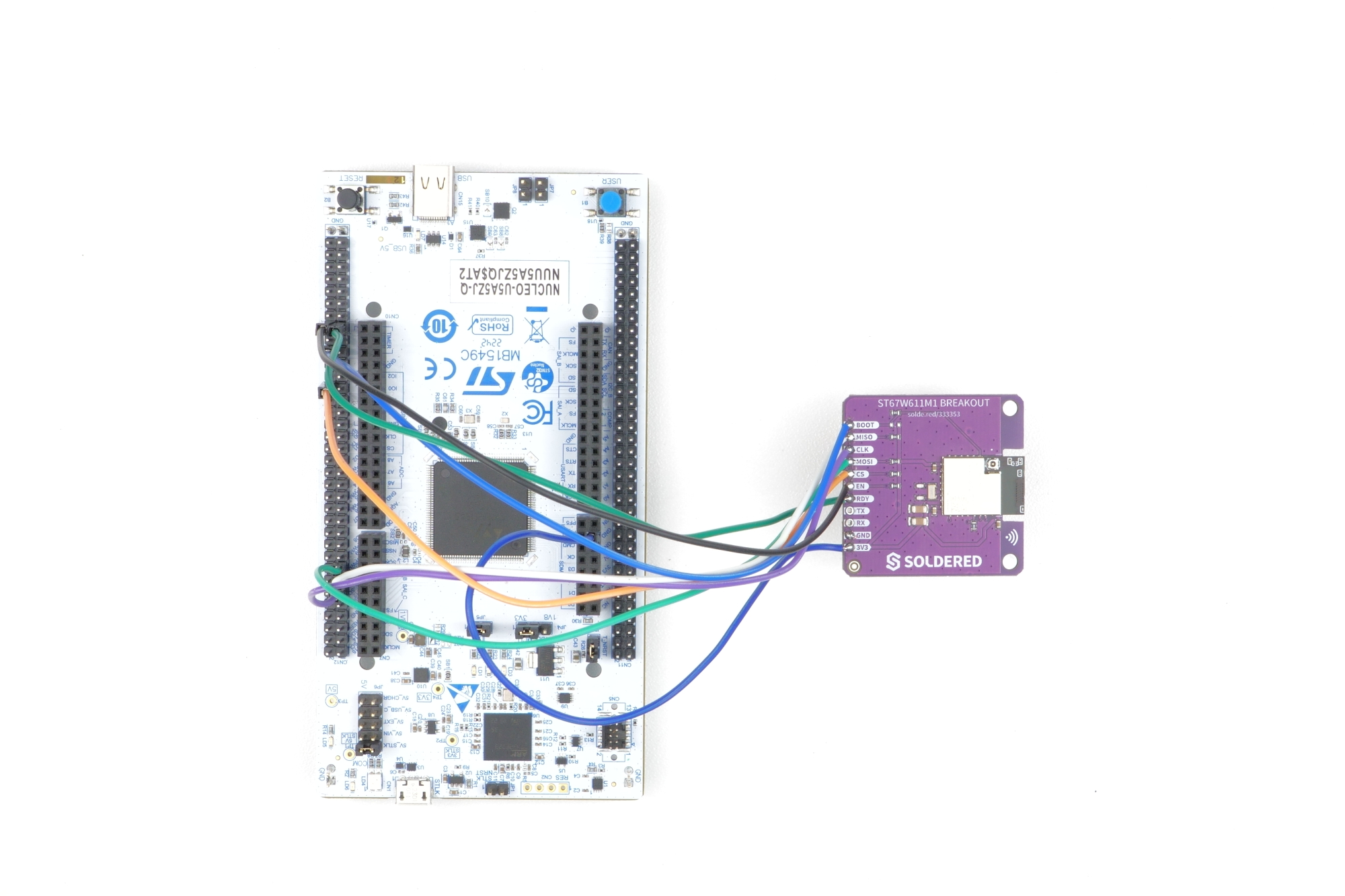
Below is an connection diagram for STM32 NUCLEO-U5A5ZJ-Q which will be used in the next chapter's project example.
Due to the highly sensitive nature of the ST67W611M1 chip, we recommend you to instead of using header pins, solder your wires directly to the onboard pins.
| STM32 NUCLEO-U5A5ZJ-Q | ST67W611M1 |
|---|---|
| 3V3 | 3V3 |
| GND | GND |
| MISO | PA6 |
| CLK | PA5 |
| MOSI | PA7 |
| CS | PD14 |
| RDY | PE13 |
| BOOT | PE9 |
| CHIP_EN | PE11 |