WS2812 Grid - Examples
This page covers how to initialize the WS2812 Grid library and use its core functions — setting individual pixels, filling the entire grid, reading back pixel colors, and building animations with the provided helper methods.
Connections for this example
Initialization
Create a WS2812Grid object by passing the data pin number (and optionally the grid width and height for non-standard grids). Call begin() once in setup() to initialize the LED driver, blank the display, and push the initial state to the hardware. Use setBrightness() to cap the maximum output — the board runs on 5V and at full brightness 64 LEDs can draw nearly 4 A, so starting at 40 out of 255 is both eye-friendly and power-friendly.
#include "WS2812Grid-SOLDERED.h"

#define PIN 5

WS2812Grid grid(PIN);

void setup()
{
    grid.begin();
    grid.setBrightness(40); // 0–255, start low!
}
WS2812Grid()
Constructs a WS2812Grid driver for an LED matrix connected to the given data pin. Width and height default to 8 if not specified, matching the standard 8×8 breakout board.
Returns value: None (constructor)
Function parameters:
| Type | Name | Description |
|---|---|---|
uint8_t | pin | Arduino pin connected to the grid DIN line. |
uint8_t | width | Number of LED columns. Defaults to 8. |
uint8_t | height | Number of LED rows. Defaults to 8. |
grid.begin()
Initializes the underlying WS2812 driver, clears all pixel data, and calls show() to blank the display. Must be called once in setup() before any other grid functions.
Returns value: None
Setting a single pixel
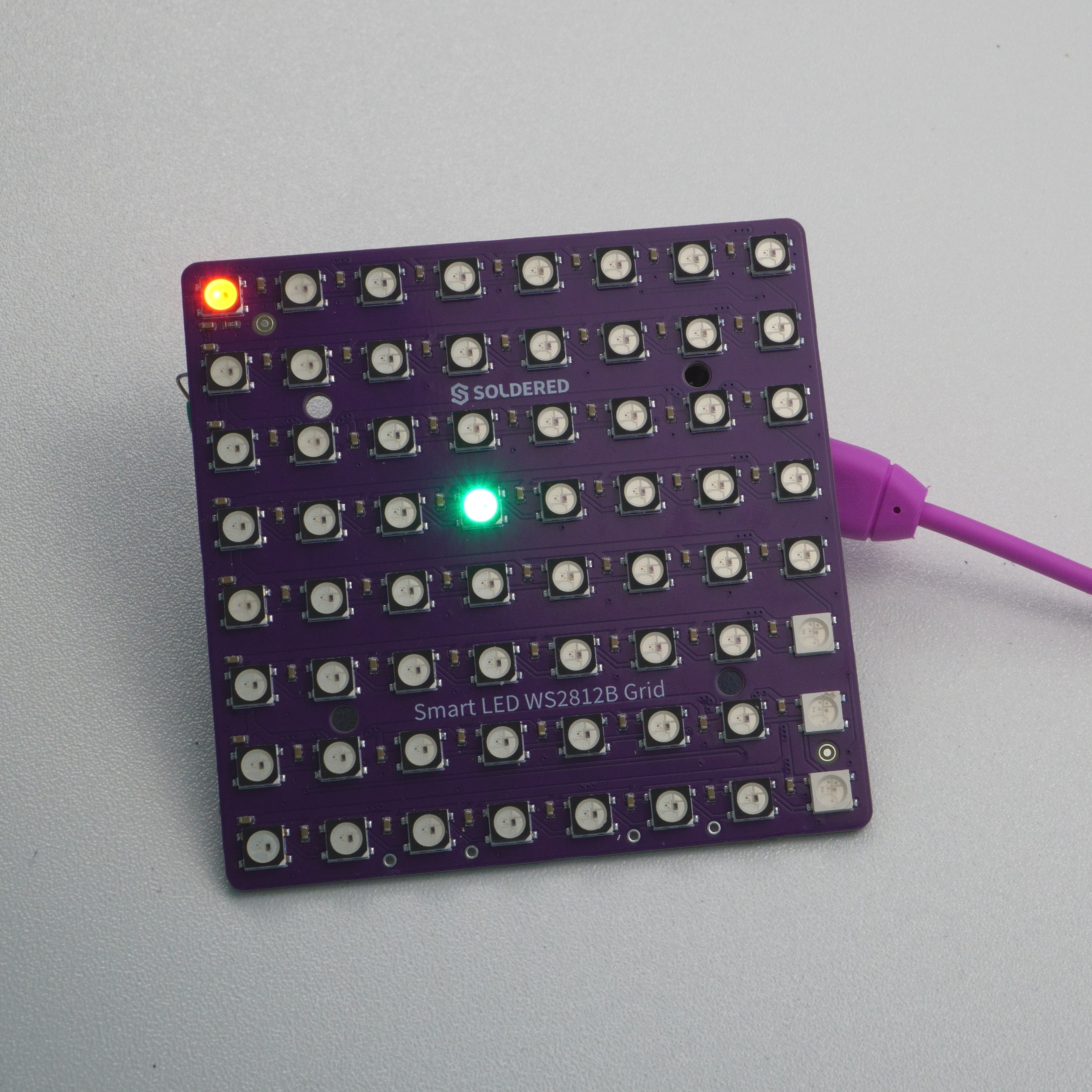
setPixel() lets you address any LED by its (x, y) coordinate — column 0 is on the left, row 0 is at the top. You can supply either three separate RGB byte values or a single packed 32-bit color built with WS2812Grid::Color(). After updating pixels, call show() to push the changes to the hardware.
void loop()
{
    grid.setPixel(0, 0, 255, 0, 0);

    grid.setPixel(3, 3, WS2812Grid::Color(0, 255, 0));

    grid.show();
    delay(1000);

    grid.clear();
    grid.show();
    delay(1000);
}
grid.setPixel()
Sets the color of a single LED at column x, row y using separate green, red, and blue components. The change is buffered until show() is called. Out-of-range coordinates are silently ignored.
Returns value: None
Function parameters:
| Type | Name | Description |
|---|---|---|
uint8_t | x | Column index, 0 = leftmost column. |
uint8_t | y | Row index, 0 = top row. |
uint8_t | g | Green component (0–255). |
uint8_t | r | Red component (0–255). |
uint8_t | b | Blue component (0–255). |
grid.setPixel()
Sets the color of a single LED at column x, row y using a packed 32-bit color value. Use WS2812Grid::Color(g, r, b) to construct the value. The change is buffered until show() is called.
Returns value: None
Function parameters:
| Type | Name | Description |
|---|---|---|
uint8_t | x | Column index, 0 = leftmost column. |
uint8_t | y | Row index, 0 = top row. |
uint32_t | color | Packed color value. Build it with WS2812Grid::Color(g, r, b). |
Filling the entire grid
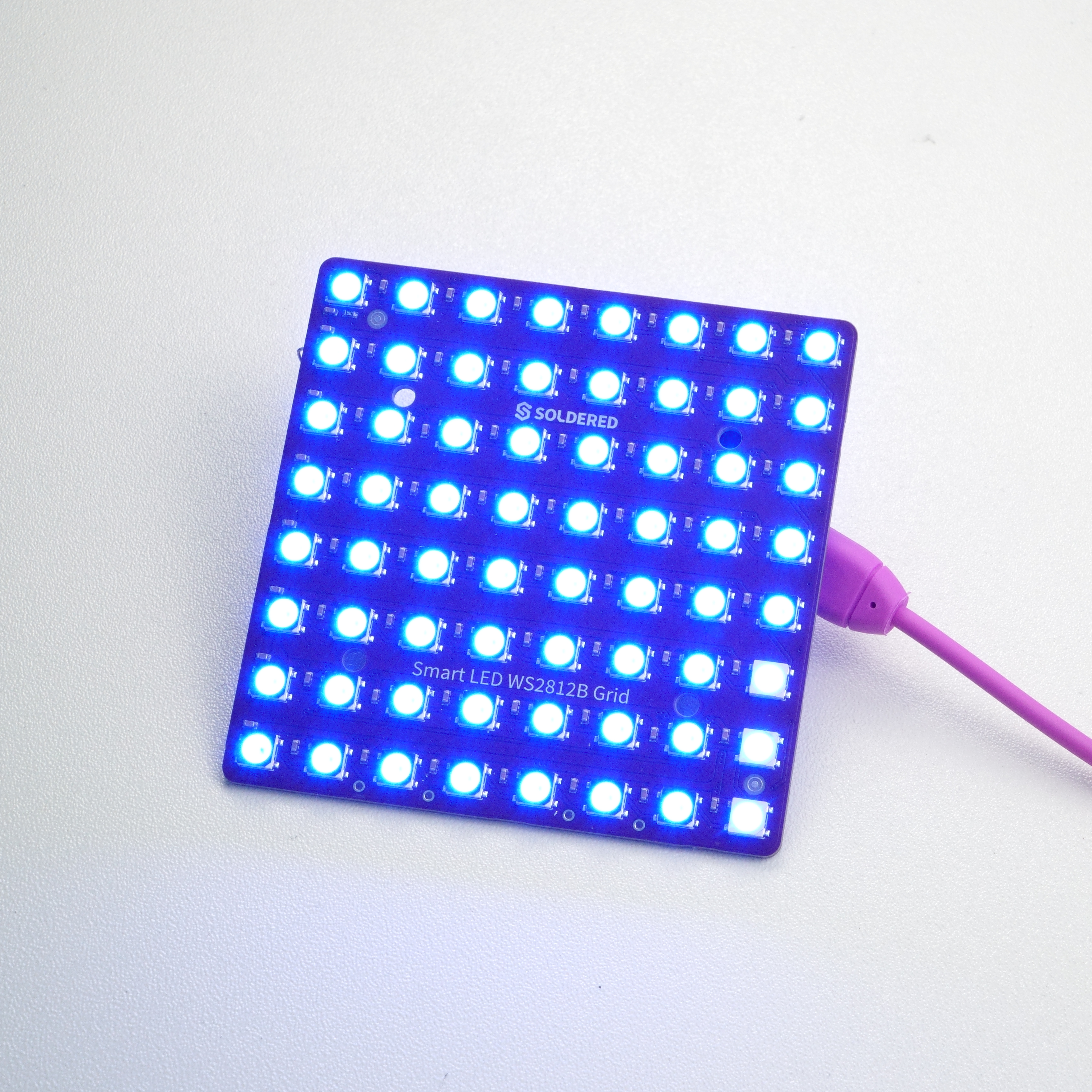
To paint every LED the same color in one call, use fill(). It accepts either RGB components or a packed color. This is useful for setting a background color before drawing individual pixels on top.
void loop()
{
    // Fill everything blue
    grid.fill(0, 0, 180);
    grid.show();
    delay(1000);

    // Fill with a packed color (orange)
    grid.fill(WS2812Grid::Color(255, 80, 0));
    grid.show();
    delay(1000);

    // Blank the display
    grid.clear();
    grid.show();
    delay(1000);
}
grid.fill()
Sets every LED on the grid to the same color specified by individual green, red, and blue components. The change is buffered until show() is called.
Returns value: None
Function parameters:
| Type | Name | Description |
|---|---|---|
uint8_t | g | Green component (0–255). |
uint8_t | r | Red component (0–255). |
uint8_t | b | Blue component (0–255). |
grid.fill()
Sets every LED on the grid to the same packed 32-bit color. Use WS2812Grid::Color(g, r, b) to construct the value. The change is buffered until show() is called.
Returns value: None
Function parameters:
| Type | Name | Description |
|---|---|---|
uint32_t | color | Packed color value (0x00RRGGBB). |
Reading back a pixel color
getPixel() returns the currently buffered color for any grid coordinate as a packed 32-bit value. This is handy when you need to inspect the current state of the grid without maintaining a separate framebuffer.
uint32_t c = grid.getPixel(3, 3);
uint8_t red   = (c >> 16) & 0xFF;
uint8_t green = (c >>  8) & 0xFF;
uint8_t blue  =  c        & 0xFF;
grid.getPixel()
Returns the buffered packed color (0x00RRGGBB) stored for the LED at column x, row y. Returns 0 if the coordinates are out of range. Reflects the last value written by setPixel() or fill(), not necessarily what is currently displayed on hardware.
Returns value: uint32_t packed color (0x00RRGGBB), or 0 if out of range.
Function parameters:
| Type | Name | Description |
|---|---|---|
uint8_t | x | Column index, 0 = leftmost column. |
uint8_t | y | Row index, 0 = top row. |
Animations example
The sketch below combines setPixel() and show() to run two animations back-to-back: a row sweep that lights one row at a time from top to bottom, and a rainbow that maps a continuously shifting color wheel across all 64 LEDs.
#include "WS2812Grid-SOLDERED.h"

#define PIN 5

WS2812Grid grid(PIN);

// Simple HSV-to-RGB color wheel: hue 0–255
static uint32_t colorWheel(uint8_t pos)
{
    pos = 255 - pos;
    if (pos < 85)
        return WS2812Grid::Color(255 - pos * 3, 0, pos * 3);
    if (pos < 170)
    {
        pos -= 85;
        return WS2812Grid::Color(0, pos * 3, 255 - pos * 3);
    }
    pos -= 170;
    return WS2812Grid::Color(pos * 3, 255 - pos * 3, 0);
}

void rowSweep()
{
    for (uint8_t y = 0; y < 8; y++)
    {
        grid.clear();
        for (uint8_t x = 0; x < 8; x++)
            grid.setPixel(x, y, 0, 180, 255);
        grid.show();
        delay(80);
    }
}

void rainbowGrid(uint8_t cycles)
{
    for (uint8_t c = 0; c < cycles; c++)
    {
        for (uint16_t hue = 0; hue < 256; hue++)
        {
            for (uint8_t y = 0; y < 8; y++)
                for (uint8_t x = 0; x < 8; x++)
                {
                    uint8_t offset = (x + y * 2) & 0xFF;
                    grid.setPixel(x, y, colorWheel((hue + offset) & 0xFF));
                }
            grid.show();
            delay(10);
        }
    }
}

void setup()
{
    grid.begin();
    grid.setBrightness(40);
}

void loop()
{
    rowSweep();
    delay(200);
    rainbowGrid(2);
    delay(200);
}