Inkplate 13SPECTRA MicroPython - Printing text
Inkplate 13SPECTRA allows you to print text on a 1600 x 1200px canvas.
Displaying basic information
Below is a simple example demonstrating the simple way of displaying the information on the Inkplate display.
"""Example showing how to display colorful text on the screen."""

from inkplate13_spectra import Inkplate  # Include the Inkplate module

inkplate = Inkplate()  # Create an instance of the display
inkplate.begin()  # Initialize the display

inkplate.set_text_size(2)  # Scale up the font size

inkplate.set_cursor(180, 180)  # Set the cursor from where the text will be written

hello_world = "Hello world!"  # Declare the string we want to print

i = 0  # Declare the counter we will use to iterate through the colors

# Iterate through each character in the string
for char in hello_world:
    # Change the color of every character
    inkplate.set_text_color(i)
    # Print a single character to the framebuffer
    inkplate.print(char)
    # Iterate the color counter
    i = i + 1
    if i == 1:  # If the color is white, skip it
        i = i + 1
    elif i // 6 > 0:  # If we displayed all 6 colors, return to the first one
        i = 0

inkplate.display()  # Display what is drawn to the buffer
inkplate.print()
Puts the text in display buffer at the current position on display
Function parameters:
| Type | Name | Description |
|---|---|---|
String | text | String to render. |
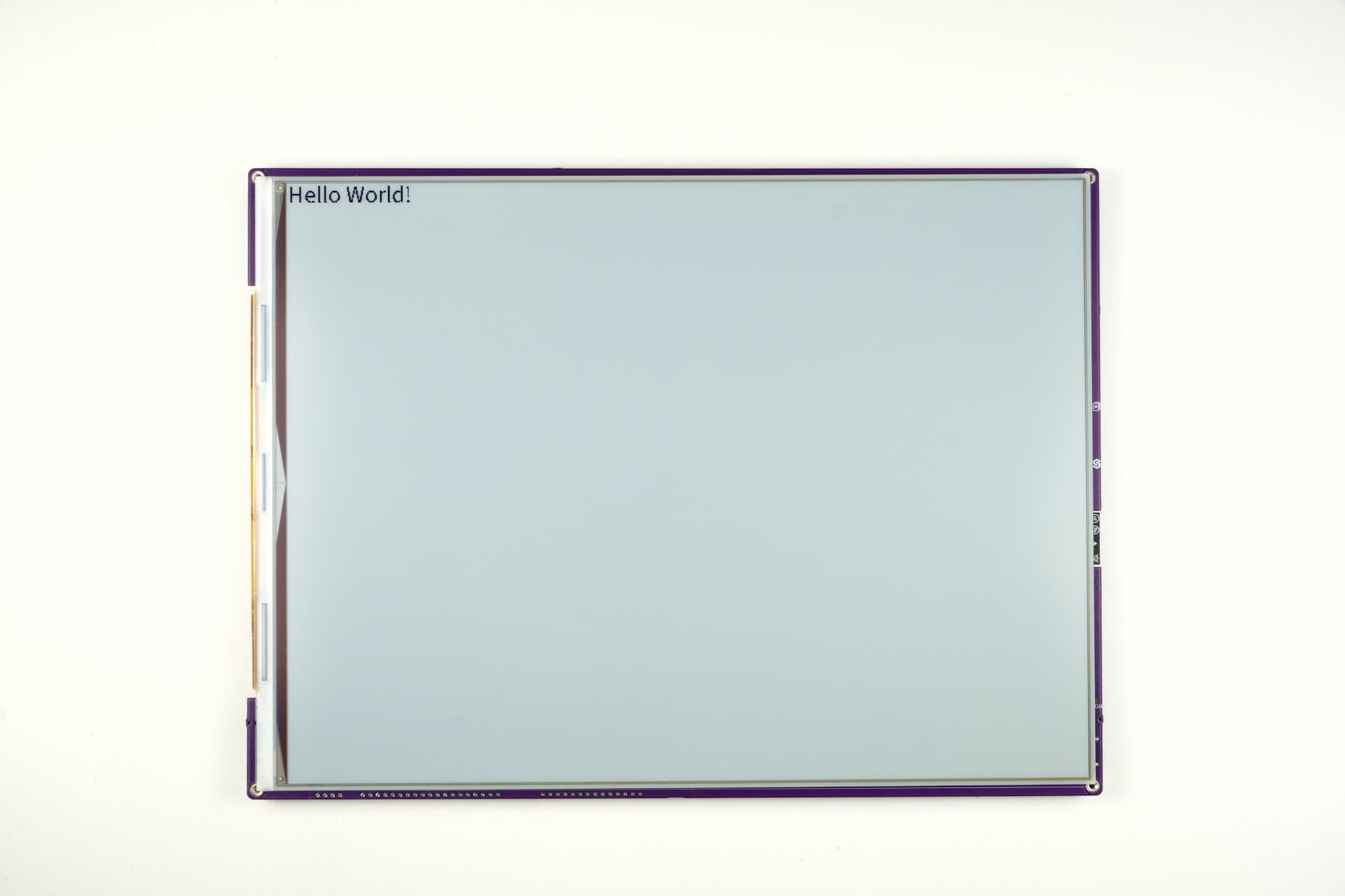
hello_world.py
Full example showing how to display colorful text on the screen.
Displaying text in different colors and more text parameters
Inkplate 13SPECTRA also lets you render color graphics on its canvas. You can also modify different text parameters, such as text color, text size and text wrapping. Below is a simple example demonstrating different text colors and different text styles:
Color parameter in 'set_text_color()' changes text color as per table below:
| VALUE | COLOR |
|---|---|
| 0 | Black |
| 1 | White |
| 2 | Yellow |
| 3 | Red |
| 4 | Blue |
| 5 | Green |
from inkplate13_spectra import Inkplate

inkplate = Inkplate()
# Initialize the display, needs to be called only once
inkplate.begin()

# Clear the frame buffer
inkplate.clear_display()
inkplate.display()


inkplate.set_cursor(50, 50)
inkplate.set_text_size(1)
inkplate.set_text_color(3)      # red
inkplate.print("Size 1")

inkplate.set_cursor(50, 100)
inkplate.set_text_size(2)
inkplate.set_text_color(4)      # blue
inkplate.print("Size 2")

inkplate.set_cursor(50, 180)
inkplate.set_text_size(3)
inkplate.set_text_color(5)      # green
inkplate.print("Size 3")

inkplate.set_text_color(0)      # black
long_text = (
    "This is a very long line of text intended to demonstrate how wrapping works. "
    "When wrap mode is enabled, the text will continue onto the next line once it "
    "reaches the edge of the display. This makes it possible to write paragraphs "
    "or larger blocks of text without worrying about manually inserting line breaks. "
    "It is especially useful for rendering user interfaces, menus, or e-books."
)
inkplate.set_cursor(50, 340)
inkplate.set_text_size(1)
inkplate.set_text_wrapping(True)
inkplate.print(long_text)

inkplate.set_cursor(50, 460)
inkplate.set_text_size(1)
inkplate.set_text_wrapping(False)
inkplate.print(long_text)

inkplate.display()
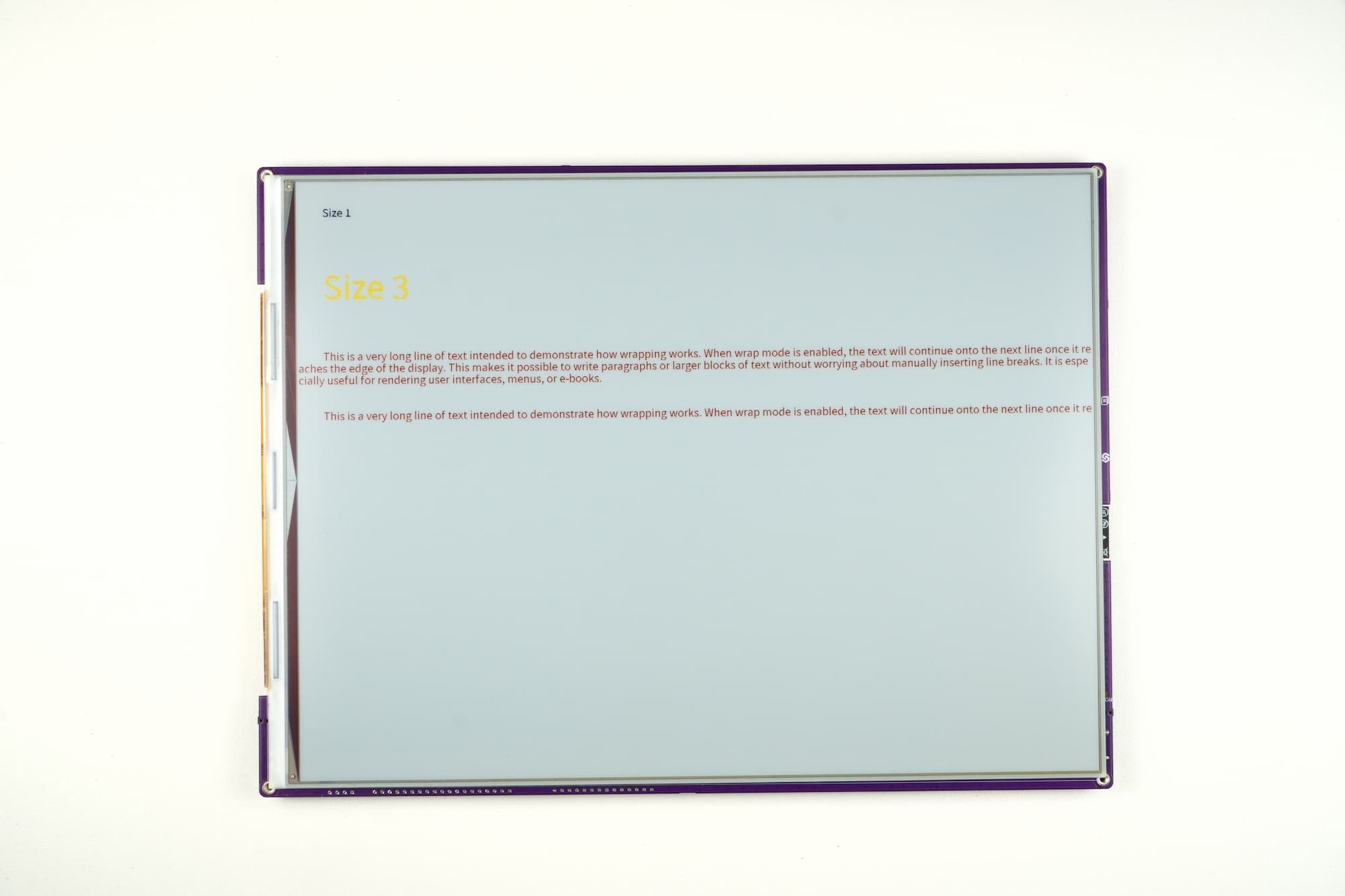
text_colors.py
Full example showing how to display text in different colors, sizes, and with wrapping enabled/disabled.
inkplate.set_cursor()
Set the cursor position for the next text to be rendered.
Function parameters:
| Type | Name | Description |
|---|---|---|
Number | x | X coordinate for the text start. |
Number | y | Y coordinate for the text baseline. |
inkplate.set_text_size()
Set the text size scaling factor.
Function parameters:
| Type | Name | Description |
|---|---|---|
Number | s | Scale factor (1 = normal, 2 = double, 3 = triple, …). |
inkplate.set_text_color()
Set the text color used for text rendering.
Function parameters:
| Type | Name | Description |
|---|---|---|
Number | c | Color value for text, see the color table above (0 = Black, 1 = White, 2 = Yellow, 3 = Red, 4 = Blue, 5 = Green). |
inkplate.set_text_wrapping()
Enable or disable automatic text wrapping when reaching the display edge.
Returns value: Nothing
Function parameters:
| Type | Name | Description |
|---|---|---|
Boolean | state | True to wrap text, False to let it continue off-screen. |