Printing Text
Printing text on Inkplate 2 is simple, with support for three colors (black, white, red) and compatibility with the Adafruit GFX library.
Basic text printing
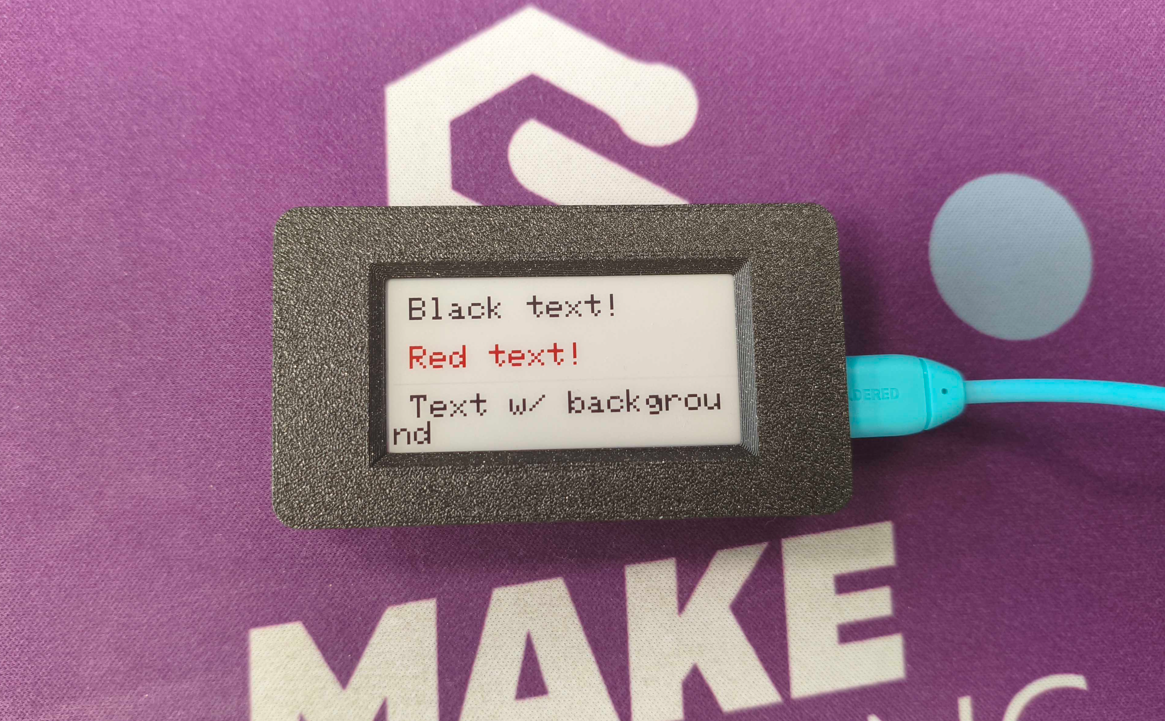
To print text, use setCursor, setTextSize, and print. Below is a basic usage example:
#include "Inkplate.h"
Inkplate inkplate;

void setup() {
  inkplate.begin();
  inkplate.clearDisplay();
  inkplate.setCursor(10, 10);
  inkplate.setTextSize(2);
  inkplate.setTextColor(INKPLATE2_BLACK);
  inkplate.print("Black text!");

  inkplate.setCursor(10, 40);
  inkplate.setTextColor(INKPLATE2_RED);
  inkplate.print("Red text!");

  inkplate.setCursor(10, 70);
  inkplate.setTextSize(1); // Smaller size so the string fits within the 212px screen width
  inkplate.setTextColor(INKPLATE2_WHITE, INKPLATE2_BLACK); // white text on black background
  inkplate.print("Text w/ background");

  inkplate.display();
}

void loop() {}
inkplate.setCursor()
Sets the cursor position where the next text will be drawn.
Returns value: none
Function parameters:
| Type | Name | Description |
|---|---|---|
int | x | X coordinate of the cursor. |
int | y | Y coordinate of the cursor. |
inkplate.setTextSize()
Sets the multiplier for text size (1 is default, 2 is double size, etc.).
Returns value: none
Function parameters:
| Type | Name | Description |
|---|---|---|
uint8_t | s | Text size multiplier. |
inkplate.setTextColor()
Sets the text color, with an optional background color.
Returns value: none
Function parameters:
| Type | Name | Description |
|---|---|---|
uint16_t | color | Text color. |
uint16_t | background | Optional background color. |
Custom fonts
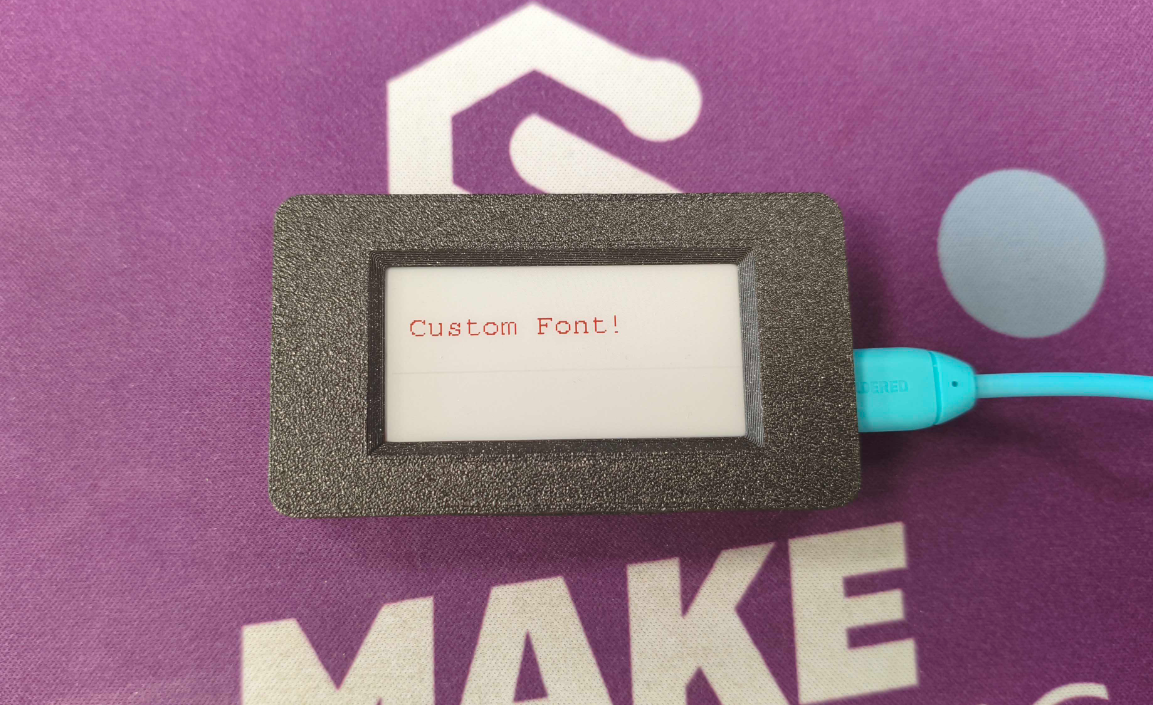
Inkplate 2 also supports custom fonts from the Adafruit GFX library. Download a font, include it in your sketch, and pass it to setFont():
#include "Inkplate.h"
#include "FreeMono9pt7b.h"

Inkplate inkplate;

void setup() {
  inkplate.begin();
  inkplate.clearDisplay();
  inkplate.setFont(&FreeMono9pt7b);
  inkplate.setCursor(10, 40);
  inkplate.setTextColor(INKPLATE2_RED);
  inkplate.print("Custom Font!");
  inkplate.display();
}

void loop() {}
inkplate.setFont()
Sets a custom font from the GFX font collection.
Returns value: none
Function parameters:
| Type | Name | Description |
|---|---|---|
const GFXfont * | font | Pointer to the font struct. |