Inkplate 6COLOR – Printing text
Printing text on Inkplate is simple and requires only a few functions. The library also supports custom fonts of different sizes.
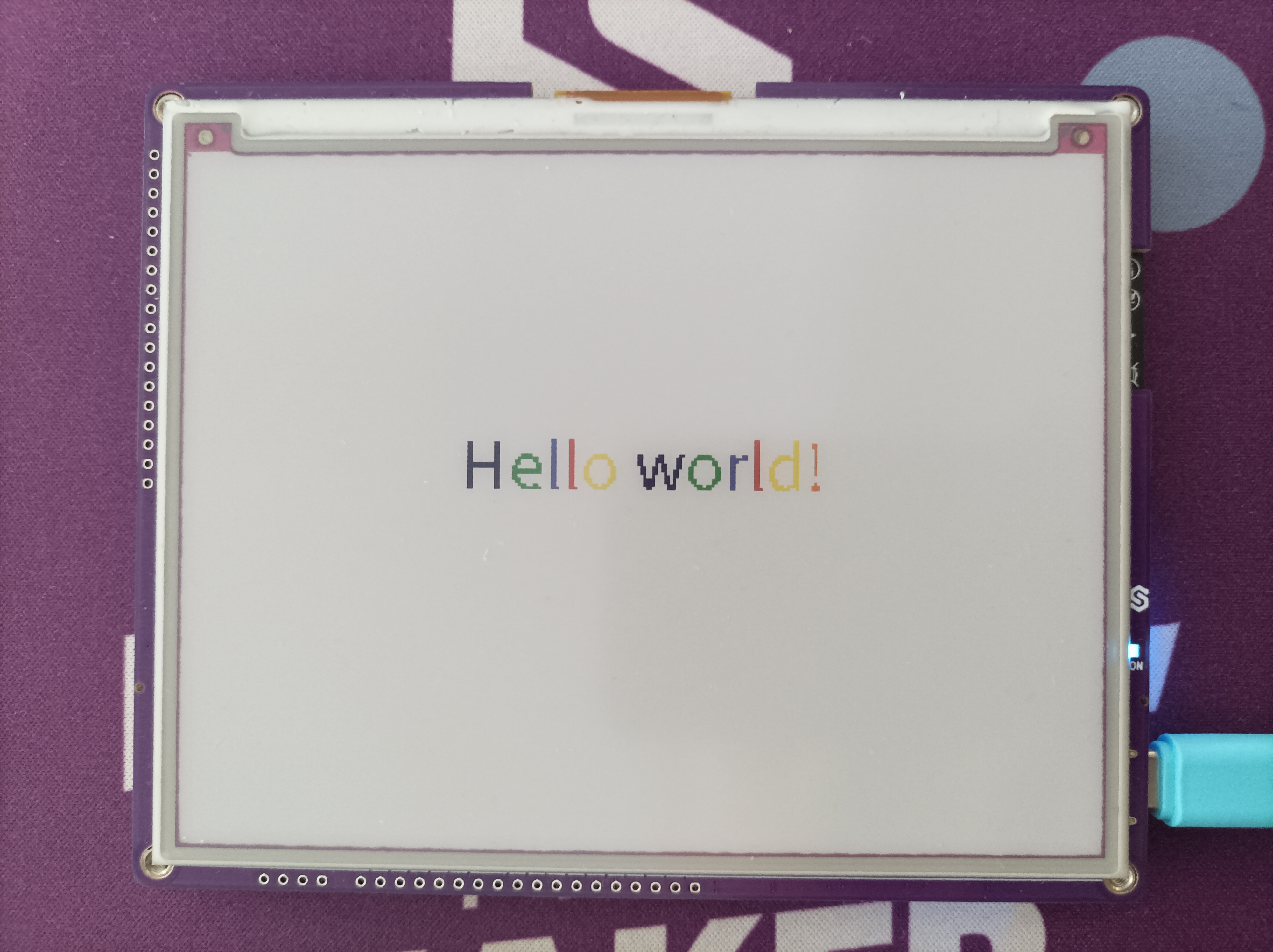
Simple colored text example
There are a total of 7 colors to choose from:
| Color | Value | Int Value |
|---|---|---|
| BLACK | INKPLATE_BLACK | 0 |
| WHITE | INKPLATE_WHITE | 1 |
| GREEN | INKPLATE_GREEN | 2 |
| BLUE | INKPLATE_BLUE | 3 |
| RED | INKPLATE_RED | 4 |
| YELLOW | INKPLATE_YELLOW | 5 |
| ORANGE | INKPLATE_ORANGE | 6 |
To print text, use set_cursor followed by print. If you're using the default font, you may want to use set_text_size to increase the font size:
from inkplate6_color import Inkplate  # Include the Inkplate module

inkplate = Inkplate()  # Create an instance of the display
inkplate.begin()  # Initialize the display

inkplate.set_text_size(2)  # Scale up the font size

inkplate.set_cursor(180, 180)  # Set the cursor from where the text will be written

hello_world = "Hello world!"  # Declare the string we want to print

i = 0  # Declare the counter we will use to iterate through the colors

# Iterate through each character in the string
for char in hello_world:
    # Change the color of every character
    inkplate.set_text_color(i)
    # Print a single character to the framebuffer
    inkplate.print(char)
    # Iterate the color counter
    i = i + 1
    if i == 1:  # If the color is white, skip it
        i = i + 1
    elif i // 7 > 0:  # If we displayed all 7 colors, return to the first one
        i = 0

inkplate.display()  # Display what is drawn to the buffer
inkplate.set_text_size()
Increases the text size by a given factor.
Returns type: none
Function parameters:
| Type | Name | Description |
|---|---|---|
int | s | Size factor. 1 is default size, 2 is twice as large, 3 is three times larger, etc. |
inkplate.set_cursor()
Move the cursor to point at given position on the screen starting from the upper left corner.
Returns type: none
Function parameters:
| Type | Name | Description |
|---|---|---|
int | x | X coordinate value |
int | y | Y coordinate value |
inkplate.print()
Prints text at the previously set cursor position. This is the standard print function.
Returns type: none
Function parameters:
| Type | Name | Description |
|---|---|---|
char | text | String to print on the display. |
inkplate.set_text_color()
Sets the color of the text. Must be called before printing.
Returns type: none
Function parameters:
| Type | Name | Description |
|---|---|---|
int | color | Set text color. |
Alternative fonts example
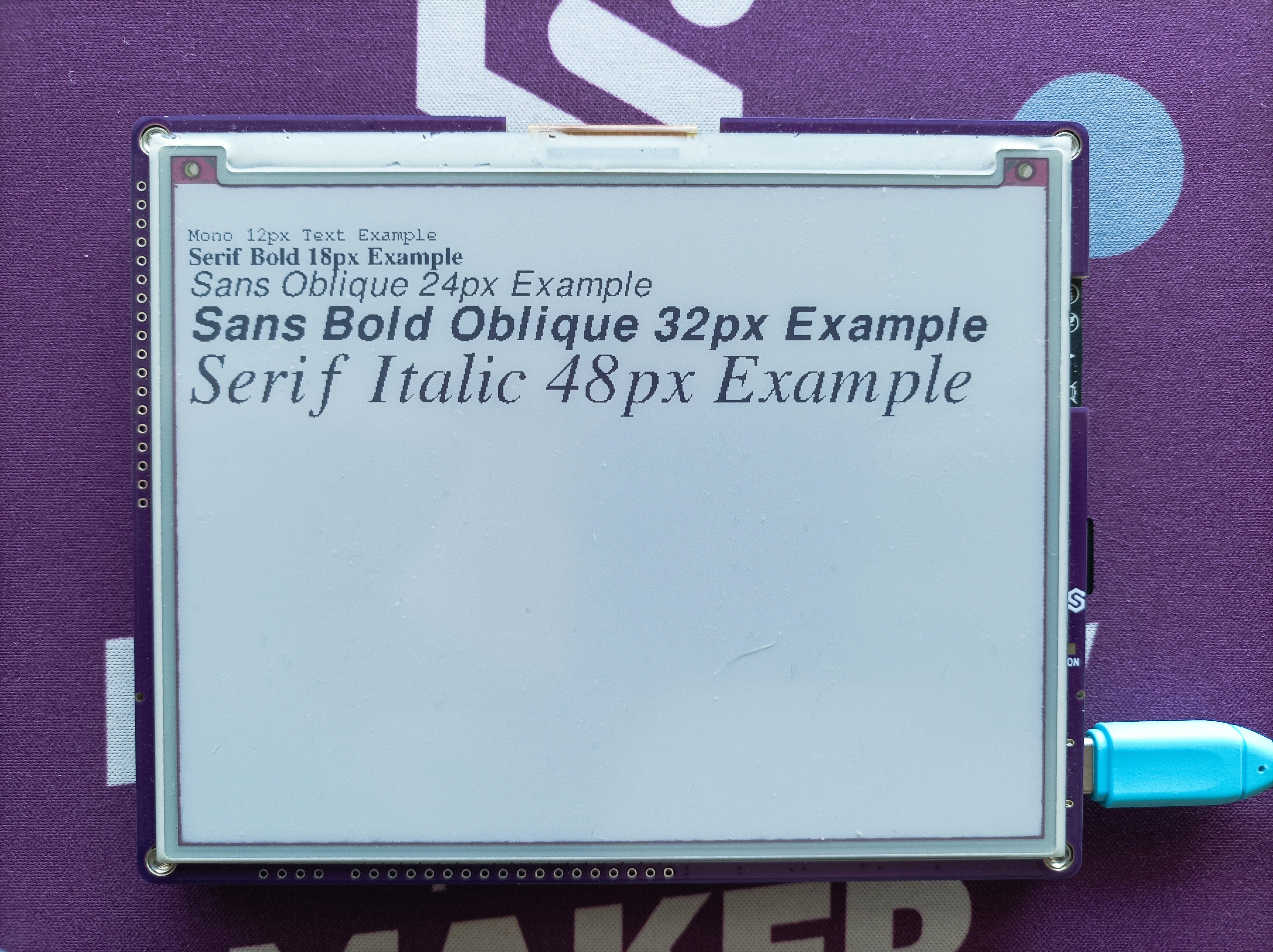
Here we will print text using different fonts on our Inkplate board. All of the fonts are available on Inkplate-MicroPython GitHub, just upload .py file to your board and import it in your code:
from inkplate6_color import Inkplate
# Import custom fonts
import FreeMono_12px as Mono12
import FreeSerifBold_18px as SerifBold18
import FreeSansOblique_24px as SansOblique24
import FreeSansBoldOblique_32px as SansBoldOblique32
import FreeSerifItalic_48px as SerifItalic48

# Create Inkplate object
inkplate = Inkplate()

# Initialize the display
inkplate.begin()

mono = "Mono 12px Text Example"
serifBold = "Serif Bold 18px Example"
sansOblique = "Sans Oblique 24px Example"
sansBoldOblique = "Sans Bold Oblique 32px Example"
serifExample = "Serif Italic 48px Example"

# Set cursor and print example texts using different font styles
inkplate.set_cursor(0, 20)

inkplate.set_font(Mono12)
inkplate.println(mono)

inkplate.set_font(SerifBold18)
inkplate.println(serifBold)

inkplate.set_font(SansOblique24)
inkplate.println(sansOblique)

inkplate.set_font(SansBoldOblique32)
inkplate.println(sansBoldOblique)

inkplate.set_font(SerifItalic48)
inkplate.print(serifExample)

inkplate.display() # Display what is drawn in the buffer
Custom fonts
Alternatively, if you want to create your own custom font to use on your board you just take and .ttf or .otf font and turn it into a Python bytearray using the following command:
python font_to_py.py SourceSans3-Regular.ttf 20 output.py
where number 20 represents maximum font size.
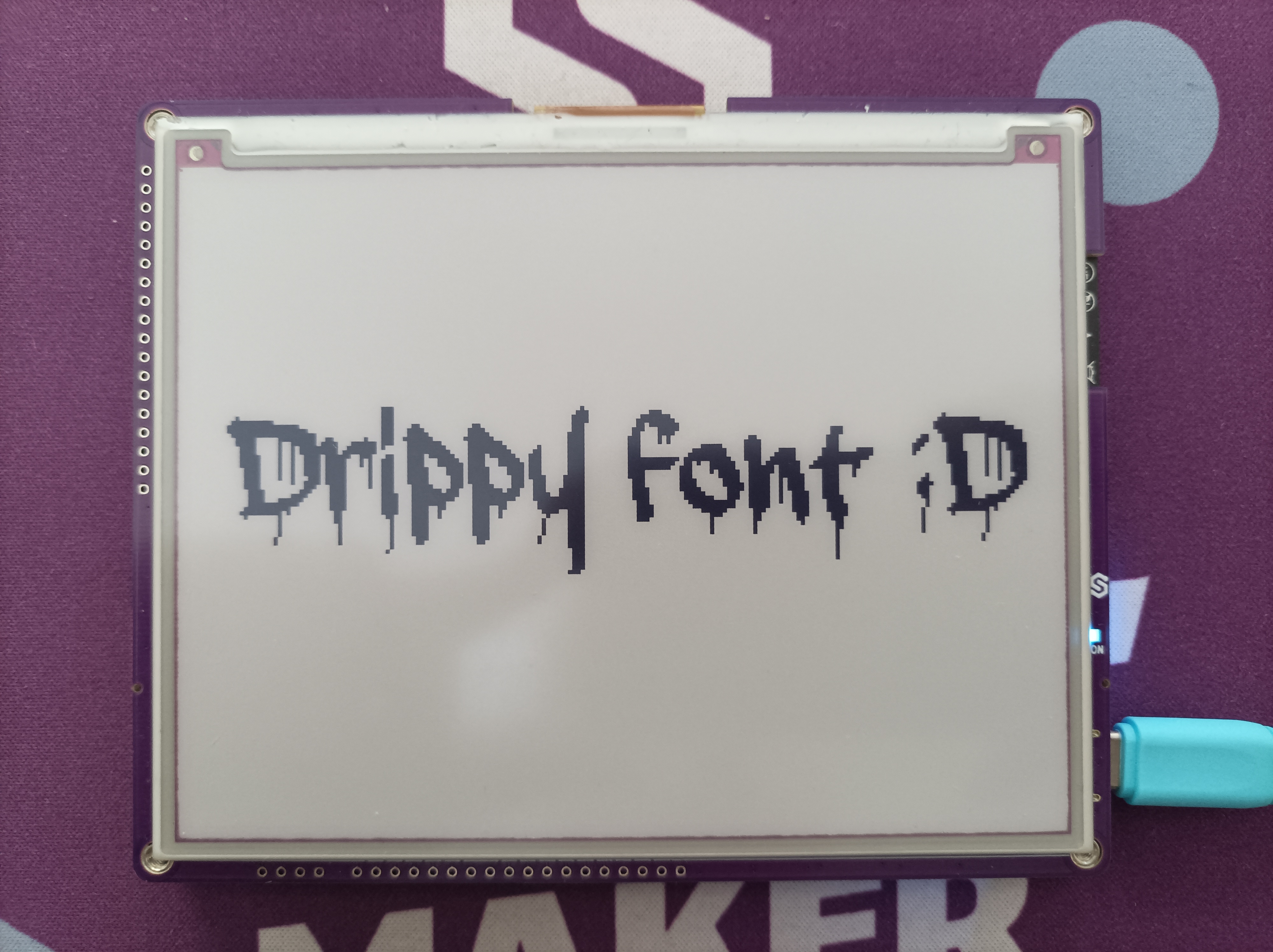
Custom font example
from inkplate6_color import Inkplate
import drippy as drippy

inkplate = Inkplate()

inkplate.begin()

inkplate.set_font(drippy)
inkplate.set_text_size(3)
inkplate.set_cursor(25, 140)
inkplate.println("Drippy font :D")

inkplate.display()
Full examples
hello_world.py
Example showing how to display colorful text on the screen.
custom_font.py
Swap in one of the extra typefaces shipped under fonts/ instead of the default font.