Inkplate 5v2 MicroPython - Printing text
Inkplate 5v2 prints text on a 1280 x 720 px canvas.
Displaying basic information
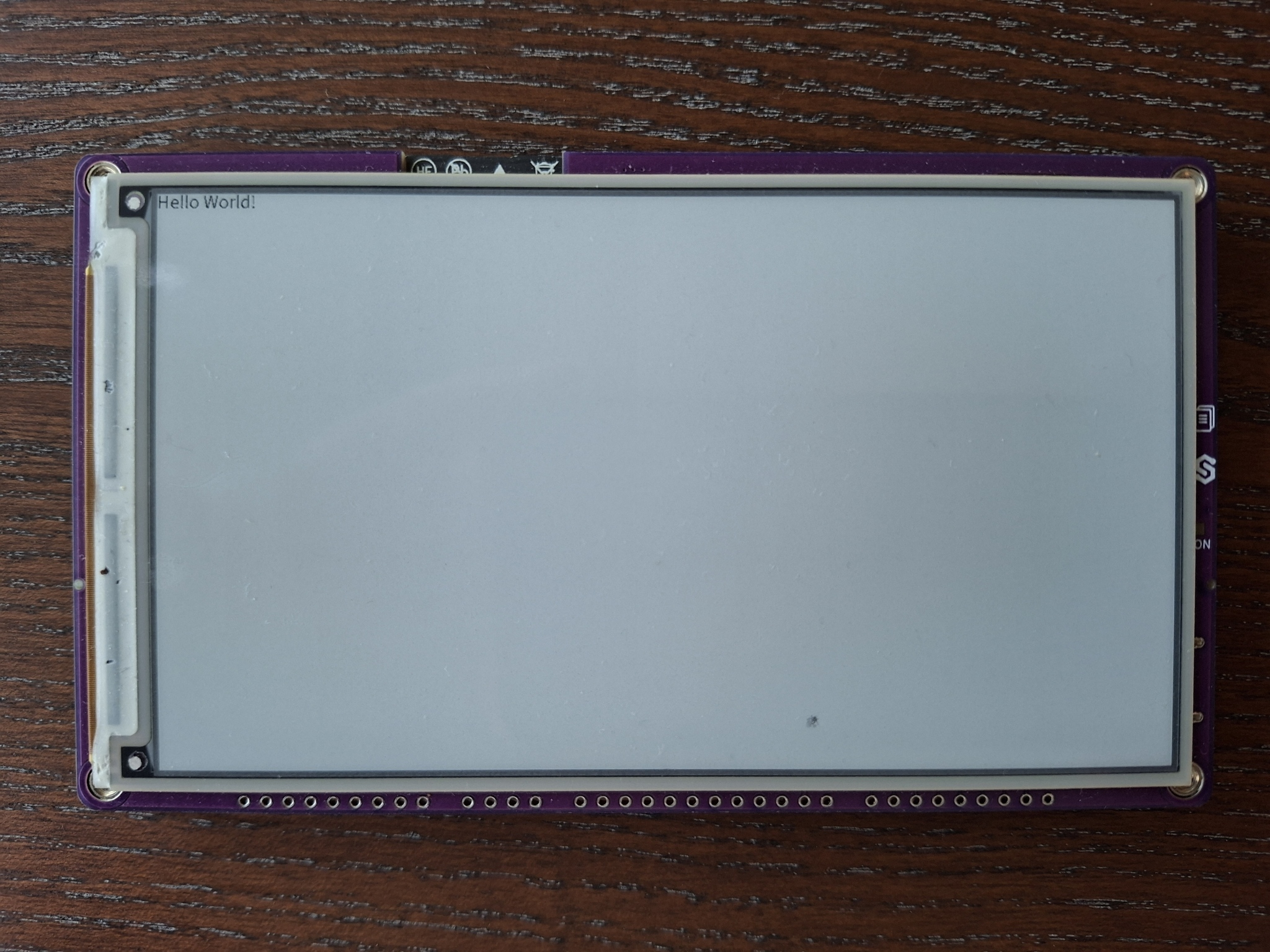
Here is the simplest way to put text on the Inkplate display.
from inkplate5v2 import Inkplate

inkplate = Inkplate(Inkplate.INKPLATE_1BIT)
inkplate.begin()
inkplate.clear_display()
inkplate.display()

#Putting the text in display buffer
inkplate.print("Hello World!")
inkplate.display()
inkplate.print()
Puts the text in display buffer at the current position on display
Function parameters:
| Type | Name | Description |
|---|---|---|
String | text | String to render. |
Displaying text in grayscale and more text parameters
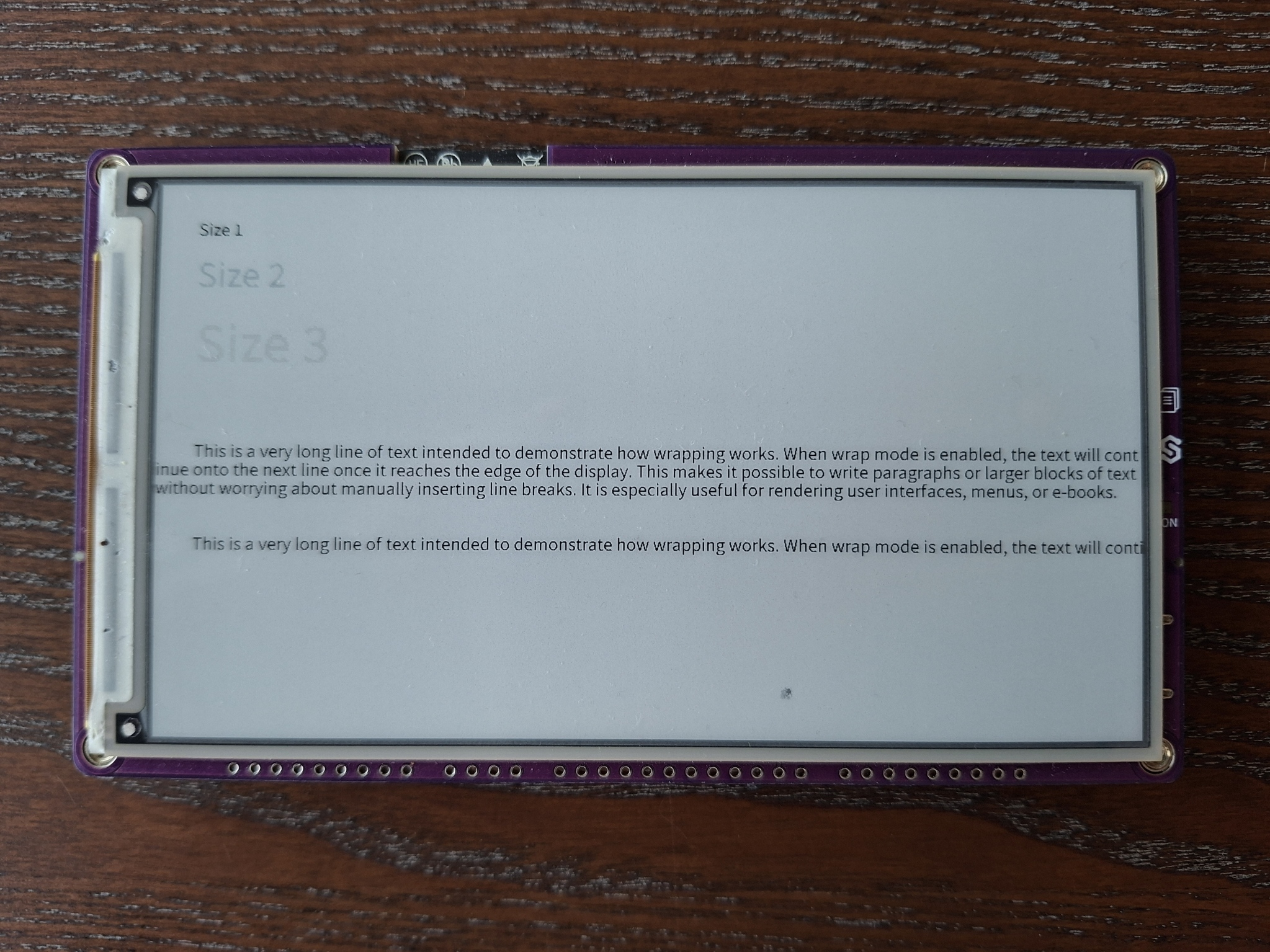
Inkplate 5v2 can also render grayscale graphics on its canvas, using 8 shades from 0 to 7. Text parameters such as text color, text size and text wrapping can be changed as well. The example below shows text in different grayscale colors and styles:
The color parameter in set_text_color() sets the text color as shown in the table below:
| VALUE | COLOR |
|---|---|
| 0 | Black |
| 1-3 | Dark greys |
| 4-6 | Light greys |
| 7 | White |
from inkplate5v2 import Inkplate

# Create Inkplate object in grayscale mode (8 shades, 0-7)
inkplate = Inkplate(Inkplate.INKPLATE_2BIT)

# Initialize the display, needs to be called only once
inkplate.begin()

# Clear the frame buffer
inkplate.clear_display()
inkplate.display()


inkplate.set_cursor(50, 50)
inkplate.set_text_size(1)
inkplate.set_text_color(0)         # black
inkplate.print("Size 1")

inkplate.set_cursor(50, 100)
inkplate.set_text_size(2)
inkplate.set_text_color(2)         # dark gray
inkplate.print("Size 2")

inkplate.set_cursor(50, 180)
inkplate.set_text_size(3)
inkplate.set_text_color(5)         # light gray
inkplate.print("Size 3")

inkplate.set_text_color(0)         # black
long_text = (
    "This is a very long line of text intended to demonstrate how wrapping works. "
    "When wrap mode is enabled, the text will continue onto the next line once it "
    "reaches the edge of the display. This makes it possible to write paragraphs "
    "or larger blocks of text without worrying about manually inserting line breaks. "
    "It is especially useful for rendering user interfaces, menus, or e-books."
)
inkplate.set_cursor(50, 340)
inkplate.set_text_size(1)
inkplate.set_text_wrapping(True)
inkplate.print(long_text)

inkplate.set_cursor(50, 460)
inkplate.set_text_size(1)
inkplate.set_text_wrapping(False)
inkplate.print(long_text)

inkplate.display()
inkplate.set_cursor()
Set the cursor position for the next text to be rendered.
Function parameters:
| Type | Name | Description |
|---|---|---|
Number | x | X coordinate for the text start. |
Number | y | Y coordinate for the text baseline. |
inkplate.set_text_size()
Set the text size scaling factor.
Function parameters:
| Type | Name | Description |
|---|---|---|
Number | size | Scale factor (1 = normal, 2 = double, 3 = triple, and so on). |
inkplate.set_text_color()
Set the text color (grayscale level) used for text rendering.
Function parameters:
| Type | Name | Description |
|---|---|---|
Number | color | Grayscale value for text, from 0 (black) to 7 (white) in grayscale mode. |
inkplate.set_text_wrapping()
Enable or disable automatic text wrapping when reaching the display edge. Note that wrapped lines restart at the left edge of the screen (x = 0), not at the x position you set with set_cursor().
Returns type: None
Function parameters:
| Type | Name | Description |
|---|---|---|
Boolean | wrap | True to wrap text, False to let it continue off-screen. |
Full examples
hello_world.py
Display text on the screen.
custom_font.py
Swap in one of the extra typefaces shipped under fonts/ instead of the default font.