Inkplate 6 MicroPython - Battery and temperature
Inkplate 6 includes built-in functions for measuring battery voltage and board temperature. This example shows how to read these values and display them on screen.
⚠️
You need a Li-ion battery for this example to work, to learn more, check out battery docs page.
Battery should be connected like this:
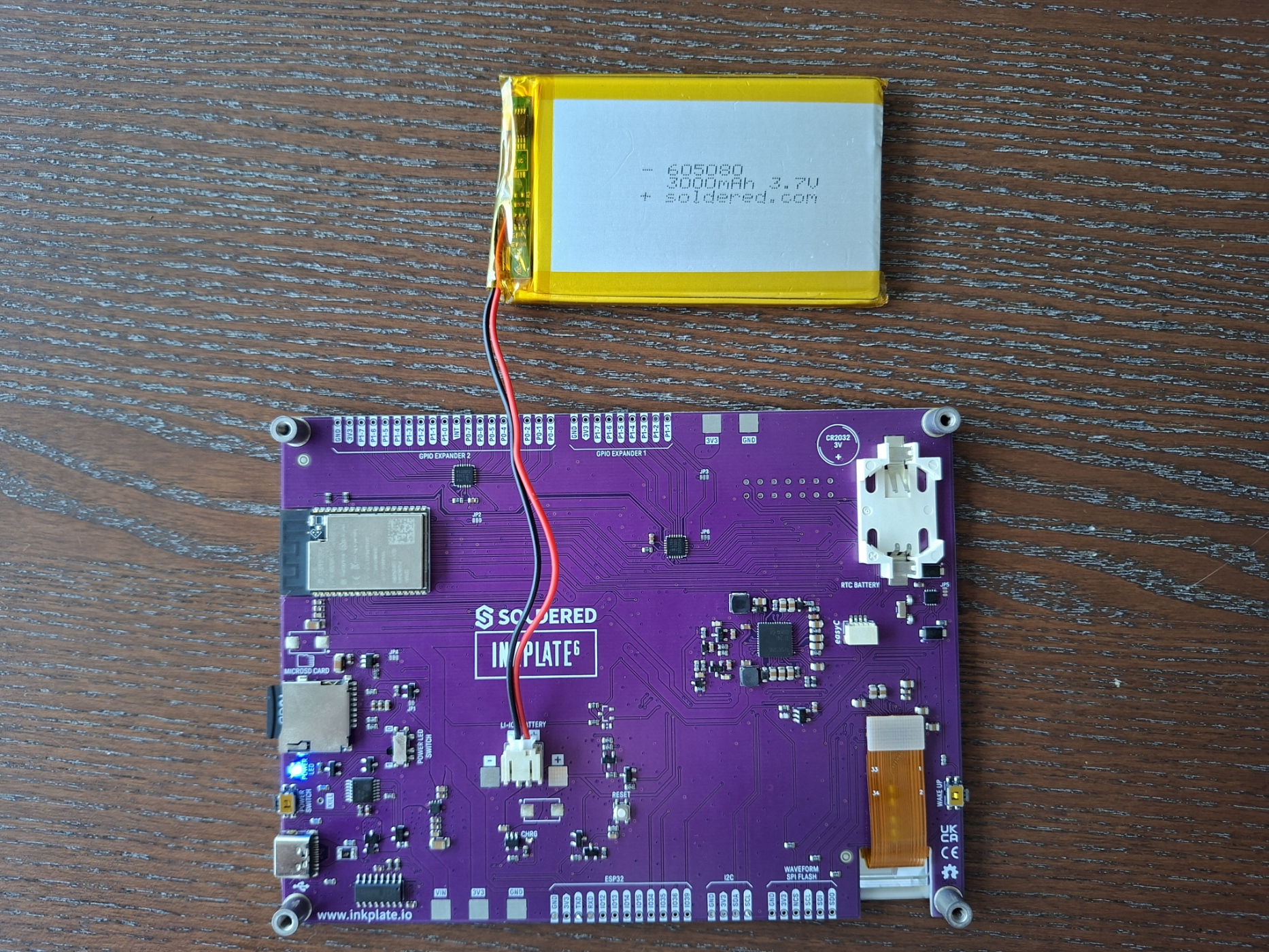
Battery connected to Inkplate 6.
Reading battery voltage and temperature
# Include needed libraries
from inkplate6 import Inkplate

# Create Inkplate object in 1-bit mode, black and white colors only
# For 8-level grayscale, see basic_grayscale.py
inkplate = Inkplate(Inkplate.INKPLATE_1BIT)

# Initialize the display, needs to be called only once
inkplate.begin()

# Clear the frame buffer
inkplate.clear_display()

# This has to be called every time you want to update the screen
# Drawing or printing text will have no effect on the display itself before you call this function
inkplate.display()

# Get the battery reading as a string
battery = str(inkplate.read_battery())

# Set text size to double from the original size, so we can see the text better
inkplate.set_text_size(2)

# Print the text at coordinates 100,100 (from the upper left corner)
inkplate.print_text(100, 100, "Battery voltage: " + battery + "V")

# Show it on the display
inkplate.display()

# Get the temperature reading, also as a string
temperature = str(inkplate.read_temperature())

# Print the text at coordinates 100, 150, and also add the measurement unit
inkplate.print_text(100, 150, "Temperature: " + temperature + "C")

# Show it on the display -- partial_update() is faster than a full display() for
# small changes like this
inkplate.partial_update()
inkplate.read_battery()
Measure the current battery voltage of the Inkplate board.
Returns type: float
Returns value: Battery voltage in volts.
inkplate.read_temperature()
Measure the panel temperature. The TPS65186 reads the on-board NTC thermistor and reports a value between -10°C and 85°C, accurate to within ±1°C between 0°C and 50°C.
Returns type: int
Returns value: Temperature in degrees Celsius.
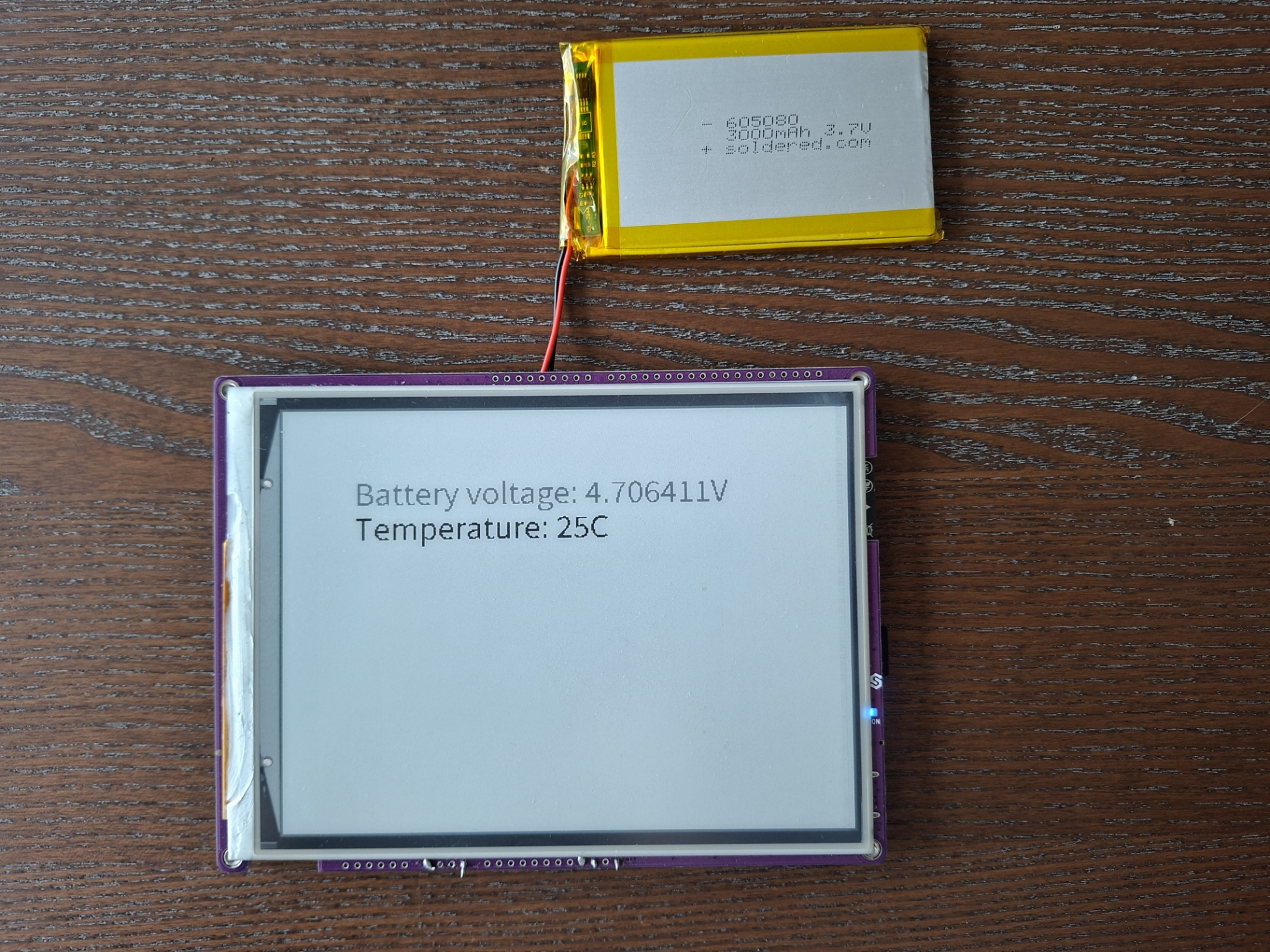
Displaying battery and temperature data on Inkplate display.
Full example
battery_and_temperature.py
Reads the battery voltage and the panel temperature and displays both on the screen.