Inkplate 13SPECTRA MicroPython - Draw Image from WiFi
Inkplate 13SPECTRA can connect to WiFi and fetch images directly from the internet. This example demonstrates downloading a JPEG file from a URL and rendering it on e-paper display.
Downloading and displaying an image
Below is a complete example that connects to WiFi and loads an image from the web. Make sure to replace the SSID and password with your own WiFi credentials.
"""Connect to WiFi and render an image from a URL."""

# Include needed libraries
import network
import time
from inkplate13_spectra import Inkplate

# WiFi credentials (replace with your own)
SSID = "YOUR_SSID_HERE"
PASSWORD = "YOUR_PASSWORD_HERE"


# Connects to a WiFi network using given SSID and PASSWORD.
#
# Returns:
# - True if successfully connected
# - False if connection fails within the timeout period
#
# Notes:
# - Timeout is set to 30 seconds
# - Prints network IP config on success
def do_connect():
    sta_if = network.WLAN(network.STA_IF)
    if not sta_if.isconnected():
        print("Connecting to network...")
        sta_if.active(True)
        sta_if.connect(SSID, PASSWORD)

        timeout = 30  # seconds
        start = time.ticks_ms()
        while not sta_if.isconnected():
            if time.ticks_diff(time.ticks_ms(), start) > timeout * 1000:
                print("Failed to connect within timeout")
                return False
            time.sleep(0.5)
    print("Network config:", sta_if.ifconfig())
    return True


# Create Inkplate object
inkplate = Inkplate()

# Initialize the display, needs to be called only once
inkplate.begin()

# Connect to WiFi
if not do_connect():
    raise SystemExit("WiFi connection failed")

# Draw an image on the screen.
#
# Parameters:
# - path: File path to the image. Supports local paths (e.g., from SD card) or URLs.
#         Supported formats: JPG, PNG, BMP.
#
# - x0: X-coordinate of the top-left corner where the image will be displayed.
#
# - y0: Y-coordinate of the top-left corner where the image will be displayed.
#
# - invert (bool, default=False): If True, inverts the image colors.
#
# - dither (bool, default=False): If True, applies a dithering algorithm to
#   the image for better grayscale rendering.
#
# - kernel_type (int): Specifies the dithering algorithm to use.
#     Available options:
#       Inkplate.KERNEL_FLOYD_STEINBERG = 0
#       Inkplate.KERNEL_JJN             = 1
#       Inkplate.KERNEL_STUCKI          = 2
#       Inkplate.KERNEL_BURKES          = 3
#
# Example usage:
inkplate.draw_image(
    "https://varipass.org/neowise_mono.bmp",  # URL to image
    0,
    0,  # X, Y position
    invert=False,  # Do not invert colors
    dither=True,  # Enable dithering
    kernel_type=Inkplate.KERNEL_FLOYD_STEINBERG,  # Dithering algorithm
)

# Show the image from the internal buffer
inkplate.display()
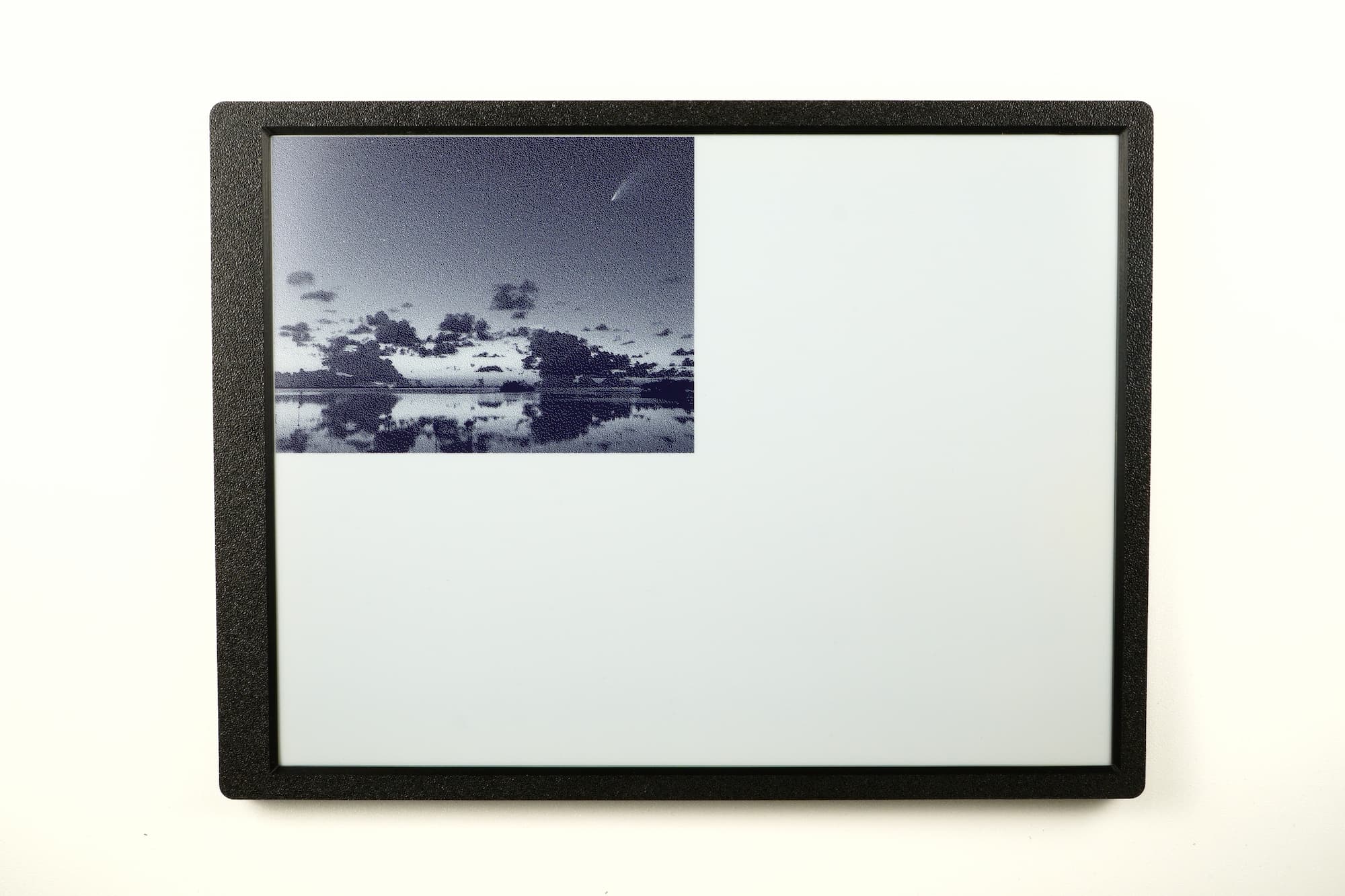
Example output displayed on e-paper display
display_image_web.py
Full example connecting to WiFi and rendering an image from a URL.
inkplate.draw_image()
Download and draw an image from a URL or local file path onto the display buffer.
Function parameters:
| Type | Name | Description |
|---|---|---|
String | path | Image URL or local file path. |
Number | x | X coordinate of top-left corner where image will be placed. |
Number | y | Y coordinate of top-left corner where image will be placed. |
Boolean | invert | If True, invert black and white colors. |
Boolean | dither | Enable or disable dithering for grayscale images. |
Constant | kernel_type | Dithering algorithm to use (e.g., Inkplate.KERNEL_FLOYD_STEINBERG). |
ℹ️
Available options for dithering algorithm:
| Algorithm | Value |
|---|---|
Inkplate.KERNEL_FLOYD_STEINBERG | 0 |
Inkplate.KERNEL_JJN | 1 |
Inkplate.KERNEL_STUCKI | 2 |
Inkplate.KERNEL_BURKES | 3 |