Inkplate 13SPECTRA – RTC basics
RTC basics
The real-time clock on Inkplate 13SPECTRA is the onboard PCF85063A RTC. The RTC uses an external clock source, an external XTAL of 32.768kHz.
Setting time and date
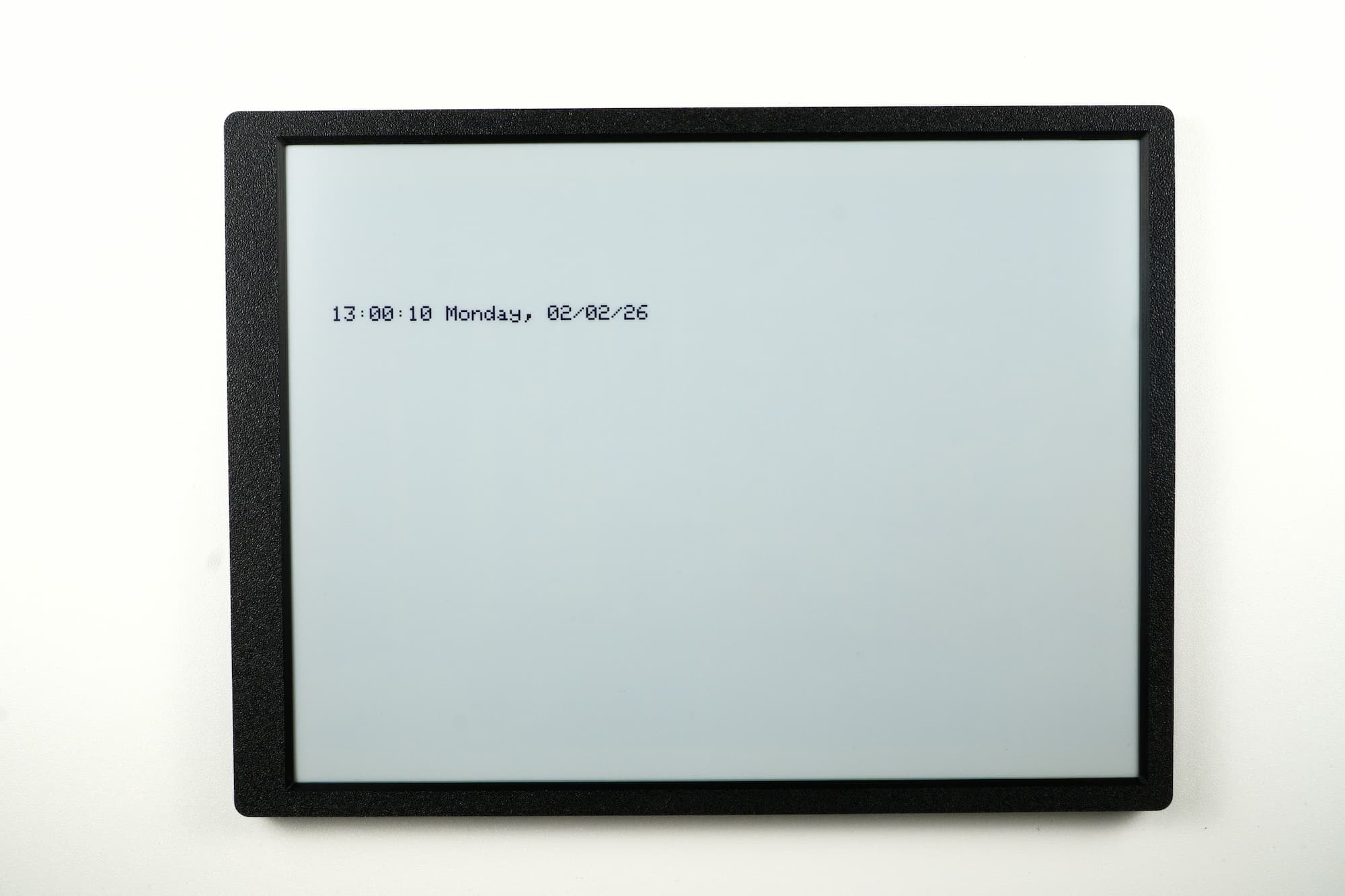
Setting the current time and date is the most basic RTC usage. Once you set the time, it will continue ticking, and you will be able to retrieve the current time later accurately. Of course, the RTC isn't perfect, so over the course of a day it may drift a couple of seconds early or late. If you're using the RTC, it's recommended to set it approximately once per day.
#include "Inkplate.h" // Include Inkplate library to the sketch

Inkplate inkplate;     // Create an object on Inkplate library

#define REFRESH_DELAY 60000 // Delay between refreshes one minute
unsigned long time1;        // Time for measuring refresh in millis

// Set clock
uint8_t hour = 13;
uint8_t minutes = 0;
uint8_t seconds = 10;

// Set date and weekday (NOTE: In weekdays 0 means Sunday, 1 means Monday, ...)
uint8_t weekday = 1;
uint8_t day = 2;
uint8_t month = 2;
uint8_t year = 26;

void setup()
{
  inkplate.begin();          // Init Inkplate library (you should call this function ONLY ONCE)
  inkplate.rtc.reset();      // Reset RTC if there is some data in it
  inkplate.clearDisplay();   // Clear frame buffer of display
  inkplate.setTextSize(4);   // Set text to be 4 times bigger than classic 5x7 px text
  inkplate.setTextColor(INKPLATE_BLACK, INKPLATE_WHITE); // Set text color and background

  inkplate.rtc.setTime(hour, minutes, seconds);    // Send time to RTC
  inkplate.rtc.setDate(weekday, day, month, year); // Send date to RTC
  getAndDisplayTime();                            // Display time on the screen
}

void loop()
{
  // Refresh screen every one minute
  if ((unsigned long)(millis() - time1) > REFRESH_DELAY)
  {
    // Display time on the screen
    getAndDisplayTime();

    // Store current millis
    time1 = millis();
  }
}

void getAndDisplayTime()
{
  inkplate.rtc.getRtcData(); // Get the time and date from RTC

  seconds = inkplate.rtc.getSecond();  // Store senconds in a variable
  minutes = inkplate.rtc.getMinute();  // Store minutes in a variable
  hour = inkplate.rtc.getHour();       // Store hours in a variable
  day = inkplate.rtc.getDay();         // Store day of month in a variable
  weekday = inkplate.rtc.getWeekday(); // Store day of week in a variable
  month = inkplate.rtc.getMonth();     // Store month in a variable
  year = inkplate.rtc.getYear();       // Store year in a variable

  inkplate.clearDisplay();                                       // Clear content in frame buffer
  inkplate.setCursor(80, 300);                                   // Set position of the text
  printTime(hour, minutes, seconds, day, weekday, month, year); // Print the time on screen
  inkplate.display();                                            // Refresh the screen
}

void printTime(uint8_t _hour, uint8_t _minutes, uint8_t _seconds, uint8_t _day, uint8_t _weekday, uint8_t _month,
               uint16_t _year)
{
  // Write time and date info on screen
  char *wday[] = {"Sunday", "Monday", "Tuesday", "Wednesday", "Thursday", "Friday", "Saturday"};

  print2Digits(_hour);
  inkplate.print(':');
  print2Digits(_minutes);
  inkplate.print(':');
  print2Digits(_seconds);

  inkplate.print(' ');

  inkplate.print(wday[_weekday]);
  inkplate.print(", ");
  print2Digits(_day);
  inkplate.print('/');
  print2Digits(_month);
  inkplate.print('/');
  inkplate.print(_year, DEC);
}

void print2Digits(uint8_t _d)
{
  if (_d < 10)
      inkplate.print('0');
  inkplate.print(_d, DEC);
}
inkplate.rtc.setTime()
Method for setting time.
Returns type: void
Function parameters:
| Type | Name | Description |
|---|---|---|
uint8_t | rtcHour | RTC Hour value. |
uint8_t | rtcMinute | RTC Minute value. |
uint8_t | rtcSecond | RTC Seconds value. |
inkplate.rtc.setDate()
Method for setting date.
Returns value: void
Function parameters:
| Type | Name | Description |
|---|---|---|
uint8_t | rtcWeekday | Weekday value. |
uint8_t | rtcDay | Day of the month. |
uint16_t | rtcMonth | Month value. |
uint8_t | yr | Year value. |
inkplate.rtc.getRtcData()
Reads time and date from the RTC and stores them in their corresponding variables.
Returns value: void
Full example
Inkplate13SPECTRA_RTC_Simple.ino
Full example of setting the RTC time and date and displaying it on screen.