Inkplate 6COLOR – Reading and Writing
Working with files on an SD card in MicroPython is just like using regular Python on your PC. You can open, read, write and append using the same commands, just include /sd/ in your file path. Once inserted, SD card behaves like a normal folder.
Basic write and read example
from inkplate6_color import Inkplate
from os import listdir

# Create Inkplate object
inkplate = Inkplate()

# Initialize the display, needs to be called only once
inkplate.begin()

# Initialize the SD card.
inkplate.init_sd_card(fast_boot=True)

# Writing to a .txt file
with open("/sd/text.txt", "w") as f:
    f.write("Hello! This is the file writing example for Inkplate 6COLOR.\n")
    f.write("==================================================\n")
    for i in range(1, 11):
        f.write(f"Line {i} :: {i} + {i} = {i + i}\n")

# Reading .txt file
with open("/sd/text.txt", "r") as f:
    for line in f:
        inkplate.print(line)

# Display content from .txt file
inkplate.display()

# Put SD card to sleep
inkplate.sd_card_sleep()
⚠️
Always
close() files (or use with) to avoid file corruption. 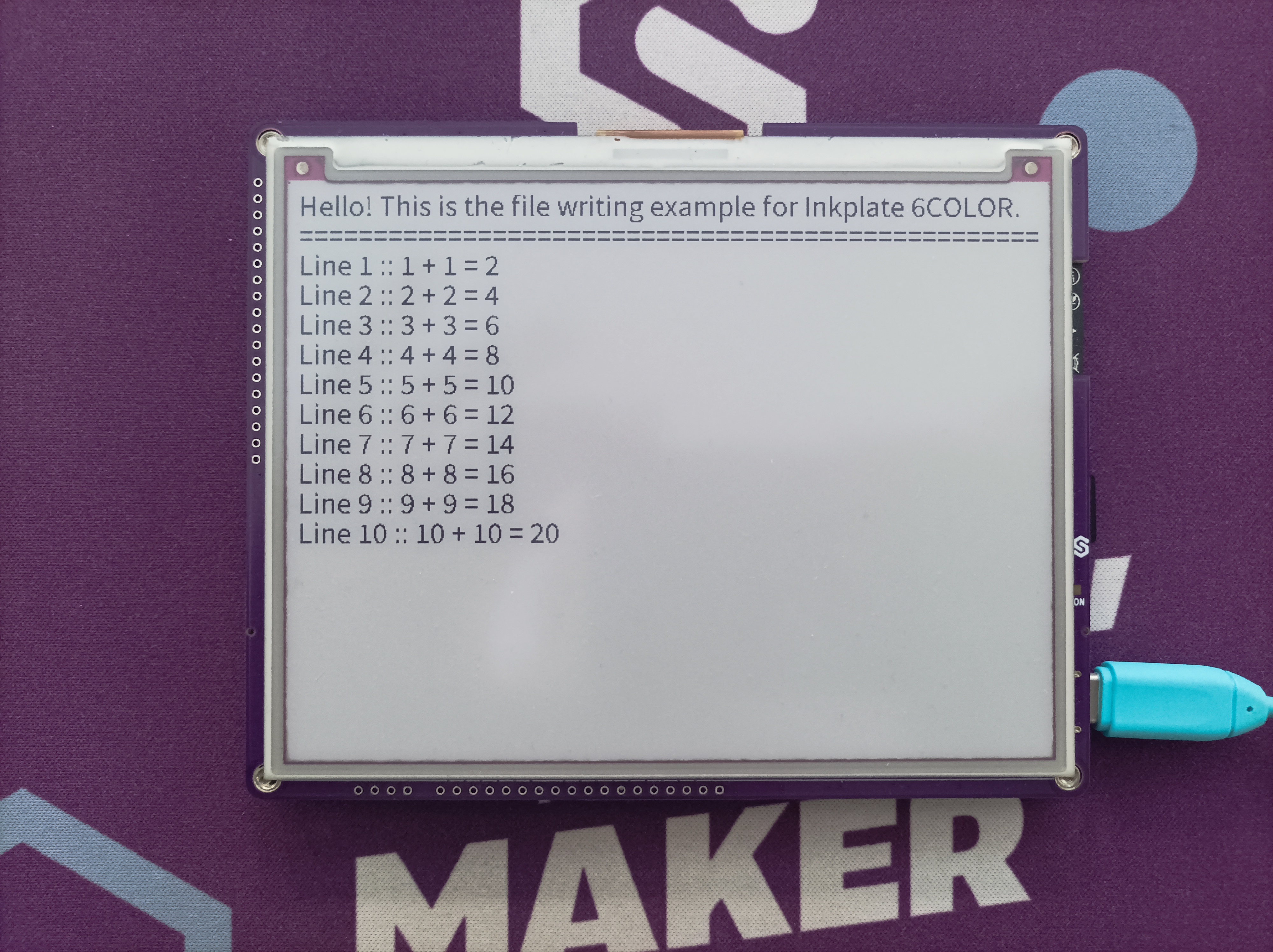
Example display from .txt file
Full example
microsd_read_write.py
List, write and read back a text file on the microSD card.